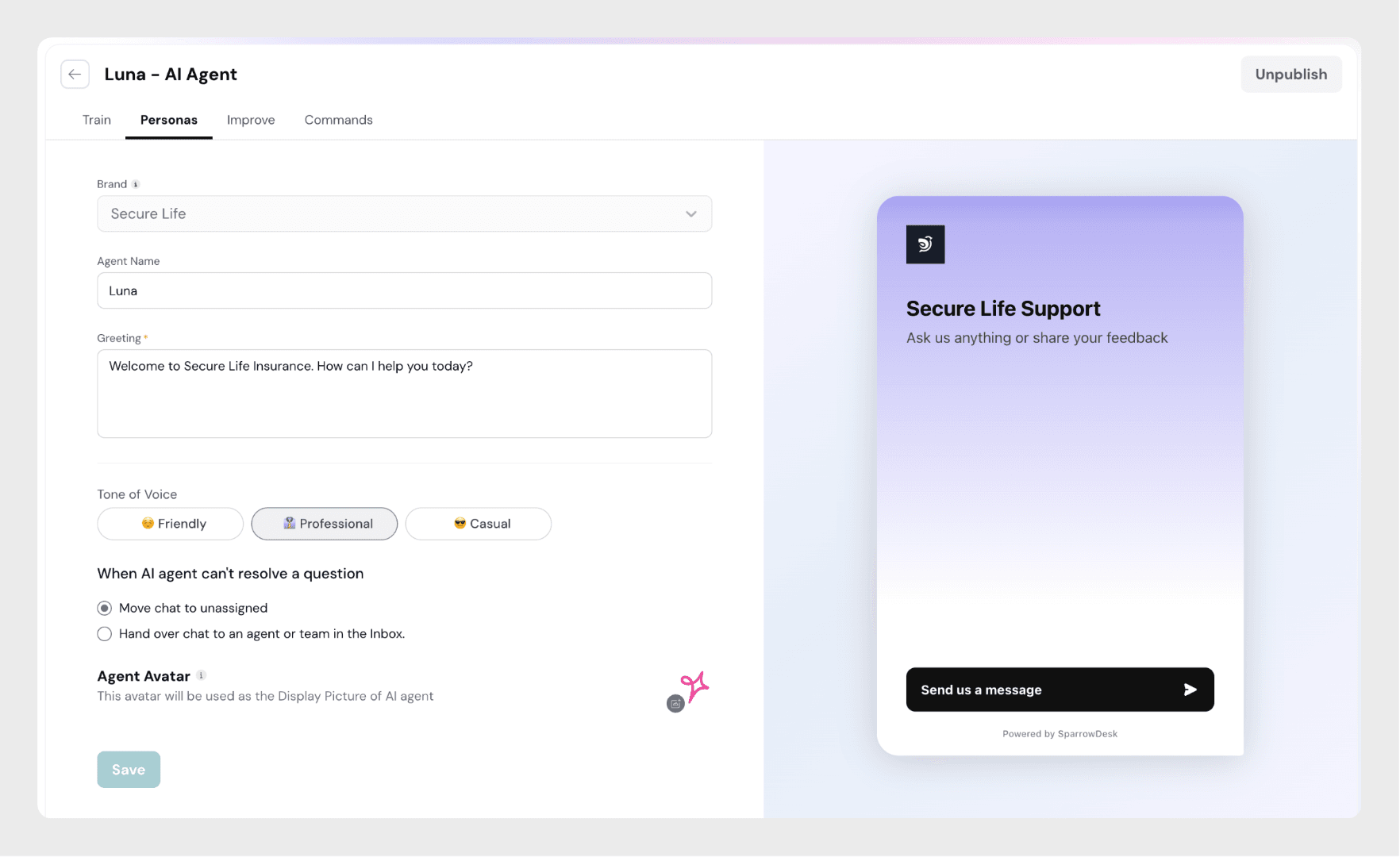
The Persona Configuration in SparrowDesk lets you define how your AI Agent appears, speaks, and introduces itself to your customers. It helps you create a consistent and branded experience — ensuring your AI feels like a natural extension of your team.
Brand
The brand is automatically selected based on your account and cannot be modified. This ensures the right name, tone, and greeting appear for each brand’s chat widget.
Agent Name
Enter a name for your AI Agent.
This name will be visible in the Inbox and Chat Widget when your AI interacts with customers.
Choose a name that’s friendly and fits your company’s personality. Example: “Zoona”, “Sparrow Assistant”, “DeskMate”
Greeting
Write a short welcome message that your AI Agent sends when customers start a conversation. This is the first impression your AI creates, so keep it polite and brand-consistent. Example:
“Welcome to Secure Life Insurance. How can I help you today?”
Tone of Voice
Choose how your AI should sound in conversations. You can pick one of the following:
Friendly – Warm, conversational, and approachable.
Professional – Clear, polite, and business-like.
Casual – Relaxed and easygoing tone, suitable for informal brands.
When AI Agent Can’t Resolve a Question
Decide what happens when your AI Agent doesn’t have an answer:
Move chat to Unassigned – The conversation will appear in the inbox as unassigned for agents to pick up.
Hand over chat to an Agent or Team – Automatically routes the chat to a selected human agent or team for follow-up.
Agent Avatar
Upload a custom image that represents your AI Agent.
The avatar will appear in both the chat widget and inbox.
Use a logo or friendly illustration that matches your brand.
Best Practices
Use a short, memorable name that feels approachable.
Write a clear and welcoming greeting that reflects your tone.
Select a tone of voice that matches your company’s personality.
Upload a professional or brand-themed avatar to create familiarity and trust.
Example
In the screenshot above, the AI Agent “Zoona” represents Secure Life Insurance.
Greeting: “Welcome to Secure Life Insurance. How can I help you today?”
Tone: Professional
Handover setting: Move chat to unassigned when unresolved