This integration helps you bring customers who initiate tickets in SparrowDesk directly into HubSpot as contacts. Once connected, every new conversation in SparrowDesk can be associated with a HubSpot contact and added to your HubSpot contact lists, ensuring your support and CRM data stay aligned.
Setting up the HubSpot Integration
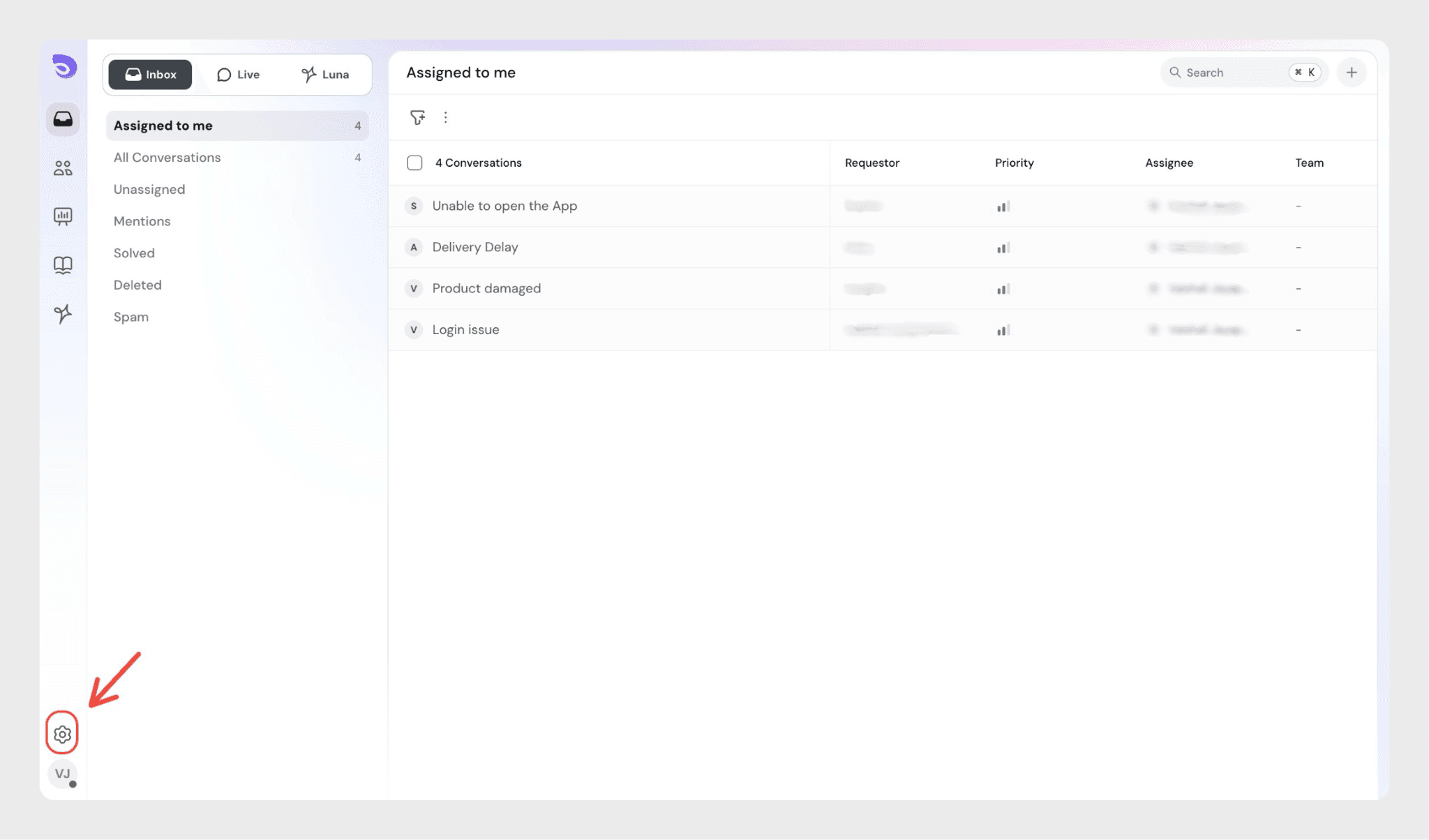
Log in to your SparrowDesk account and click the Settings icon.
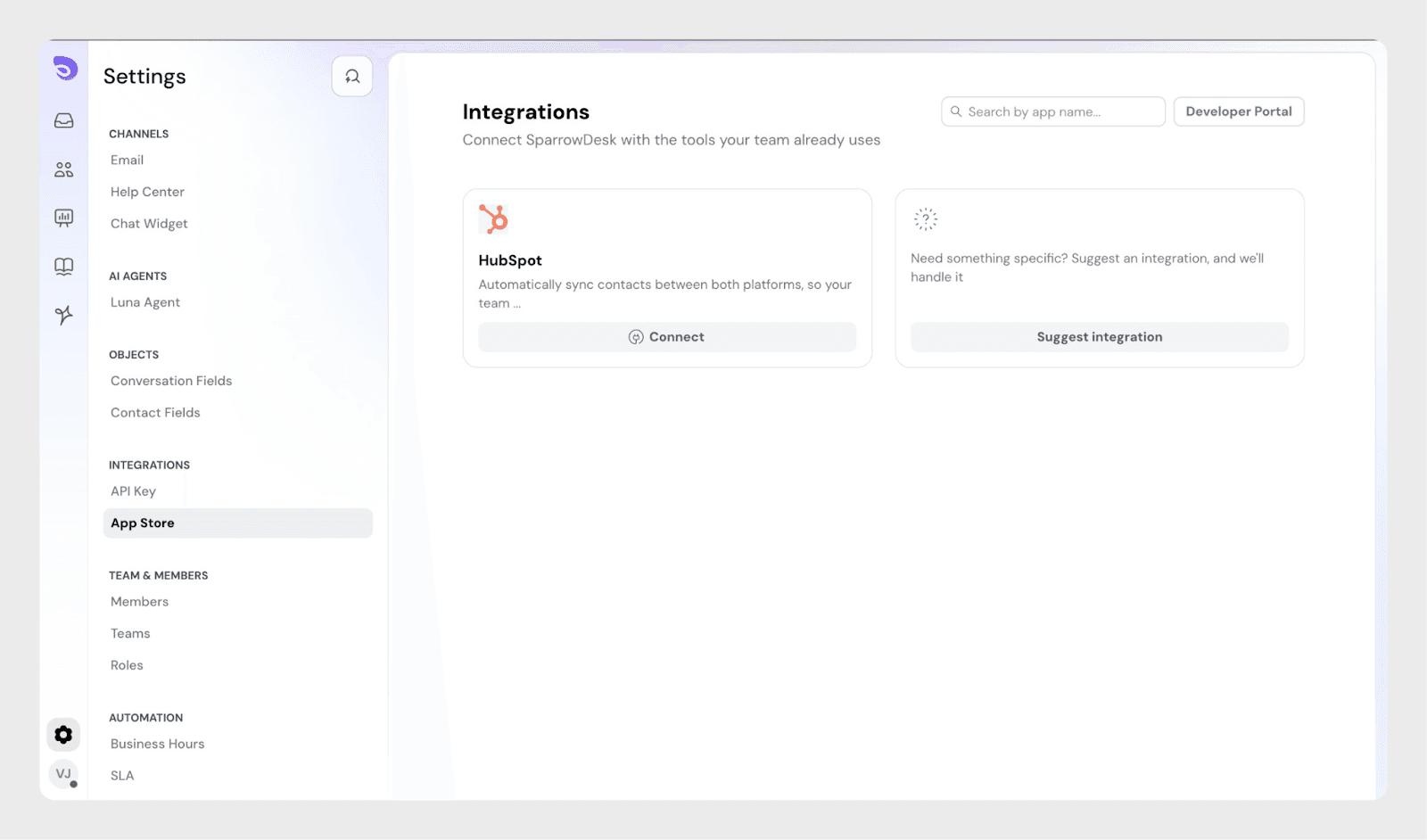
Under Account Settings, go to Integrations and open the App Store.
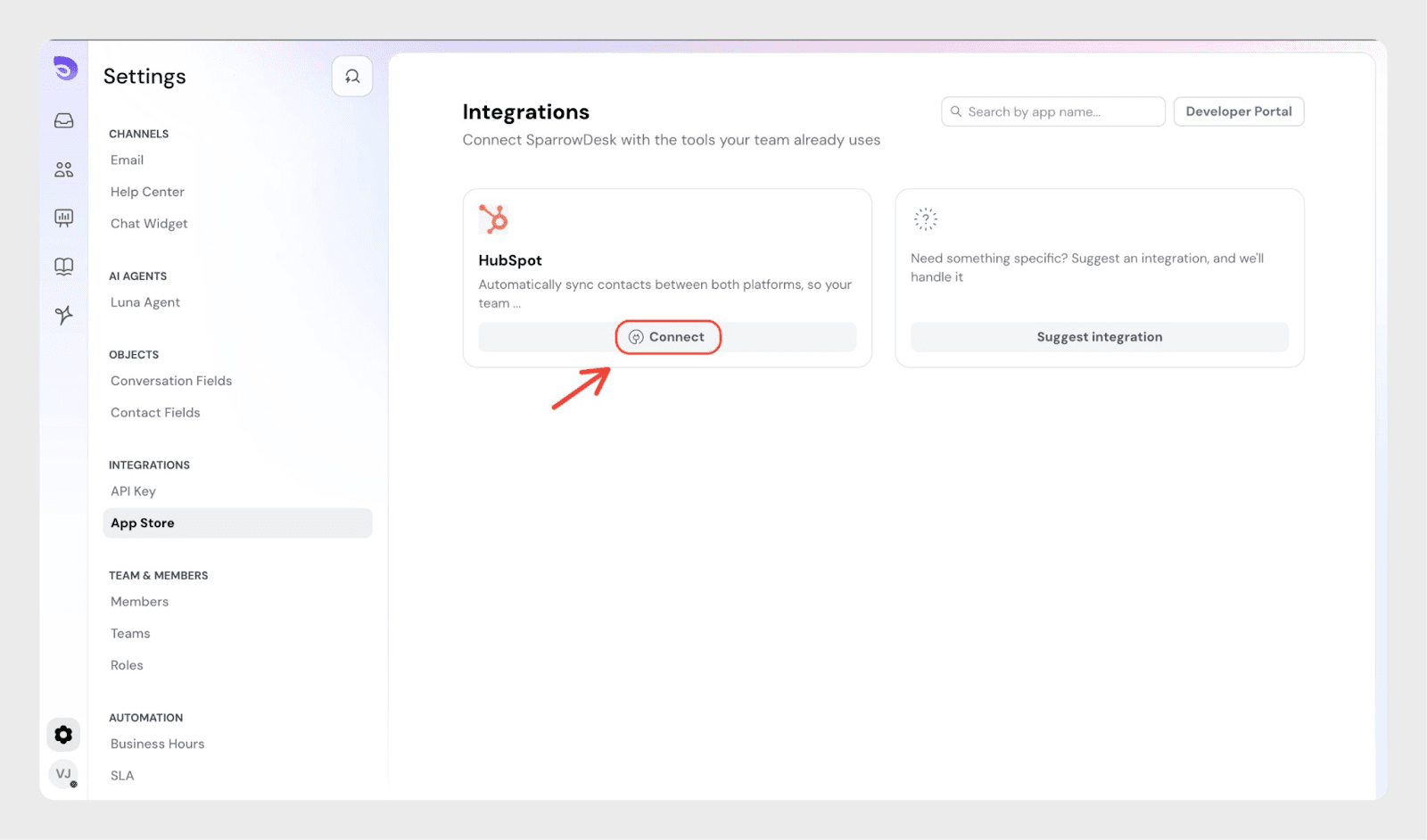
Locate HubSpot and click Connect.
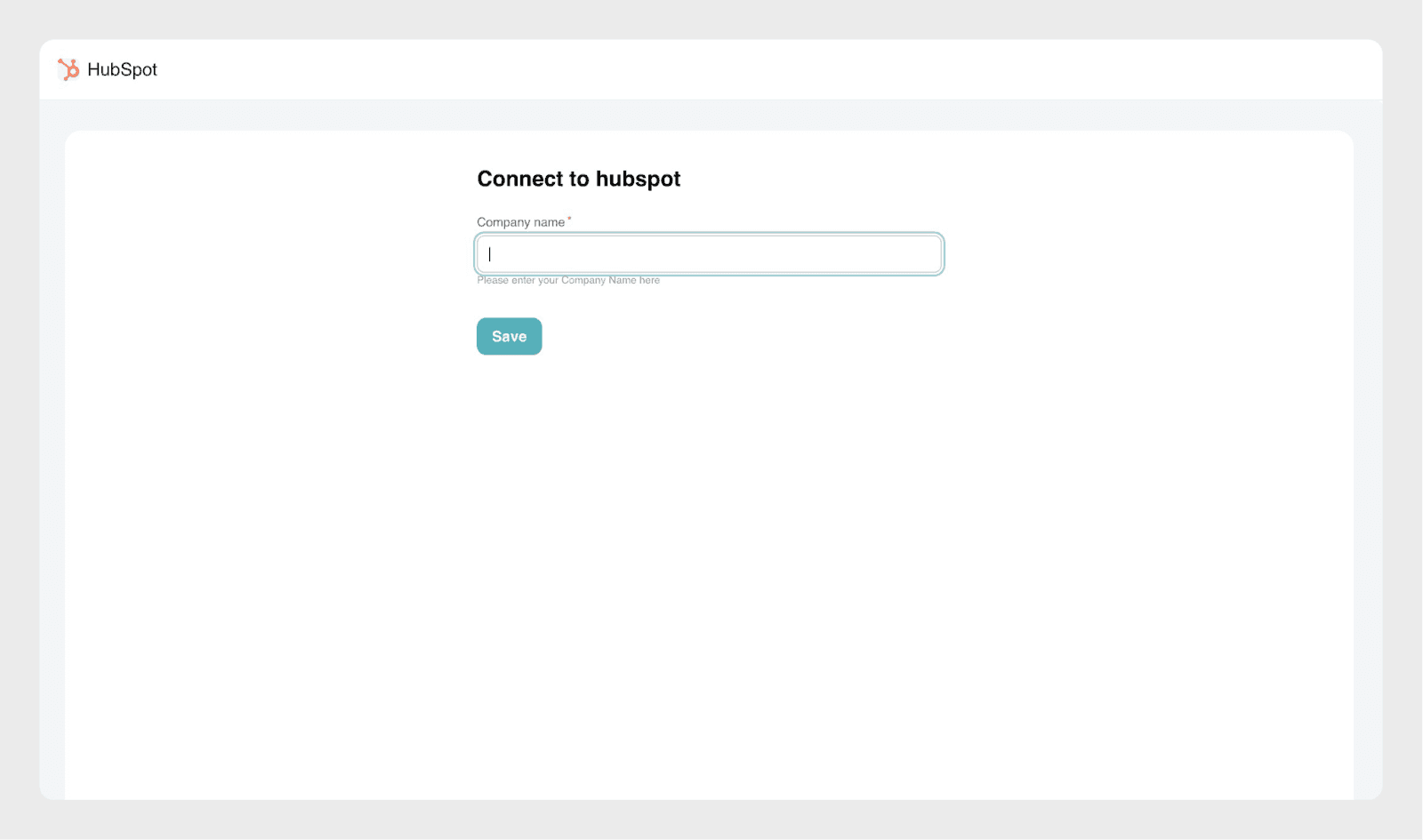
When prompted, enter your company name. Make sure it matches the company name used in your HubSpot account.
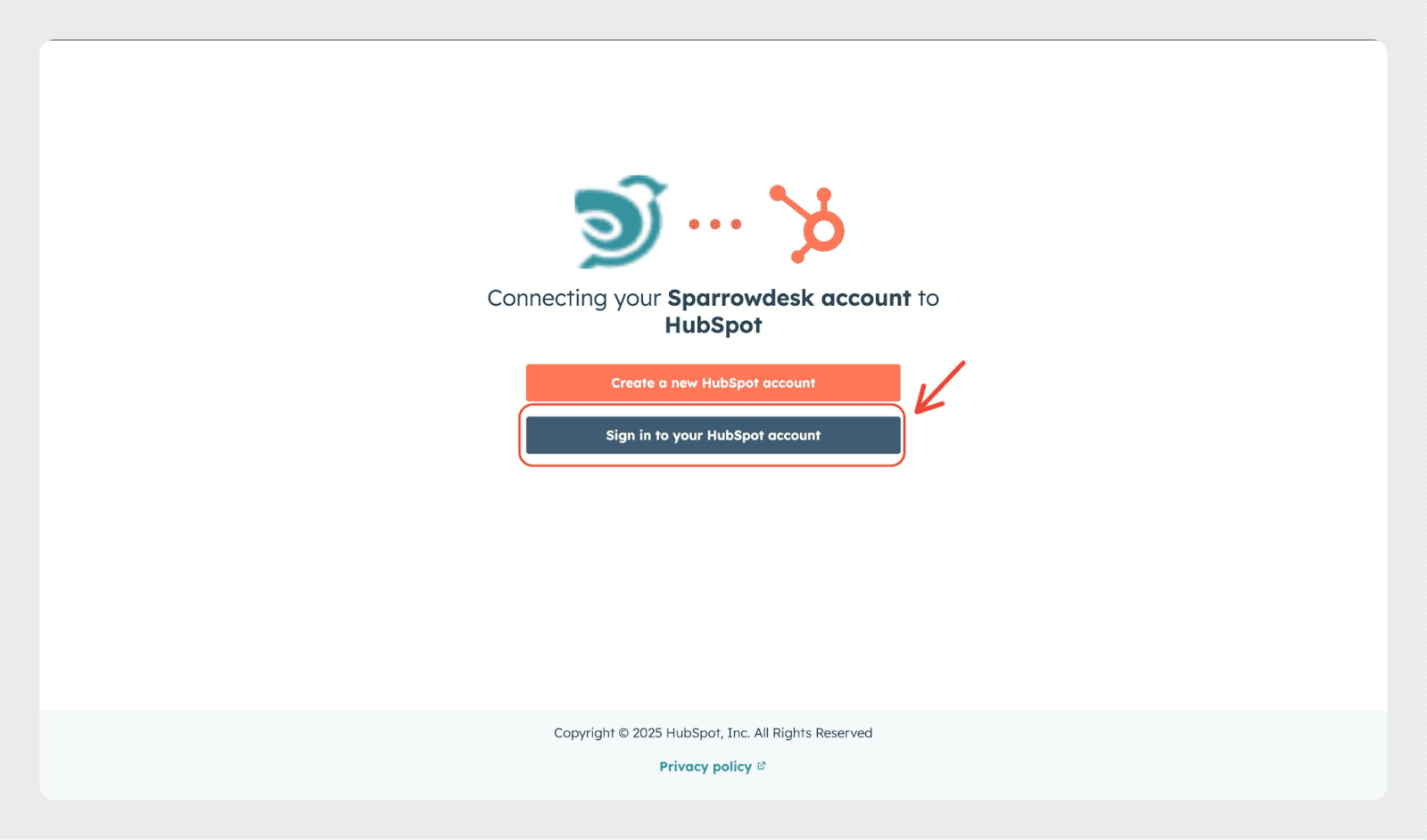
After entering the details, you’ll be redirected to the below page. Click Sign in to your HubSpot account.
Log in using your HubSpot credentials to complete the integration.
Configuring HubSpot Contact Sync in SparrowDesk
Follow the steps below to sync contacts from SparrowDesk to HubSpot.
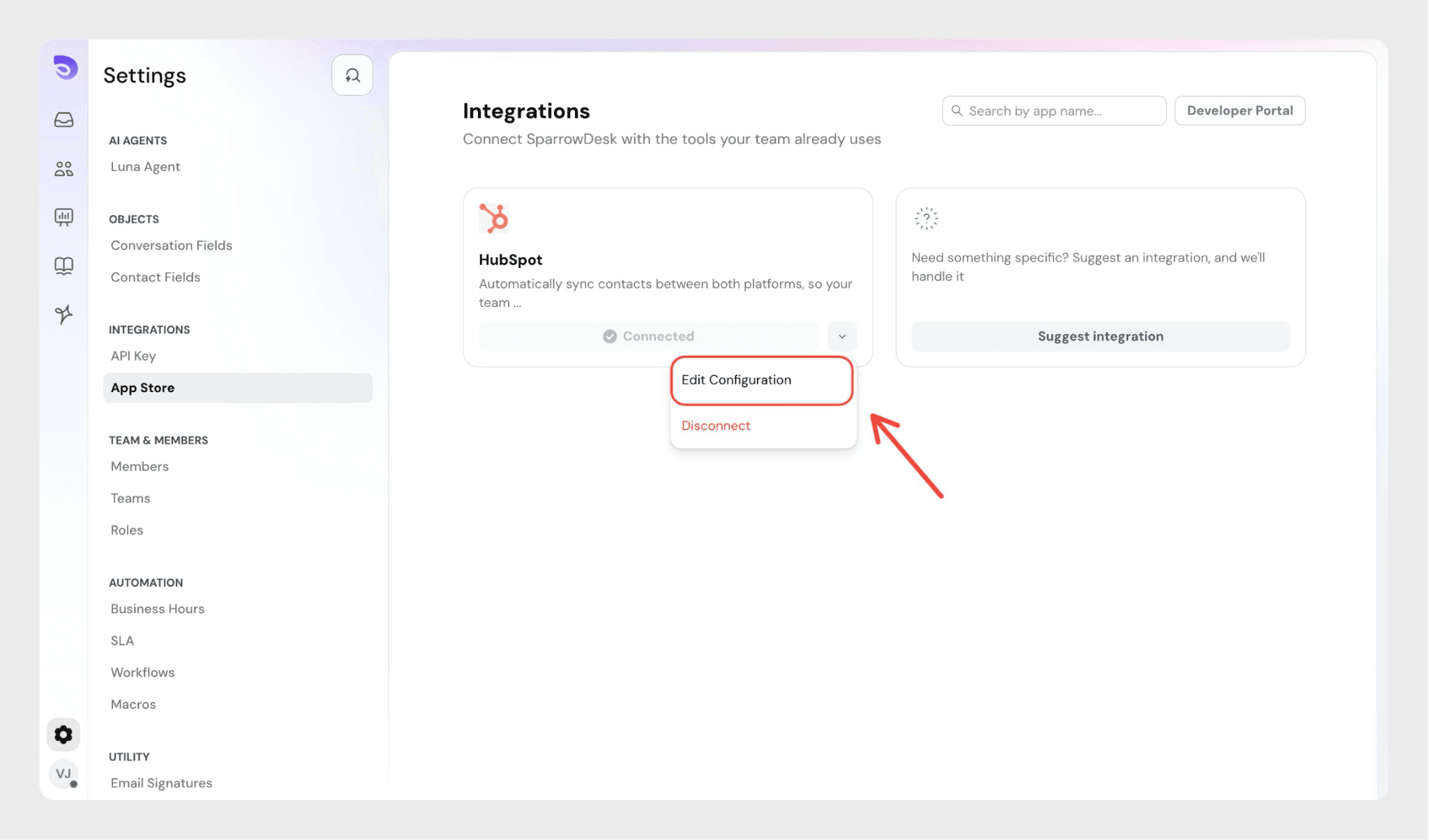
SparrowDesk, go to Integrations, click the dropdown next to HubSpot, and select Edit configuration.
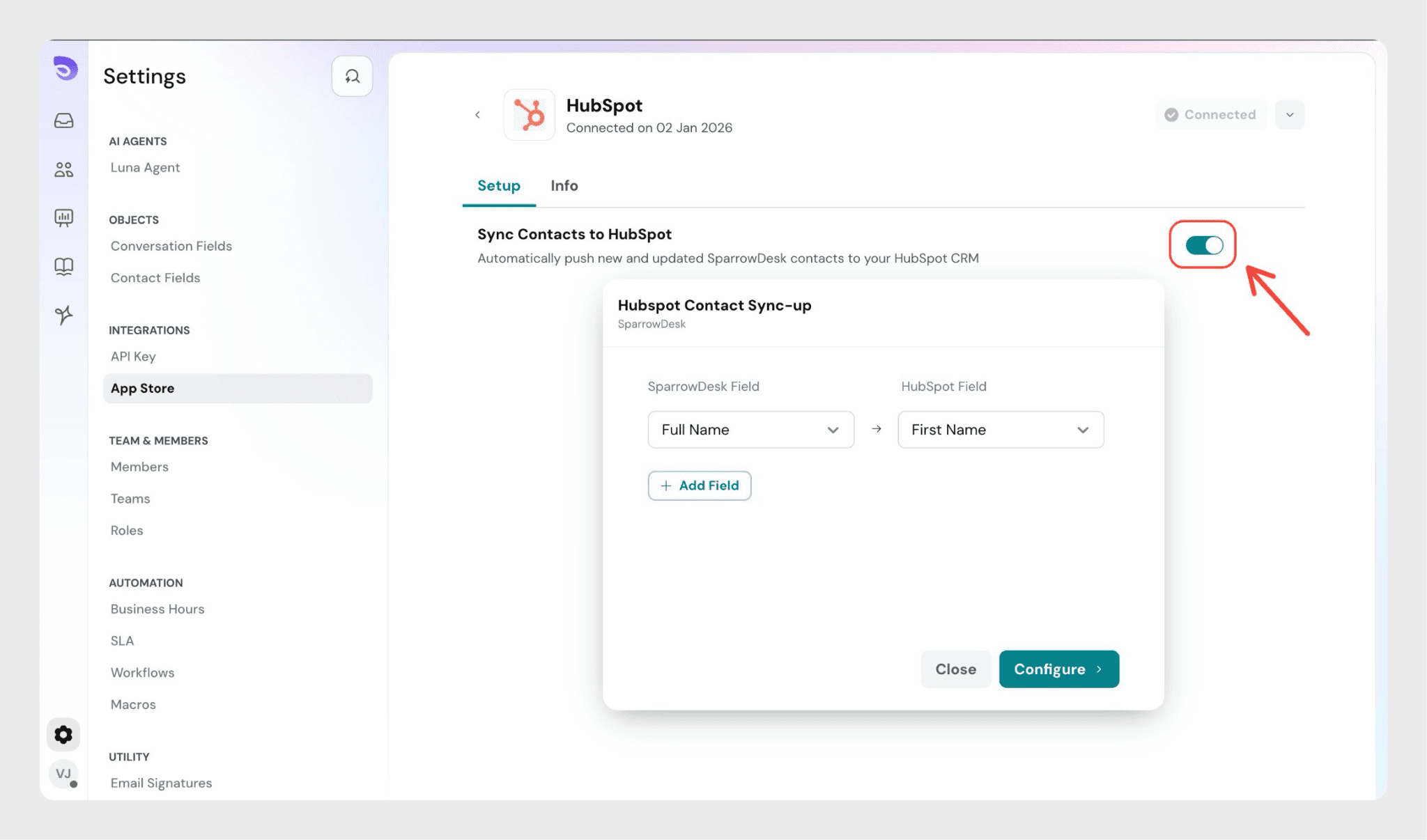
In the configuration screen, enable the HubSpot toggle. Once enabled, a modal opens where you can configure Contact Sync-up and Field Mapping.
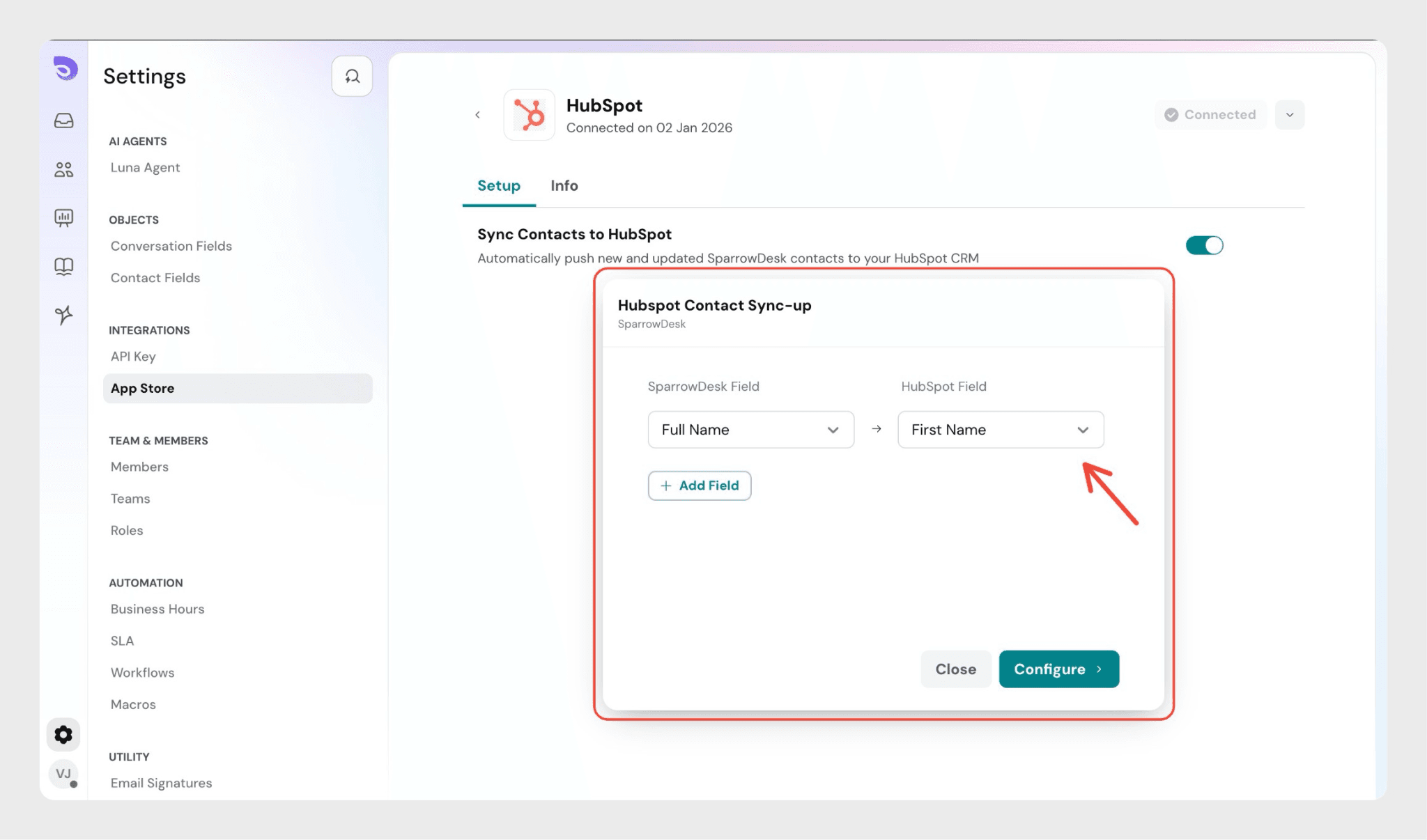
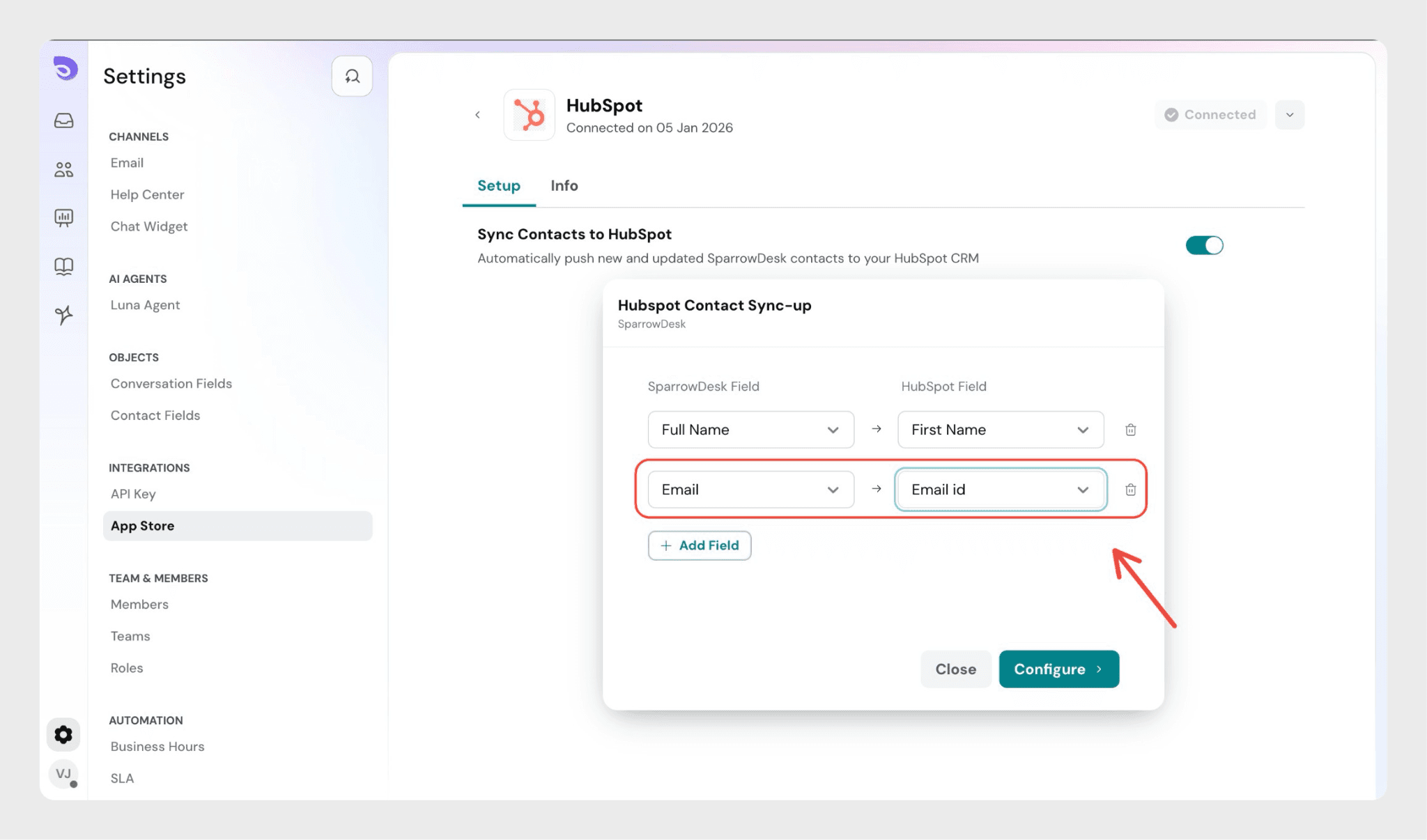
In the Field Mapping section, map SparrowDesk contact fields to the corresponding HubSpot contact fields (for example, Full Name in SparrowDesk → First Name in HubSpot).
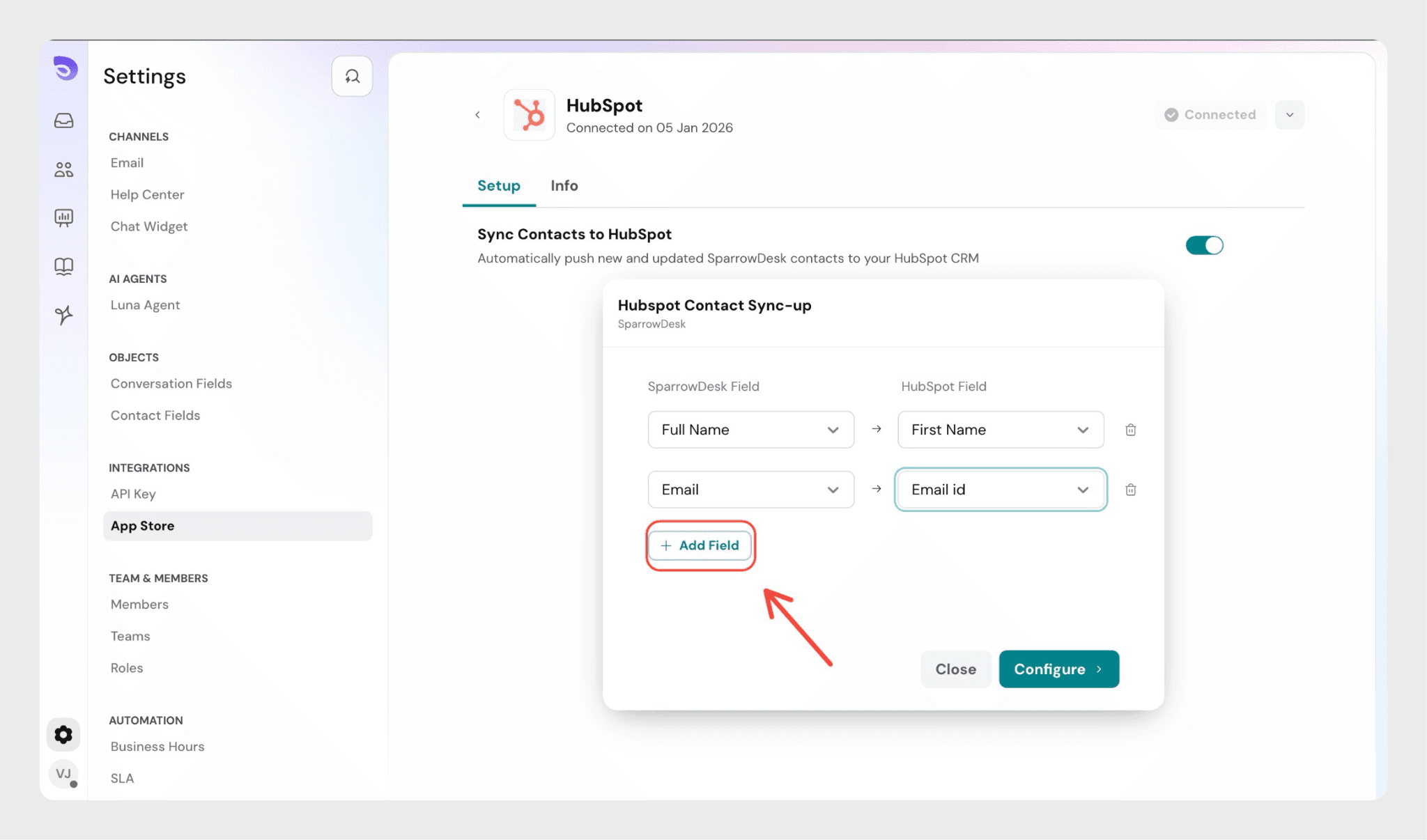
Use the Add Fields button to include additional contact fields in the mapping, if required.
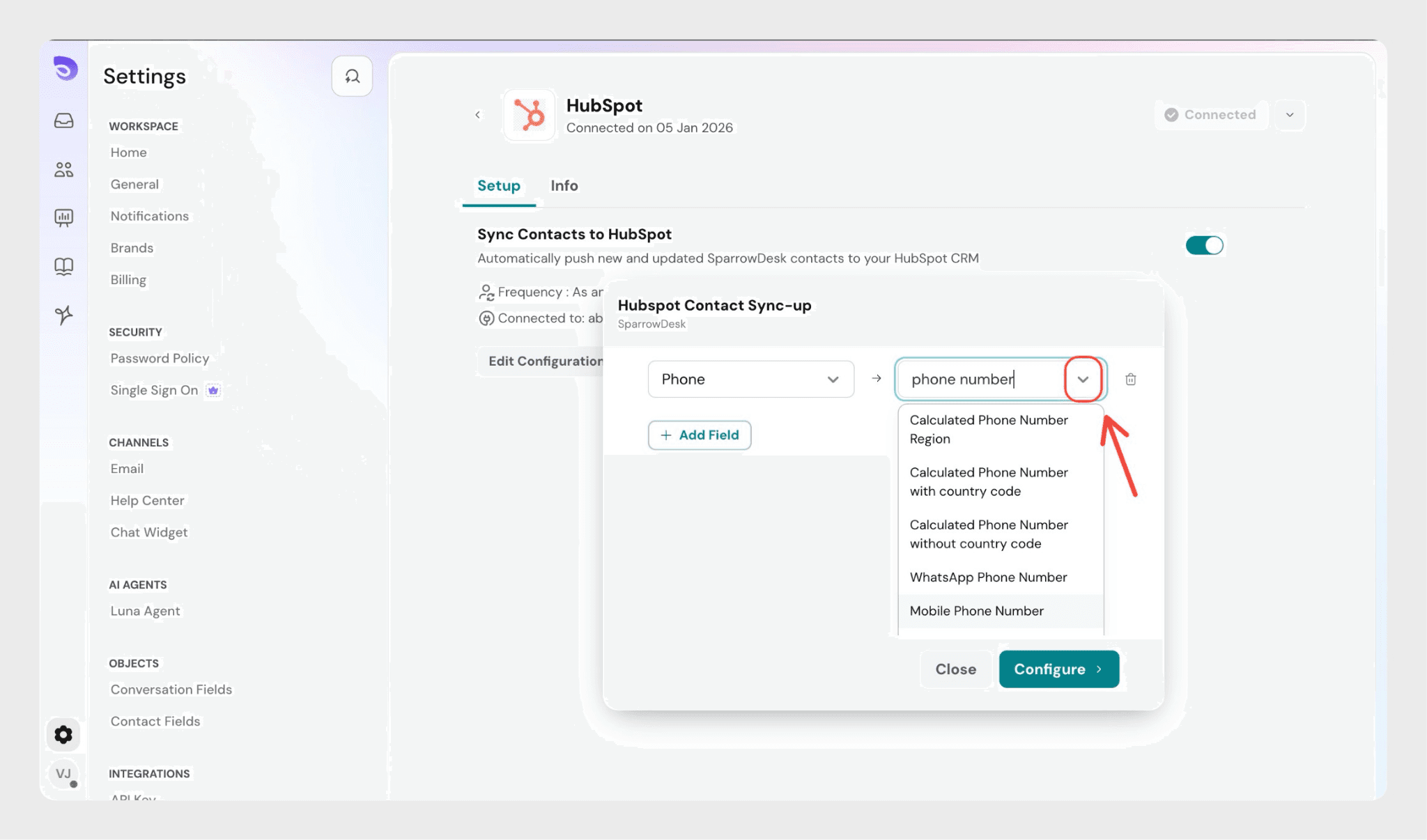
From the dropdowns provided, select the SparrowDesk contact field and map it to the corresponding HubSpot contact field.
Ensure that the Email field is included while mapping contacts, as it is required to sync contacts to HubSpot.
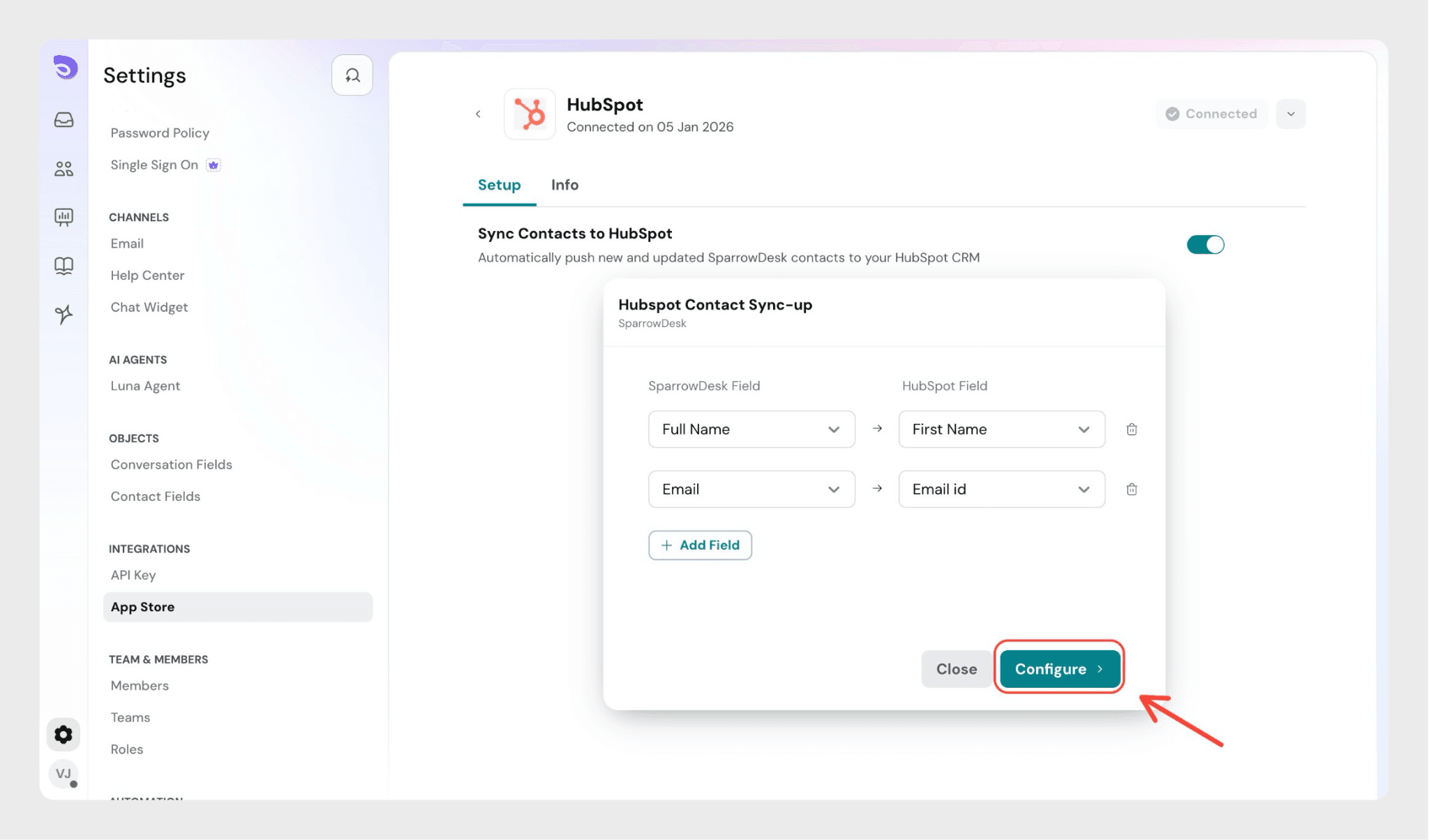
Click configure to complete the setup.
Note: Contacts that existed in SparrowDesk before enabling the HubSpot integration will not be synced to HubSpot.
Disconnecting HubSpot from SparrowDesk
Follow the steps below to uninstall the HubSpot integration from SparrowDesk.
Steps
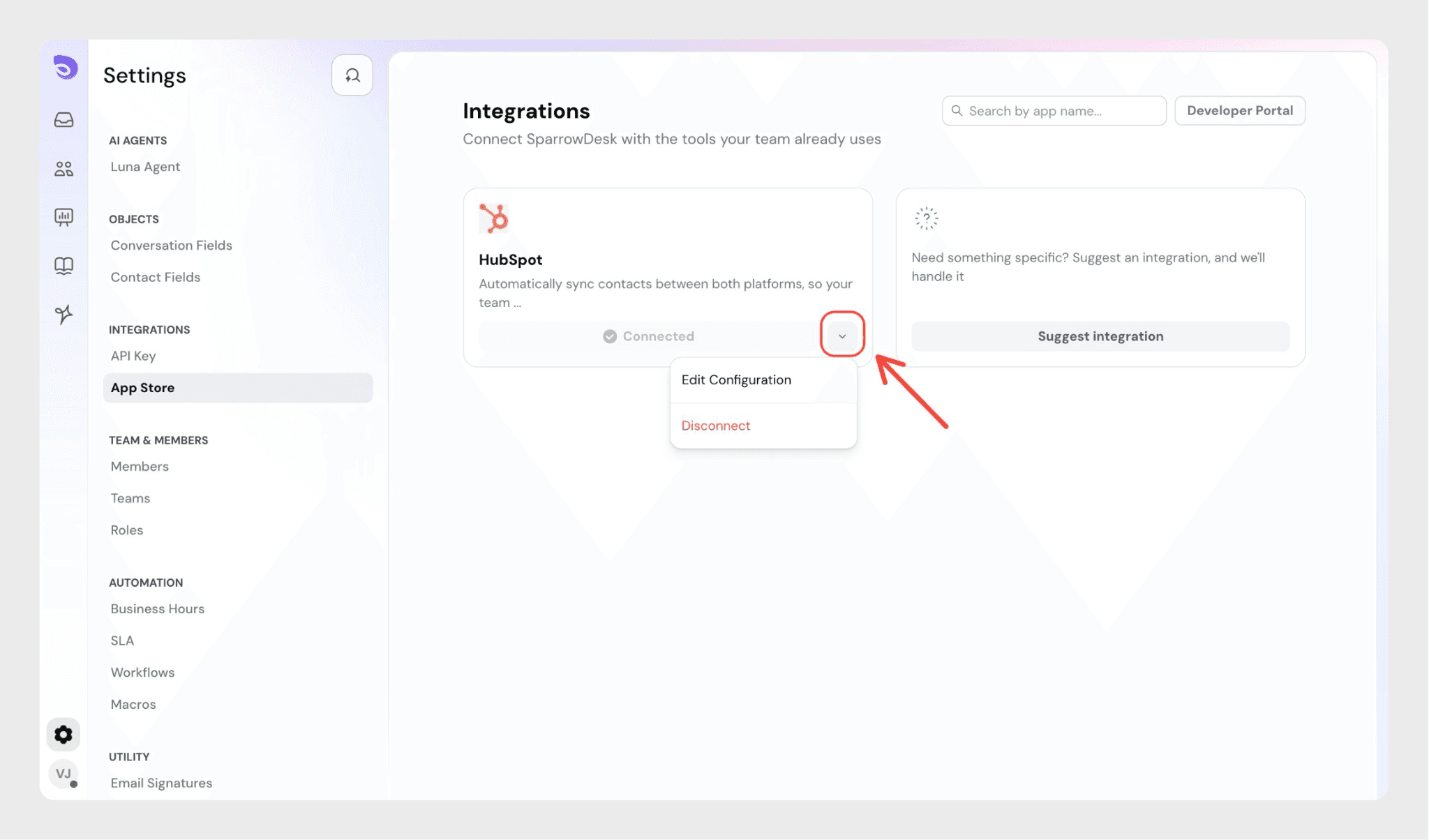
In SparrowDesk, go to Integrations. Click the dropdown next to HubSpot.
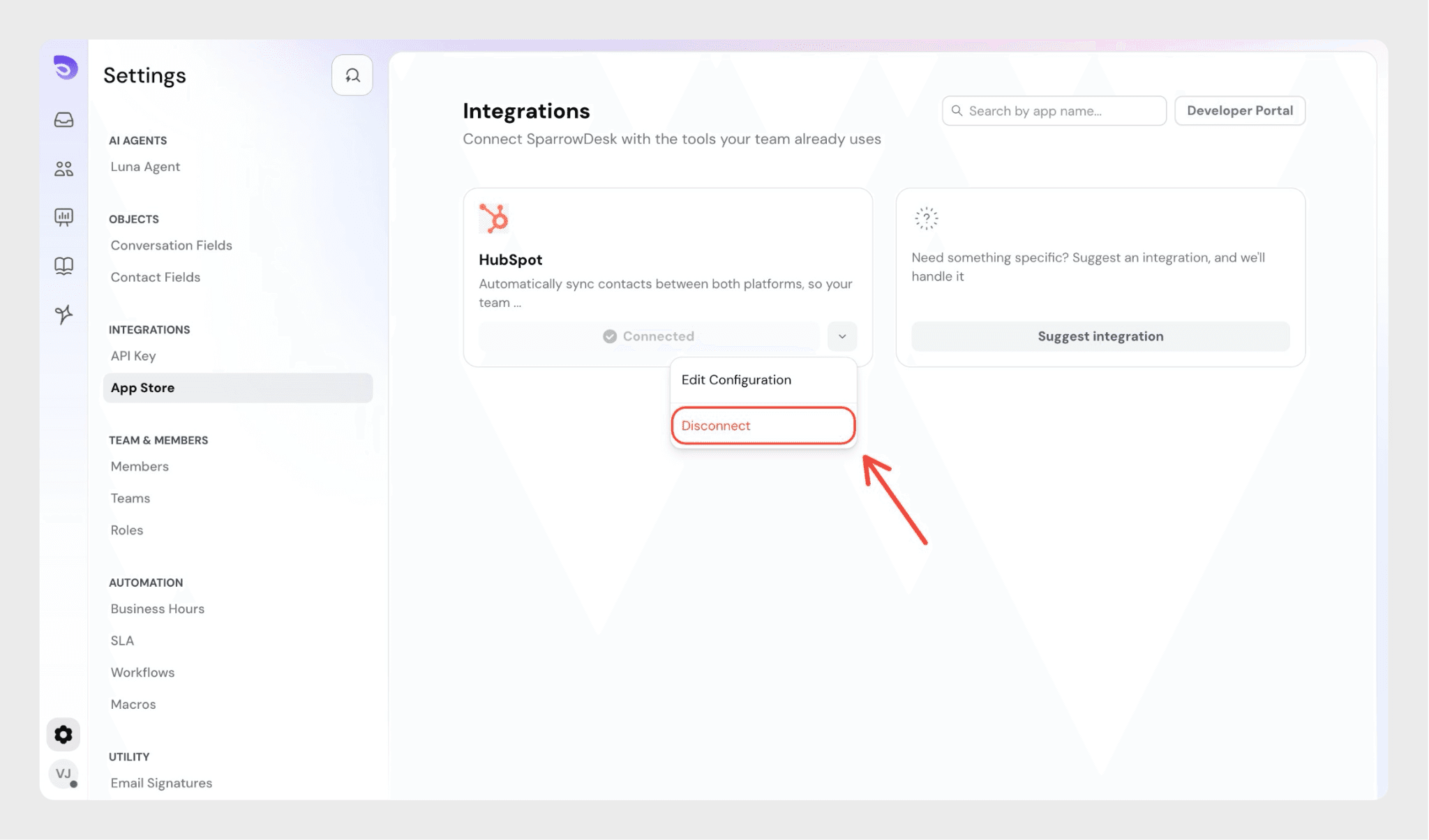
Select Disconnect.
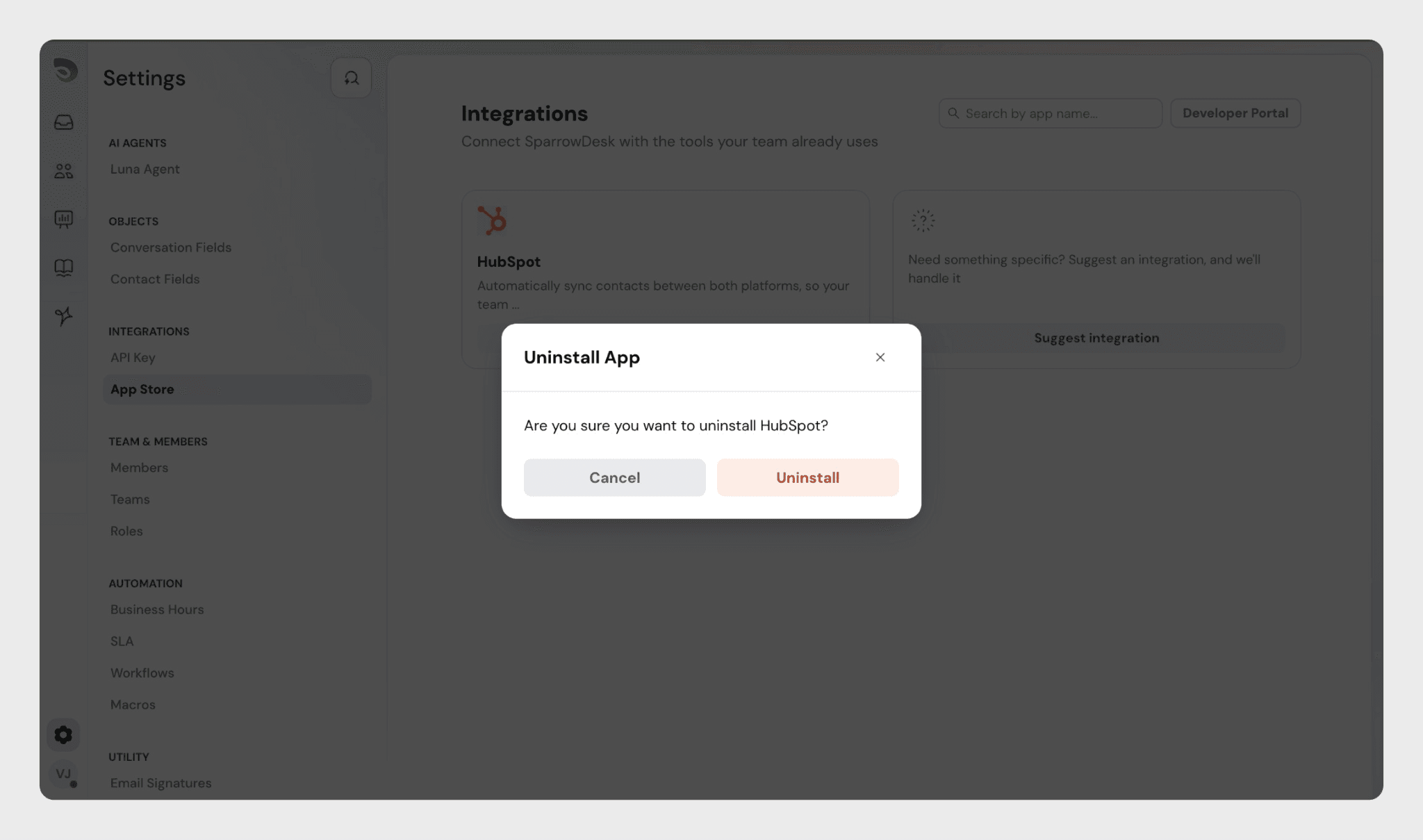
A confirmation pop-up appears asking if you’re sure you want to uninstall the integration.
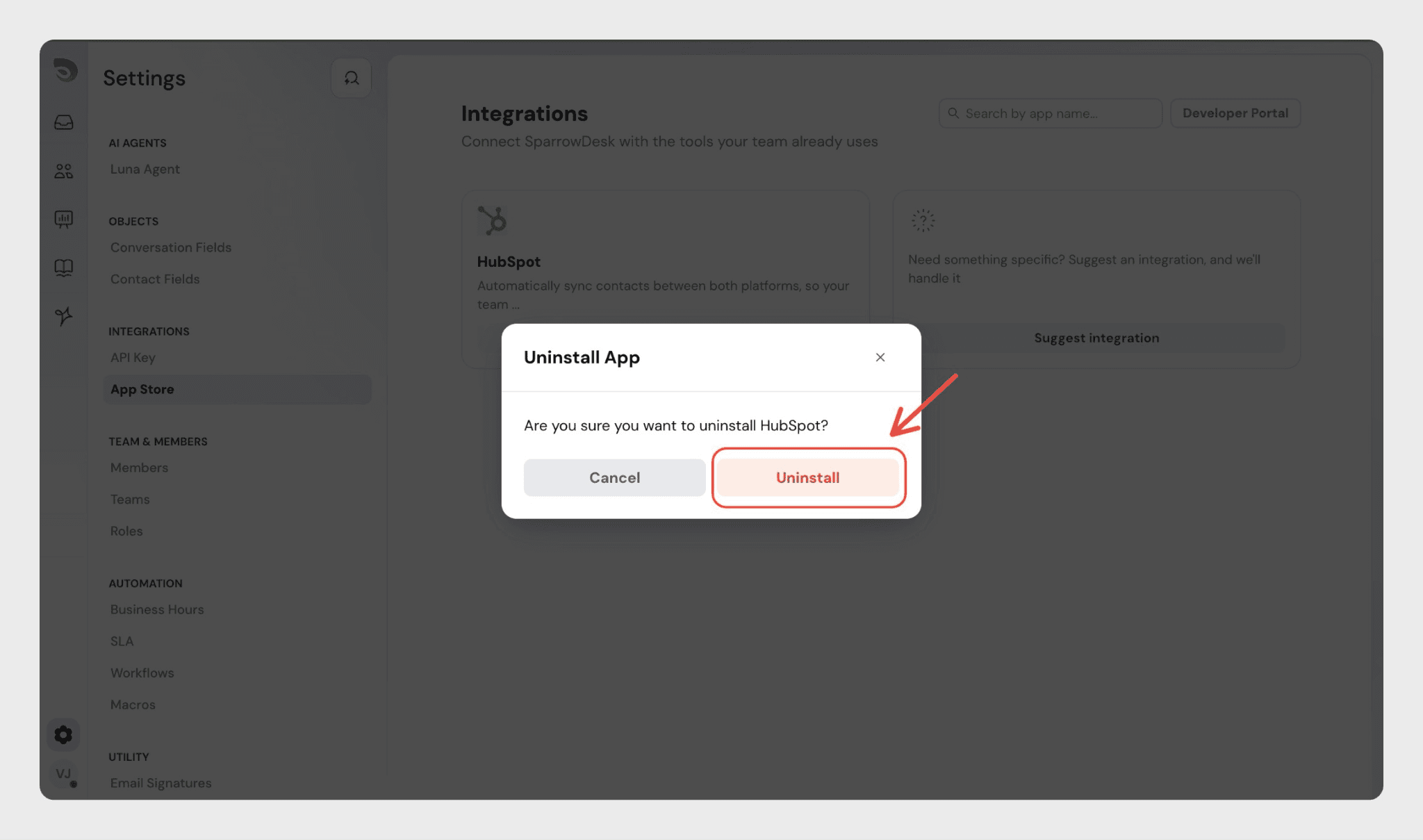
Click Uninstall to confirm.
Once uninstalled, the HubSpot integration will be disconnected from your SparrowDesk account.
FAQ
1. When are contacts synced from SparrowDesk to HubSpot?
Contacts are synced to HubSpot when they are created or updated in SparrowDesk after the HubSpot integration is enabled.
2. Is the Email field mandatory for syncing contacts to HubSpot?
Yes. The Email field must be included in the field mapping for contacts to be synced successfully to HubSpot.
3. Will existing contacts in SparrowDesk be synced to HubSpot automatically?
No. Contacts that existed in SparrowDesk before enabling the HubSpot integration will not be synced to HubSpot.
4. Can I map additional contact fields apart from the default ones?
Yes. You can use the Add Fields button in the Field Mapping section to map additional SparrowDesk contact fields to HubSpot contact fields.
5. Can I disconnect the HubSpot integration after setting it up?
Yes. You can disconnect the HubSpot integration at any time from the Integrations page in SparrowDesk by selecting Disconnect from the HubSpot dropdown.