Zoona AI Knowledge Improvements

Vaishali

Vaishali

March 5, 2026

Zoona AI continuously learns from real customer conversations to keep your knowledge base accurate and up to date. Whenever a conversation is transferred to a human agent and resolved manually, Zoona reviews the resolution and suggests improvements to your knowledge content.

These suggestions help your AI answer better the next time.

How Zoona AI creates improvement suggestions

Zoona looks at two things:

  1. Why the conversation was transferred to a human
  2. How the human agent resolved the issue

Based on this, Zoona may suggest:

  • A new Q&A
  • A new knowledge article
  • An update to an existing article

Image

Types of improvement suggestions

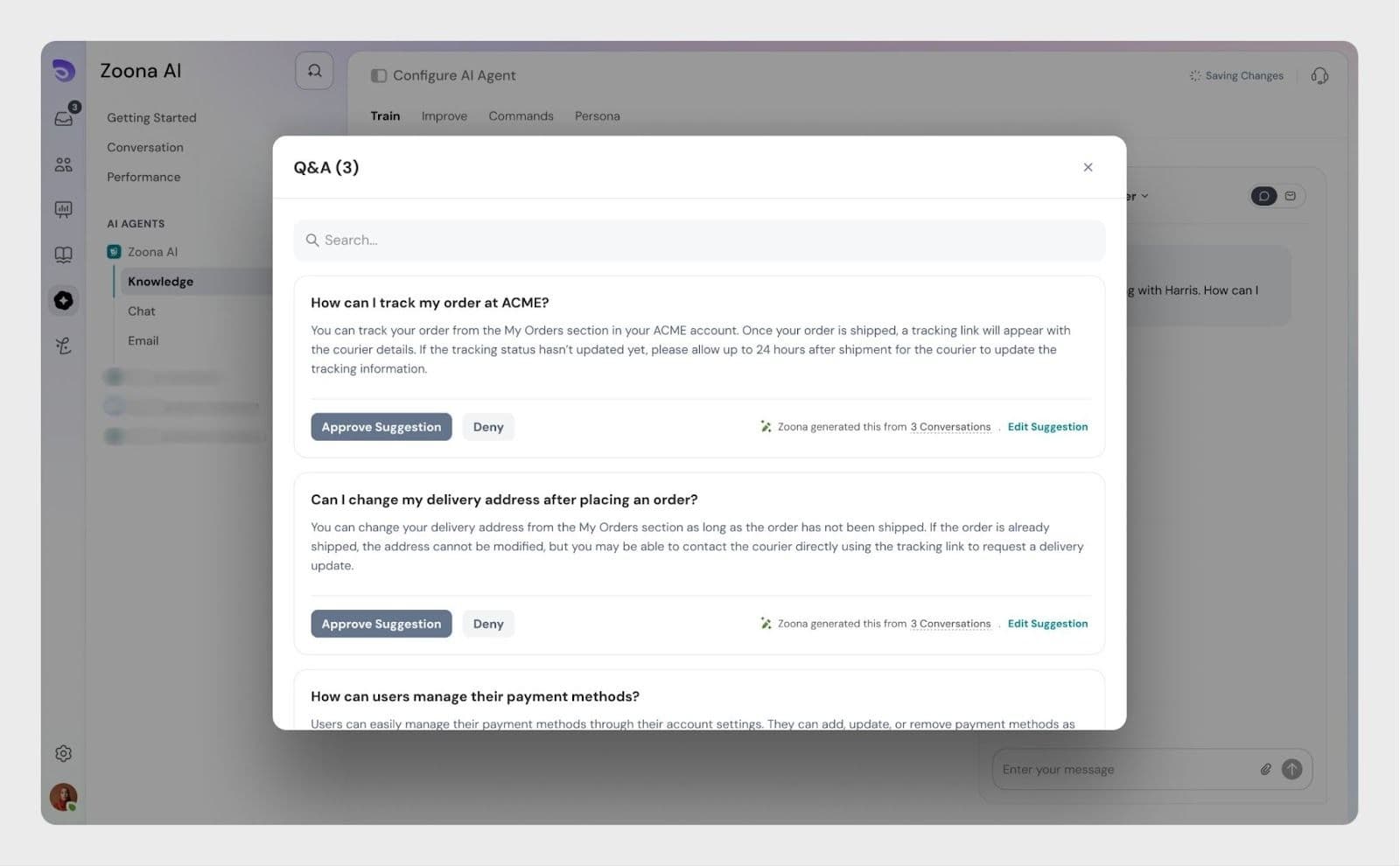
1. Q&A suggestions (small additions)

Q&A suggestions are created when:

  • The answer is short and specific
  • The issue does not need a full article
  • The AI missed a simple question that an agent answered

Examples

  • “How do I reset my password?”
  • “Where can I download my invoice?”

These are treated as quick knowledge add-ons.
Image

2. Article suggestions 

Article suggestions are created when:

  • The resolution is detailed
  • A process or feature needs explanation
  • Existing content is incomplete or incorrect

Zoona may suggest:

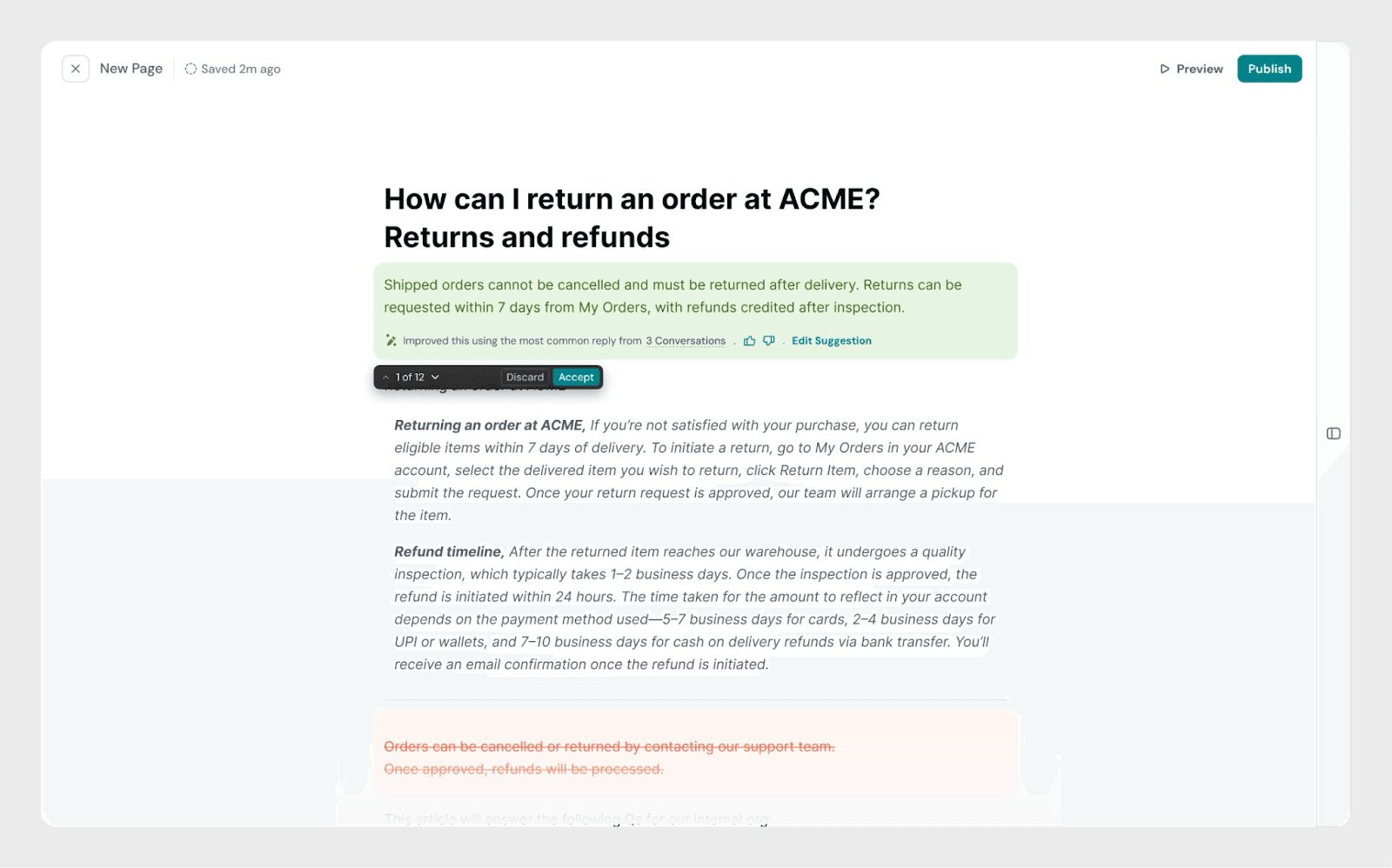
  • A brand-new article, if no relevant content exists
  • An update to an existing article, if:
    • Information is missing
    • Steps are outdated
    • Content was added incorrectly earlier

Image

Where to find improvement suggestions

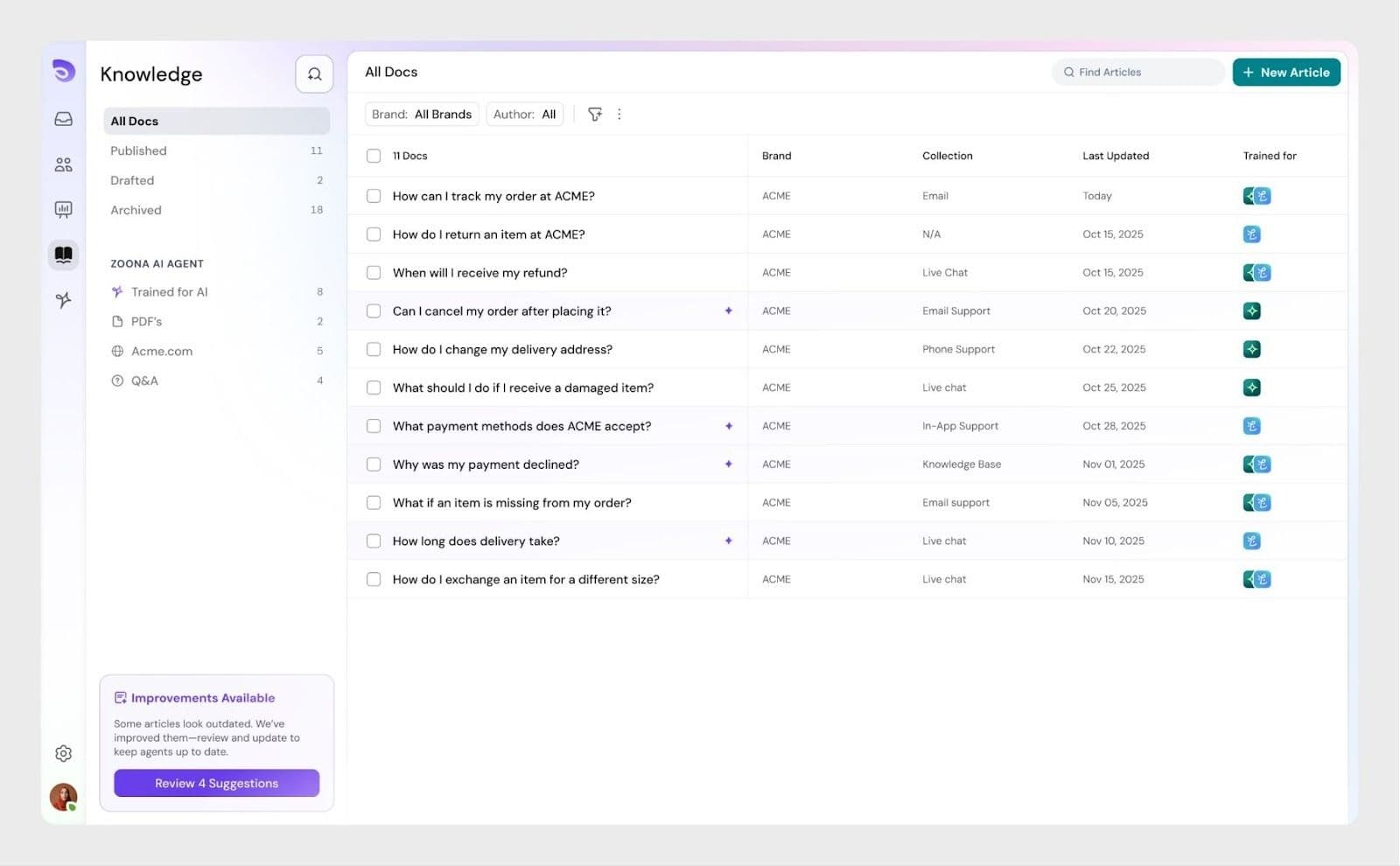
All Zoona AI suggestions appear in the Improvements section.

Navigation path

Knowledge base → Knowledge improvements

Here, you’ll see:

  • Suggested Q&As
  • Suggested articles
  • Suggested updates to existing articles

Each suggestion is linked to the conversation it was created from.

Reviewing and managing suggestions

Who can manage improvements?

The following roles can review and manage knowledge improvements:

  • Admin
  • Knowledge Manager
  • Custom roles (if permission is enabled)

Managing Q&A suggestions

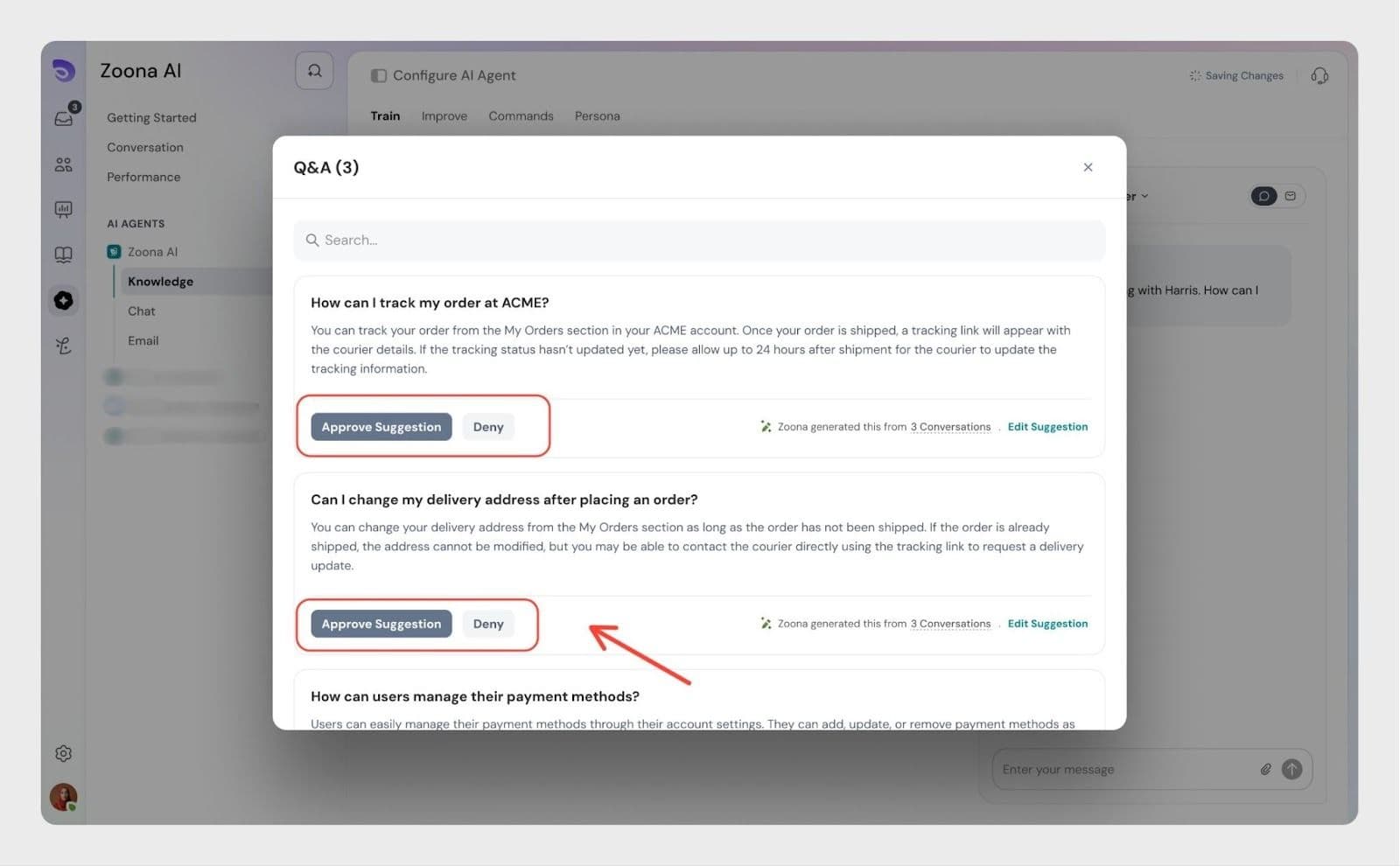
For each Q&A suggestion, you can:

  • Approve – Adds it to the knowledge base
  • Deny – Discards the suggestion

Once approved, Zoona can immediately start using it to answer customers.
Image

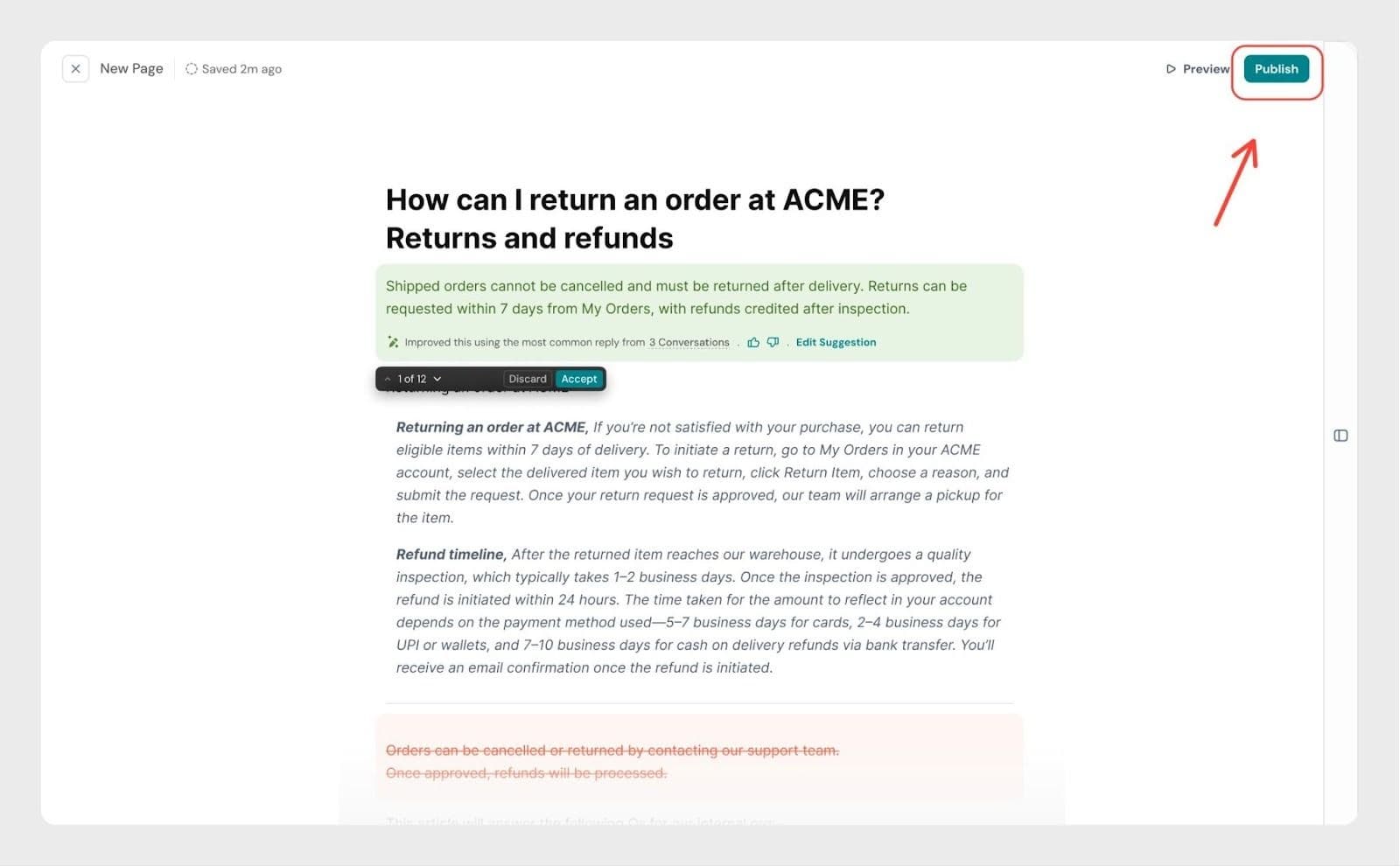
Managing article suggestions

For article suggestions, you can:

  • Review the suggested content
  • Edit it if needed
  • Publish the article

Publishing makes the article live and available for Zoona AI responses.
Image

What happens after approval or publishing?

  • Approved Q&As become part of your knowledge instantly
  • Published articles are added or updated in your knowledge base
  • Zoona AI uses this content in future conversations
  • Over time, fewer conversations need human intervention

Why this matters

Zoona AI improvements help you:

  • Keep your knowledge base fresh without manual effort
  • Reduce repeat questions
  • Improve AI resolution rate
  • Learn directly from real customer issues

Your support team answers once — Zoona remembers it forever.

Summary

  • Zoona learns from human-resolved conversations
  • Suggestions appear automatically in Improvements
  • Small fixes become Q&As
  • Bigger gaps become articles or article updates
  • Admins and Knowledge Managers control what goes live

This ensures your AI and knowledge base improve continuously, with full control in your hands.

Conclusion

Zoona AI Knowledge Improvements make sure your support content grows automatically with every human-handled conversation. Instead of manually updating your knowledge base, Zoona turns real resolutions into meaningful suggestions you can review and control.

Whether it’s a quick Q&A or a detailed article update, you decide what gets approved and published. Over time, this helps Zoona resolve more conversations on its own, reduces repeat questions, and keeps your knowledge base accurate without extra effort.

In short, your team solves problems once and Zoona ensures the same questions don’t come back again.


Powered By SparrowDesk