
Search
AI Agents can resolve customer queries independently without human involvement. This article explains what qualifies as an AI resolution, how SparrowDesk identifies them, and how you can track usage for billing purposes.
An AI resolution occurs when an AI agent independently understands a customer request, provides the appropriate response, and completes the conversation without a human agent’s intervention.
A conversation is considered AI-resolved when either of the following conditions is met:
After Zoona’s final response, the customer sends an affirmative reply such as:
There must be no exchanges after this in the next 24 hours. This confirms that the AI has successfully resolved the issue.
The resolution may be confirmed or assumed. In both cases, the conversation is counted as an AI resolution and included in billing.
These interactions are not counted as AI resolutions and are not billed.
After the AI sends its final reply, SparrowDesk waits 24 hours before evaluating the conversation for an AI resolution.
If a confirmed or assumed resolution is detected:
There is a 24-hour cooling period before the evaluation for AI-responded conversations.
This cooling period ensures that:
If the customer sends a new message after 24 hours, it is treated as a new conversation, even if:
These follow-up messages do not affect the original AI resolution count.
The cooling period ensures that AI resolution billing remains:
In most cases, messages sent after 24 hours relate to a new issue, which should be evaluated and resolved independently.
The diagram below shows how SparrowDesk determines whether a conversation qualifies as an AI resolution.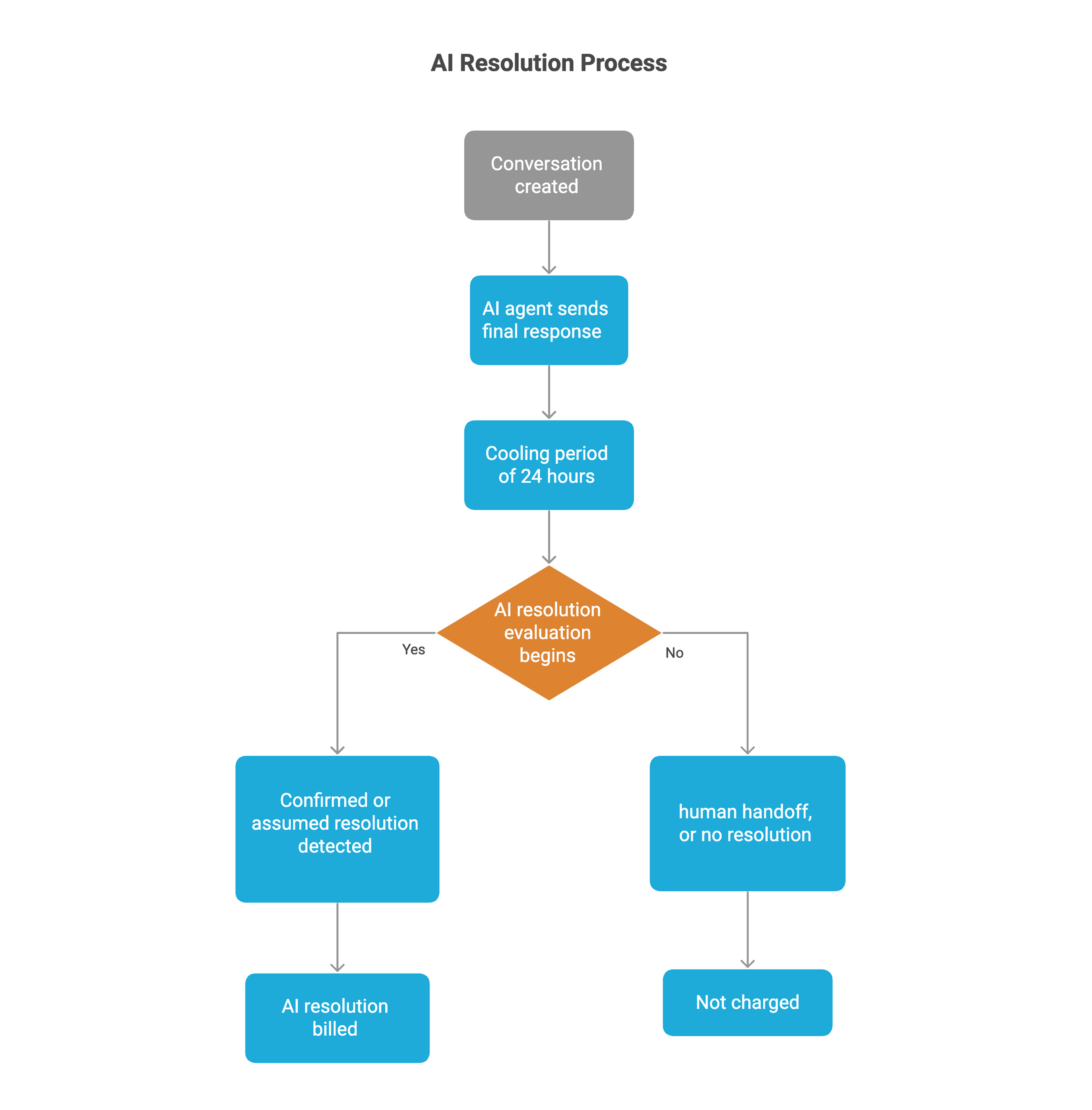
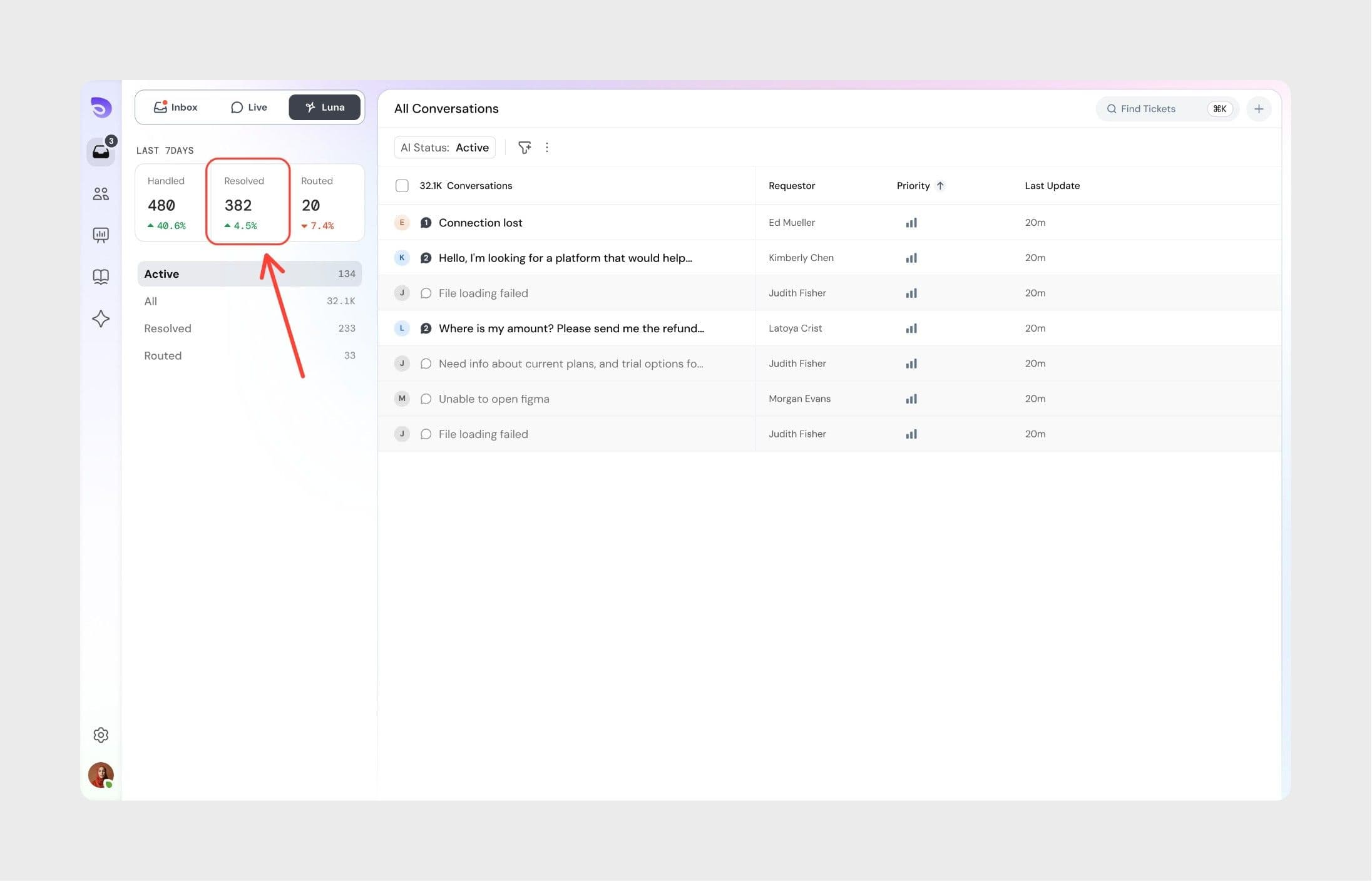
You can track AI resolutions from both the AI agent dashboard and the billing page.
Accessing billing details
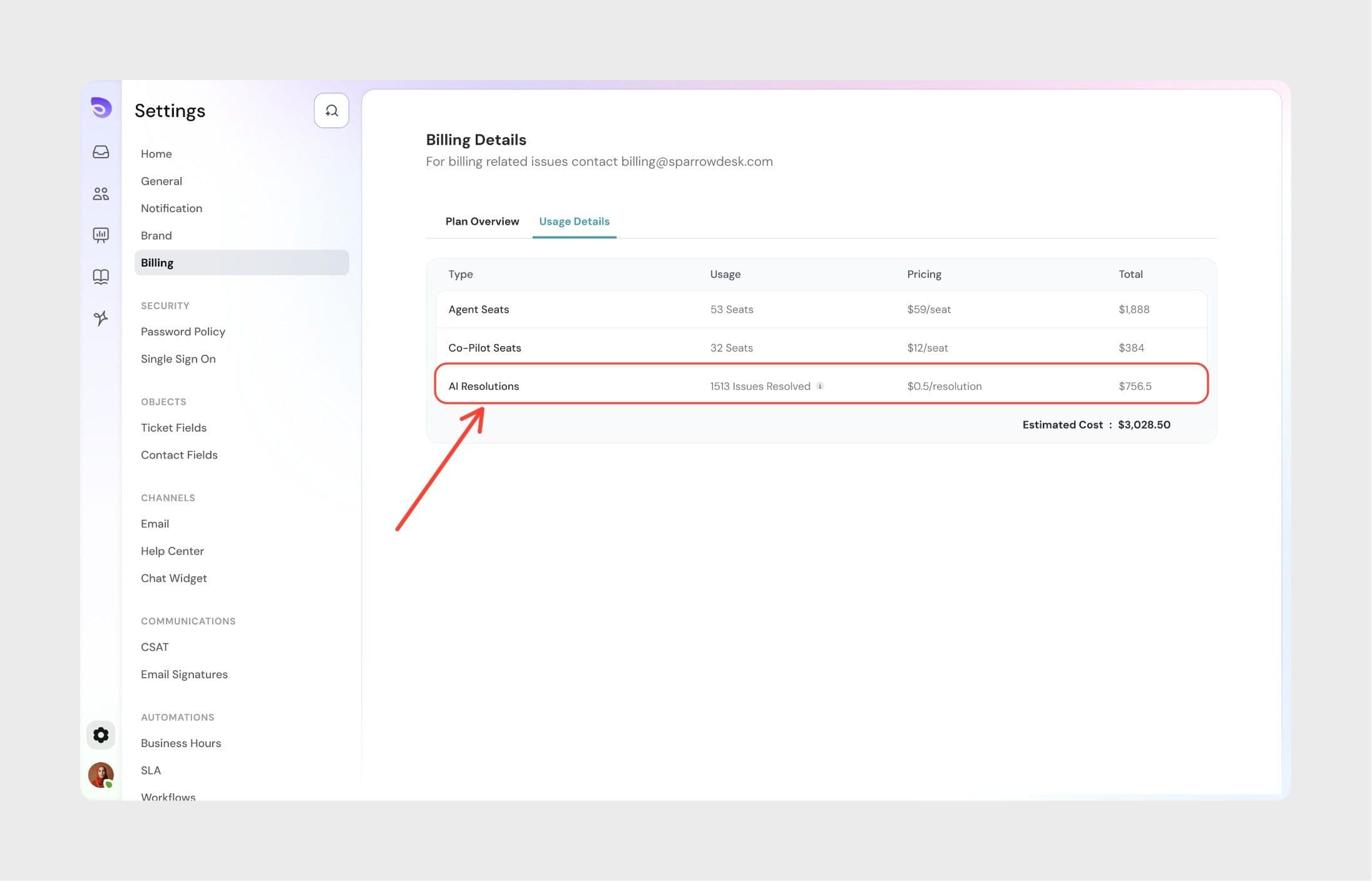 Here, you can see:
Important: The first 30 AI resolutions are free in SparrowDesk. Subsequent AI resolutions will be charged appropriately. See pricing
To improve the AI agent’s resolution accuracy and effectiveness:
Following these practices helps ensure higher resolution rates and more reliable AI performance.
1. How much does an AI resolution cost?
AI resolutions cost $0.70 per resolution. However, the first 30 AI resolutions are free and the billing starts only from the subsequent ones. For more information read: AI copilot and AI resolution billing.
2. Does an assumed resolution cost the same as a confirmed resolution?
Yes. Both assumed and confirmed resolutions cost $0.70. The resolution type doesn't affect the cost.
3. Are AI resolutions billed if a customer replies after 24 hours?
No. Messages sent after the 24-hour cooling period are treated as a new conversation and do not affect the current AI resolution.
4. What happens if a conversation is reopened during the cooling period?
If the customer replies within the 24-hour cooling period, the conversation is not considered AI-resolved.
5. Are AI resolutions counted if a human agent later joins the conversation?
No. Any conversation that is handed off to a human agent is excluded from AI resolution billing.
6. Where can I see AI resolution usage for my workspace?
You can view AI resolution counts in the Zoona dashboard and on the Billing → Usage details page for the current billing cycle.
7. Why are assumed resolutions counted as billable AI resolutions?
If a customer does not respond after receiving relevant information, SparrowDesk treats the issue as resolved. This ensures billing reflects successful AI-assisted outcomes, even when customers don’t explicitly confirm.
Powered By SparrowDesk