
Instagram Channel

Instagram is a channel in SparrowDesk that lets your team receive, manage, and reply to Instagram messages from the same inbox your team already uses.
Before you start
Make sure you have:
- Admin access in SparrowDesk
- An Instagram professional account (business or creator)
- A Facebook Page linked to that Instagram account
- Admin access to the Facebook account that manages them
This channel supports Instagram direct messages only. Comments, story replies, and mentions are not supported yet.
Connect an Instagram account
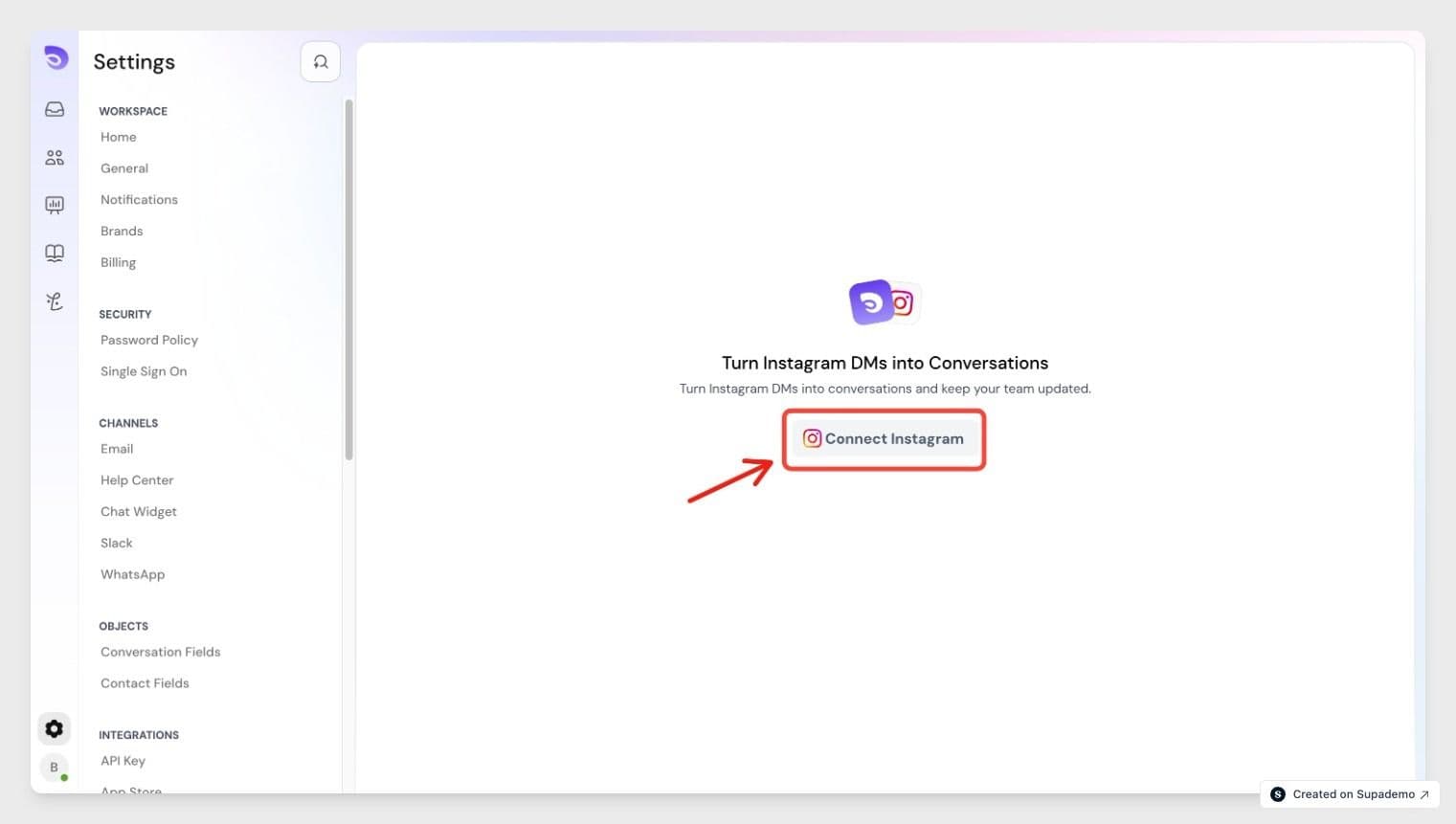
- Go to Settings in SparrowDesk.
- Under Channels, select Instagram.
- Click Connect your account.
- Select the Brand you want to connect this account to. This is auto-selected if your account has only one brand.
- Click Continue with Facebook and log in when prompted.
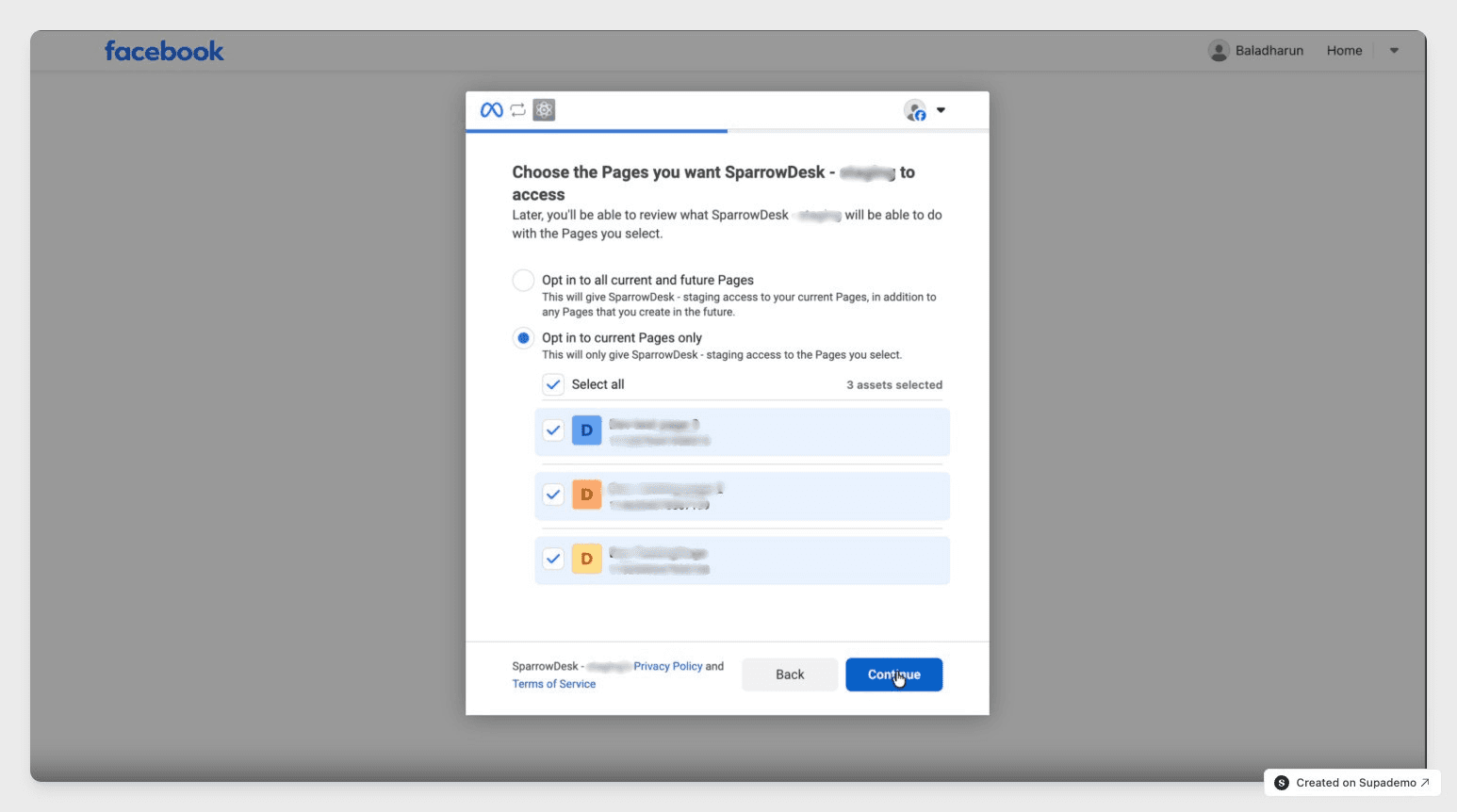
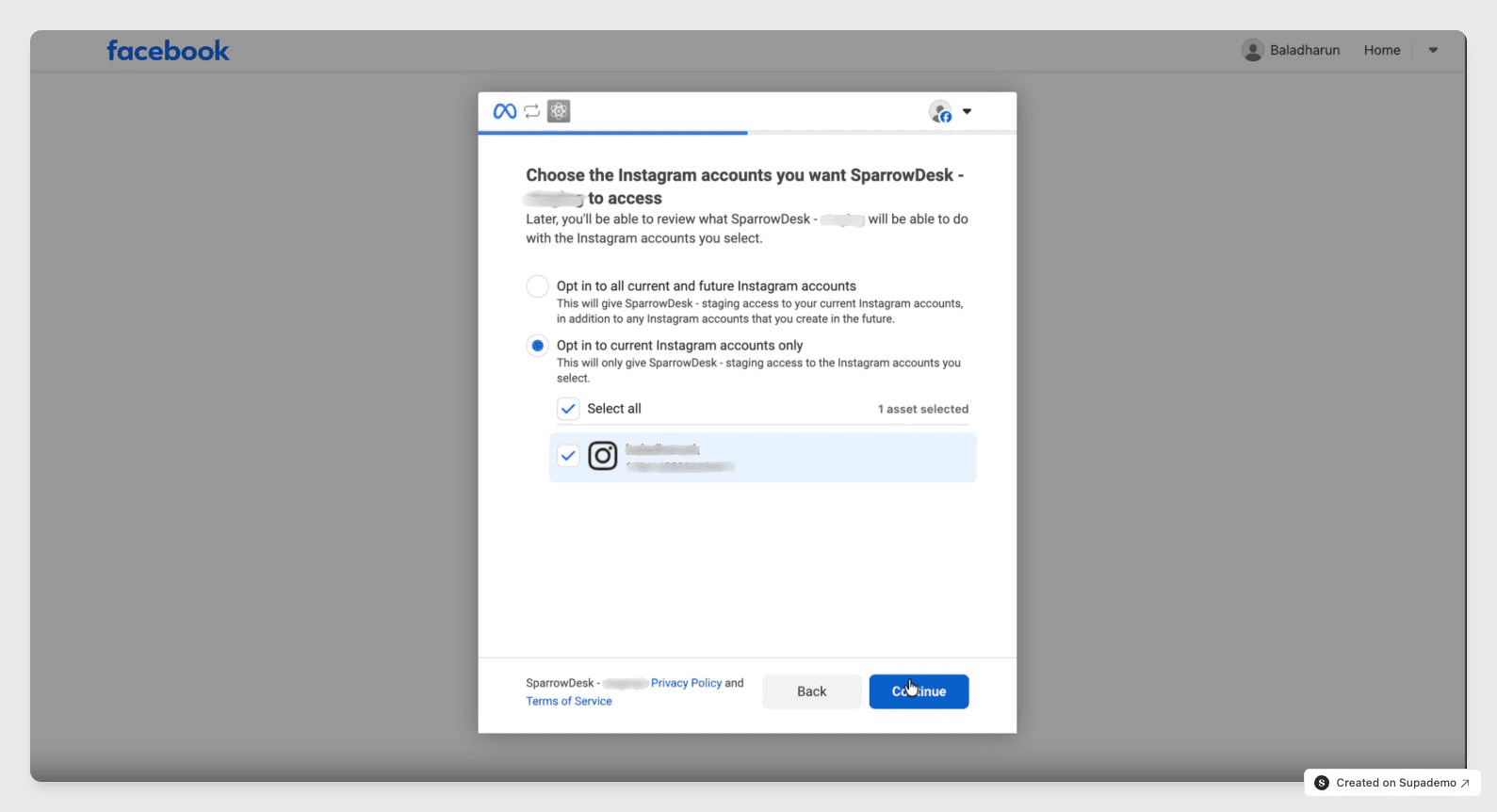
- Select the Facebook account that manages your Instagram account.
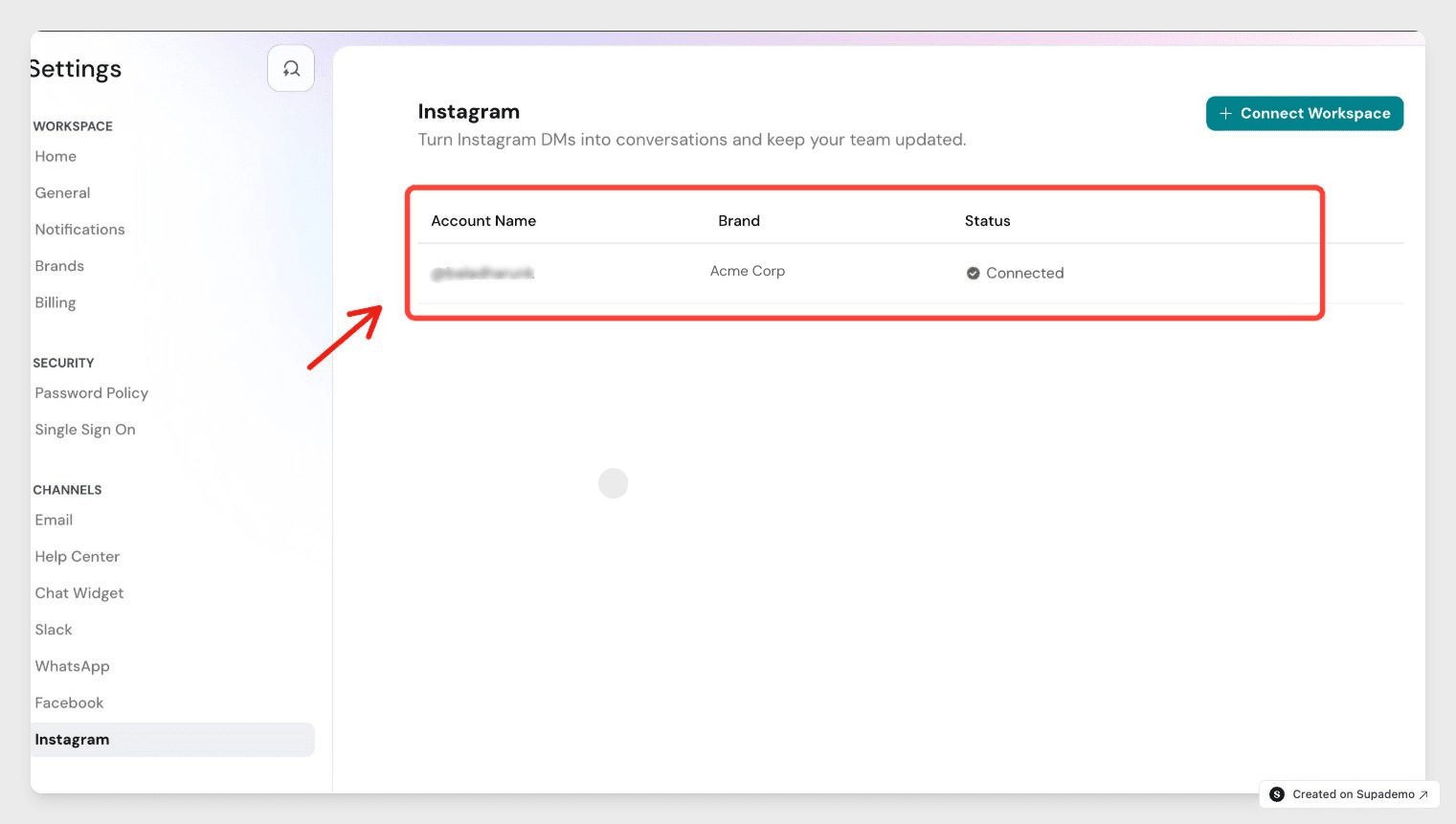
SparrowDesk connects your Instagram account and shows it under Settings > Channels > Instagram. Each account can only belong to one brand — it cannot be shared across brands.
Connection status
Each connected account shows one of two statuses:
Status | What it means |
Connected | The account is added and working normally. |
Not Connected | The account was added but isn't working- usually because of a password or permission change on the Instagram side. Click Reconnect to fix it. |
How tickets work
Scenario | What happens |
No existing ticket | A new ticket is created with status Open |
Existing ticket is Open or Pending | The message is added to that ticket |
Existing ticket is Resolved | The ticket reopens with status Open |
Existing ticket is Closed | A new ticket is created |
A contact can only have one active conversation at a time. If they already have one open, new messages go there instead of starting a second one.
Replying to a conversation
Agents can only reply in a contact's latest active conversation. Older, closed conversations stay visible for reference, but the reply box is disabled. Closed conversations are read-only — you can scroll the full history but can't add new messages.
Sending messages: time limits
Instagram controls how long after a customer's last message your team can keep replying.
Time since last customer message | What agents can send |
Within 24 hours | Text, media, emojis- automated and human replies |
After 24 hours | Replies are limited until the customer messages again |
Passing the time limit doesn't change the ticket's status.
Supported message formats
Agents can send and receive:
- Text
- Images
- Emojis
Message delivery status
If a message fails to send, SparrowDesk shows an inline error next to that message and lets you retry. Messages never fail silently.
How contacts are matched
SparrowDesk identifies an Instagram contact using an ID that Instagram creates for that person on your account. This ID is specific to your account, so the same person messaging a different connected account appears as a separate contact.
Disconnecting an account
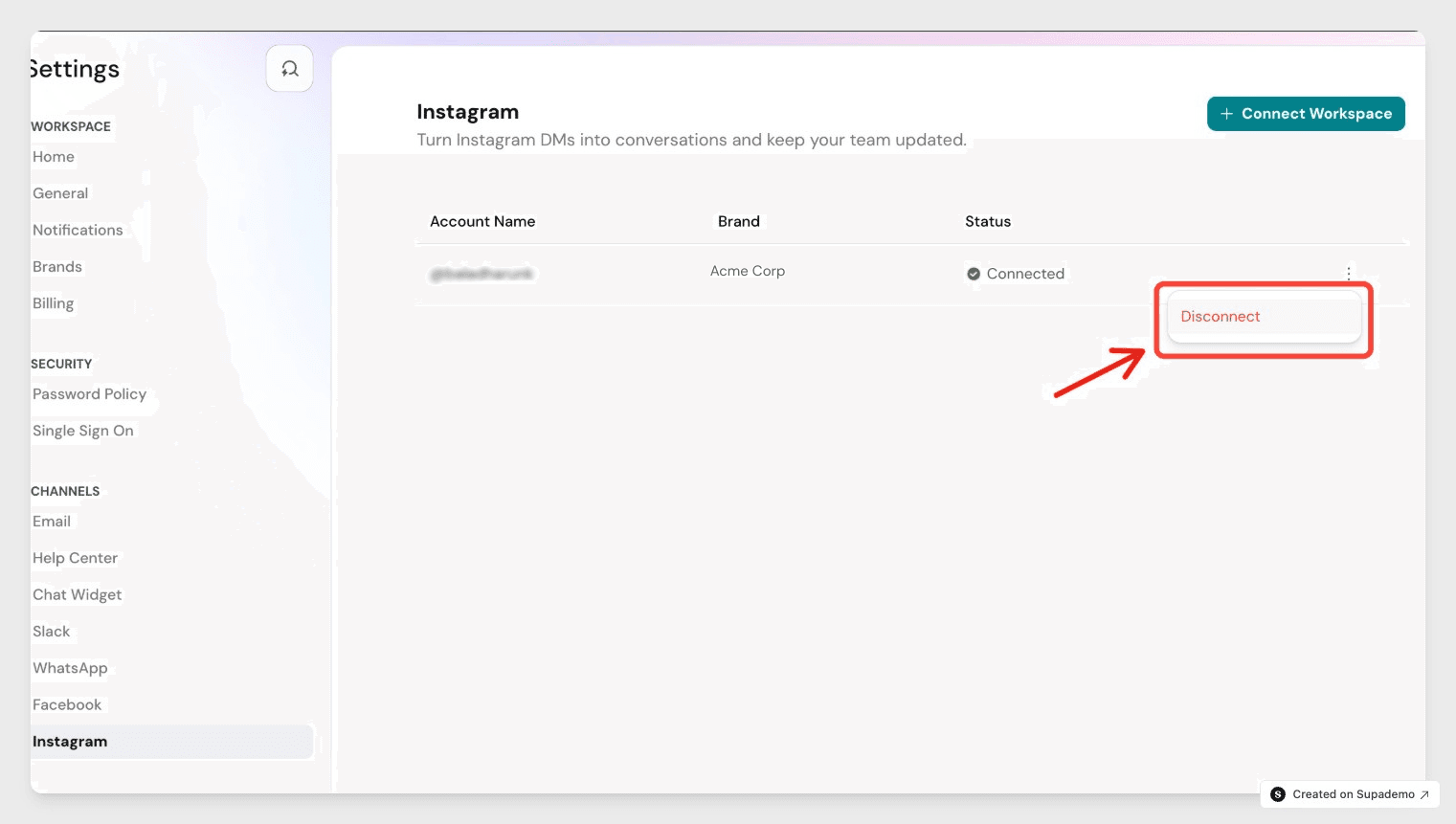
Disconnecting an account stops new messages from being sent or received on it, but doesn't remove it from your settings- it just shows as disconnected. Any tickets already in progress stay open, and agents can still view their full history.
Workflows
Instagram tickets work with your existing workflows. You can trigger workflows on ticket creation, new inbound messages, assignment rules, SLAs, and tagging.
For more on combining tickets from different channels, see Merging Conversations in SparrowDesk.
FAQ
- Can one Instagram account be connected to multiple brands?
No. Each account maps to exactly one brand. A brand can have multiple channels connected to it. - What happens if I disconnect an Instagram account?
The account stays in your settings list but shows as disconnected. In-flight tickets stay open and remain viewable, but no new messages can be sent or received on that account. - Does this channel support comments or story replies?
Not yet. Instagram as a channel currently covers direct messages only. - Why can't I reply to an older conversation?
Replies are only allowed in a contact's latest active conversation. Older conversations stay visible for reference, but the reply box is disabled. - Who can connect an Instagram account to SparrowDesk?
Admins set up the connection, selecting the brand and authorizing the account. Once connected, any agent with access to that brand's inbox can view and reply to Instagram conversations.