
Brands in SparrowDesk

Brands help multi-product companies manage support for different products from a single SparrowDesk account. Each Brand represents a product or business line with its own support setup.
Using Brands, you can separate help centers, chat widgets, and AI knowledge for each product—without creating multiple accounts.
What is a Brand?
A Brand represents a product or offering inside your SparrowDesk account.
Each Brand can have:
- Its own help center
- Its own chat widget
- Its own AI knowledge base
- Its own support emails
When an account is created, SparrowDesk automatically creates a default Brand.

Steps:
- Go to Settings
- Click Brands
This page shows all existing Brands in your account.
How to create a new Brand
You can create a new Brand from the same Brands page.
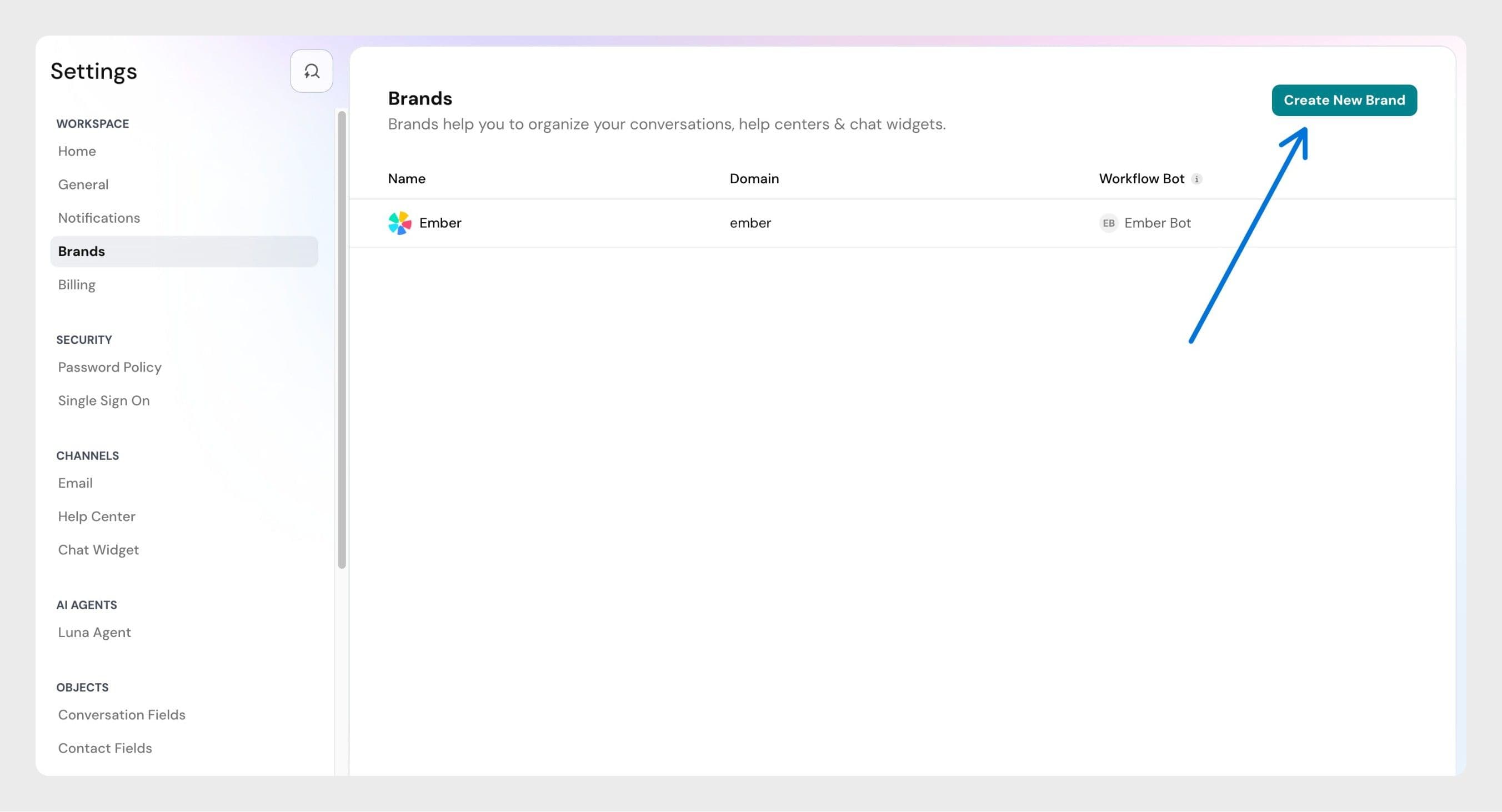
Steps:
- Go to Settings and click on Brands
- Click Create New Brand
- Enter the Brand name and other details.
The Link you add is saved with the Brand. It isn't used to train Zoona. To train Zoona on your website, add it as a link in AI Agents → Knowledge.
4. Save the Brand
Once created:
- A default support email is generated for the Brand
- The Brand becomes available across SparrowDesk
- You can start using the Brand in chat widgets, help centers, and knowledge
Frequently asked questions
Can I create multiple Brands?
Yes. You can create multiple Brands in SparrowDesk.
The number of Brands you can create may vary based on your pricing plan. To see the exact limits for your plan, check our pricing page.
Can I delete a Brand?
No. Deleting a Brand is not supported at the moment.
Can I disable a Brand?
No. Disabling a Brand is not supported at the moment.
Does Zoona learn from my Brand's link?
No. The link is saved with your Brand, but Zoona doesn't read it. Zoona answers only from the sources you add in AI Agents → Knowledge: documents, links, Help Center articles, and Q&A. To use your website, add it with Add Link and choose the pages to include.