
Adding Google Tag Manager to your Help Center

In SparrowDesk, you can add your Google Tag Manager ID once, and it will be included across all pages of your Help Center. This helps your team understand how visitors use your help content, which articles they view, and where they may need more support.
Before you begin
Make sure you have a Google Tag Manager ID.
Your ID usually looks like this:
GTM-XXXXXX
You can find this ID inside your Google Tag Manager account. See How
How to add your Google Tag Manager ID
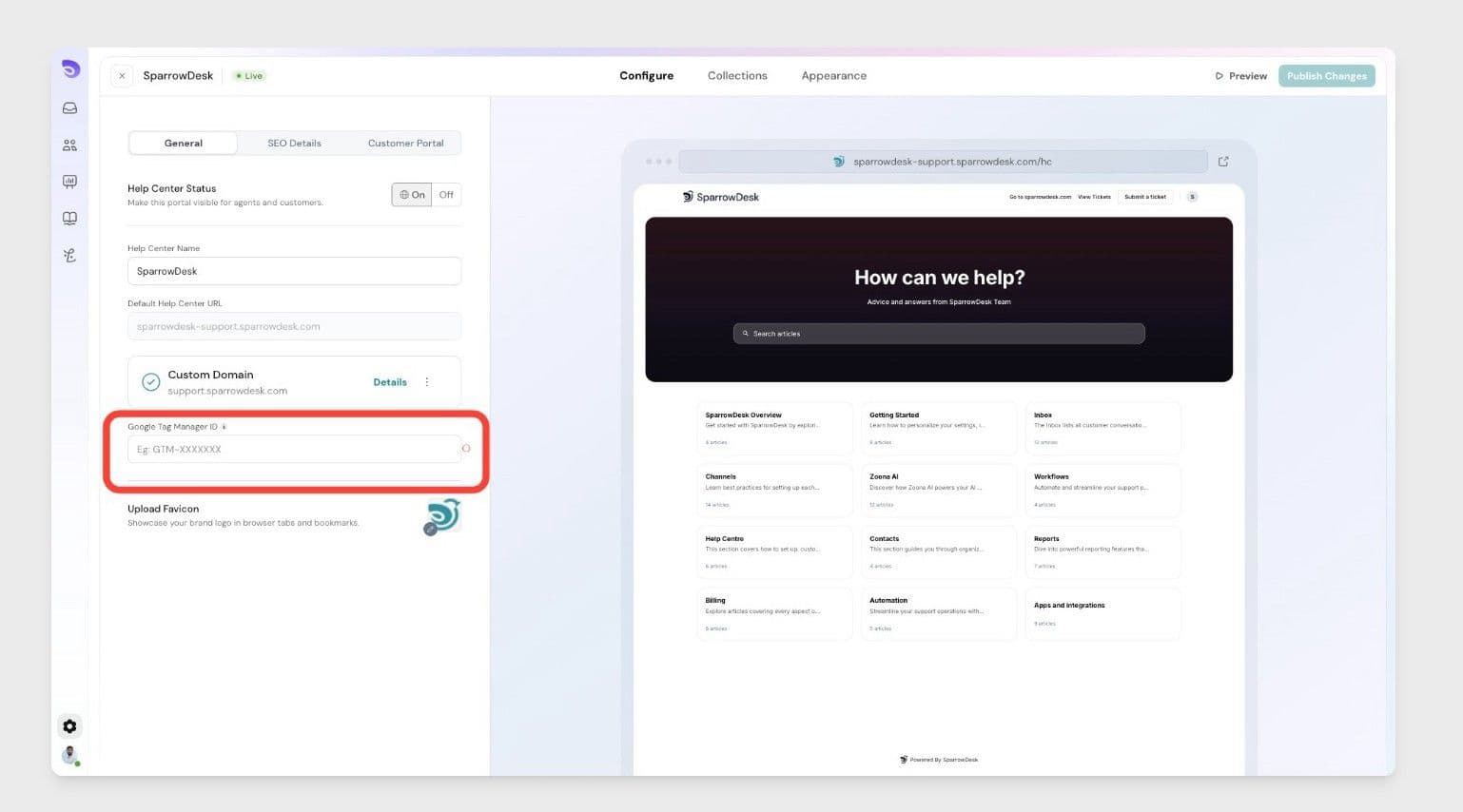
- Go to Settings in SparrowDesk.
- Open Help Center settings.
- Find the Google Tag Manager ID section.
- Enter your Google Tag Manager ID.
- Click Save.
Once saved, SparrowDesk will include Google Tag Manager across all pages of your Help Center.
What happens after you add it?
After the ID is added, you can manage your analytics setup from Google Tag Manager.
For example, you can use it to connect tools that help you understand:
- Which Help Center articles customers visit
- How visitors move through your Help Center
- Which pages are most viewed
- Where customers may need better help content
Need help finding your Google Tag Manager ID?
Open Google Tag Manager and select your container. Your container ID will appear near the top of the page and will usually start with GTM-.
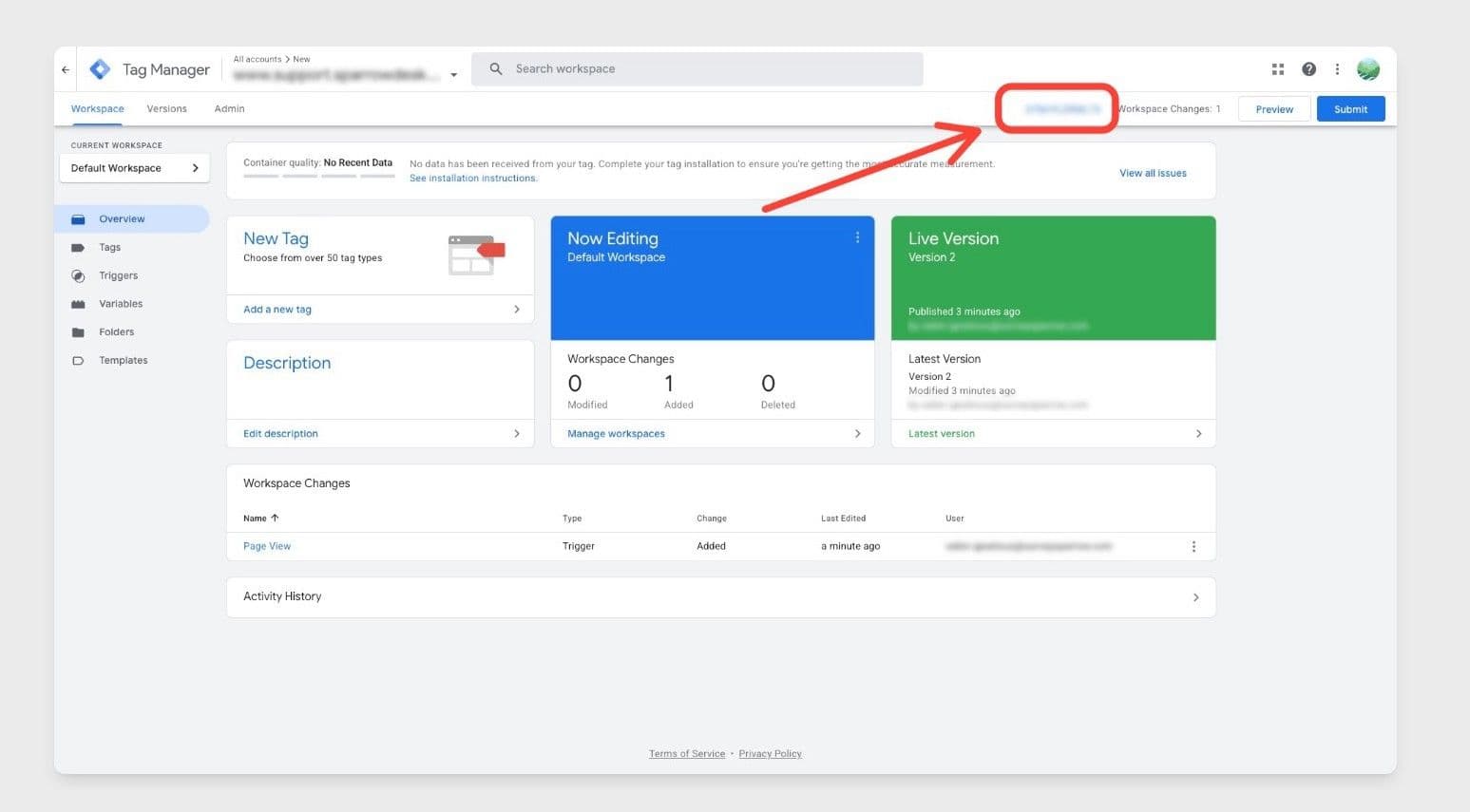
Copy that ID and paste it into the Google Tag Manager ID field in SparrowDesk.