
Use a custom domain for your support portal

Host your support portal on your own domain instead of the default SparrowDesk URL, so your support pages stay consistent with your main website.
If you're unfamiliar with DNS or domain management, share the CNAME values with your IT team or domain provider.
Add Your Custom Domain
- Go to Settings → General.
- Under Custom Domain, click + Add.
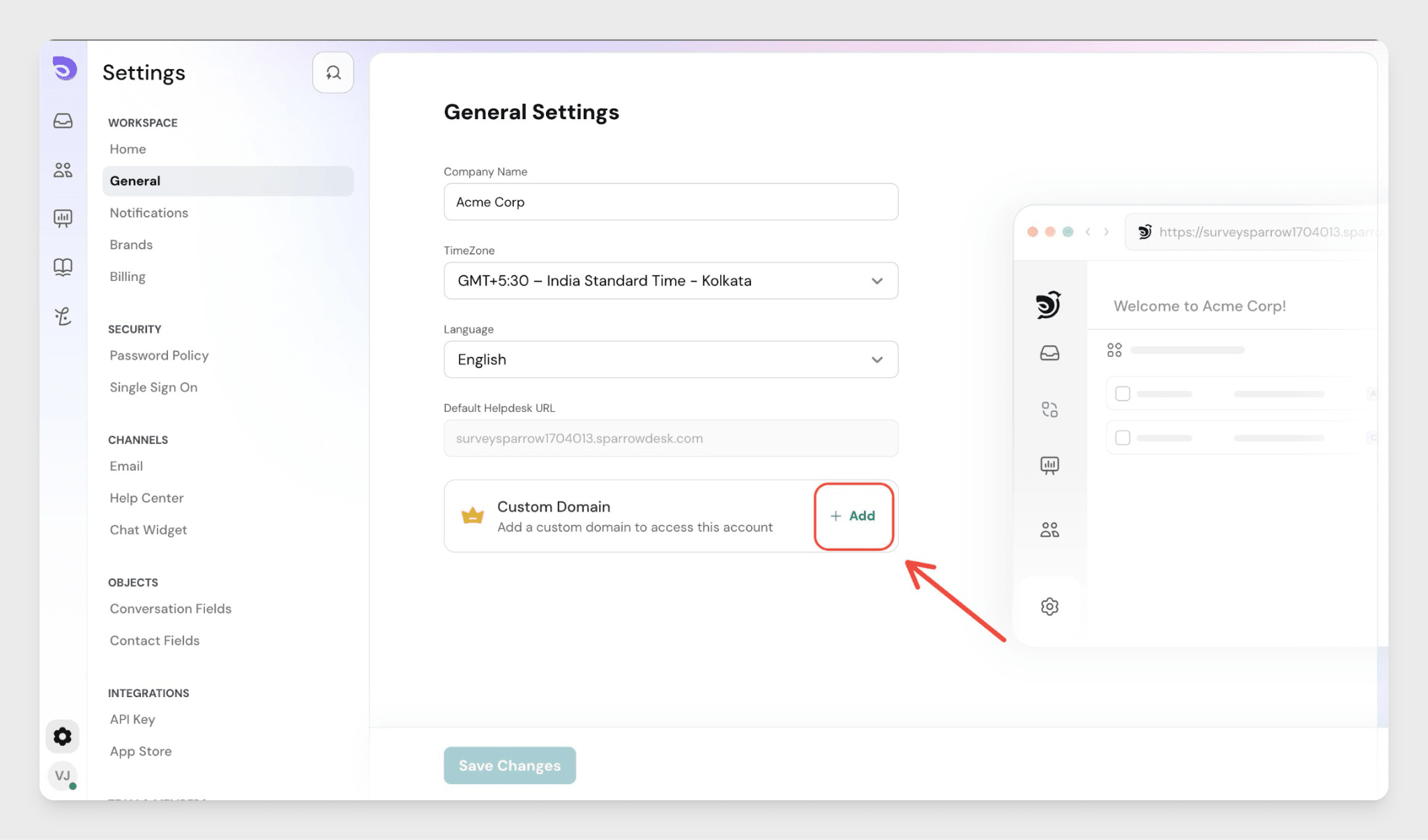
- Enter the full domain name where you'd like your support portal to appear.
- Click Next.
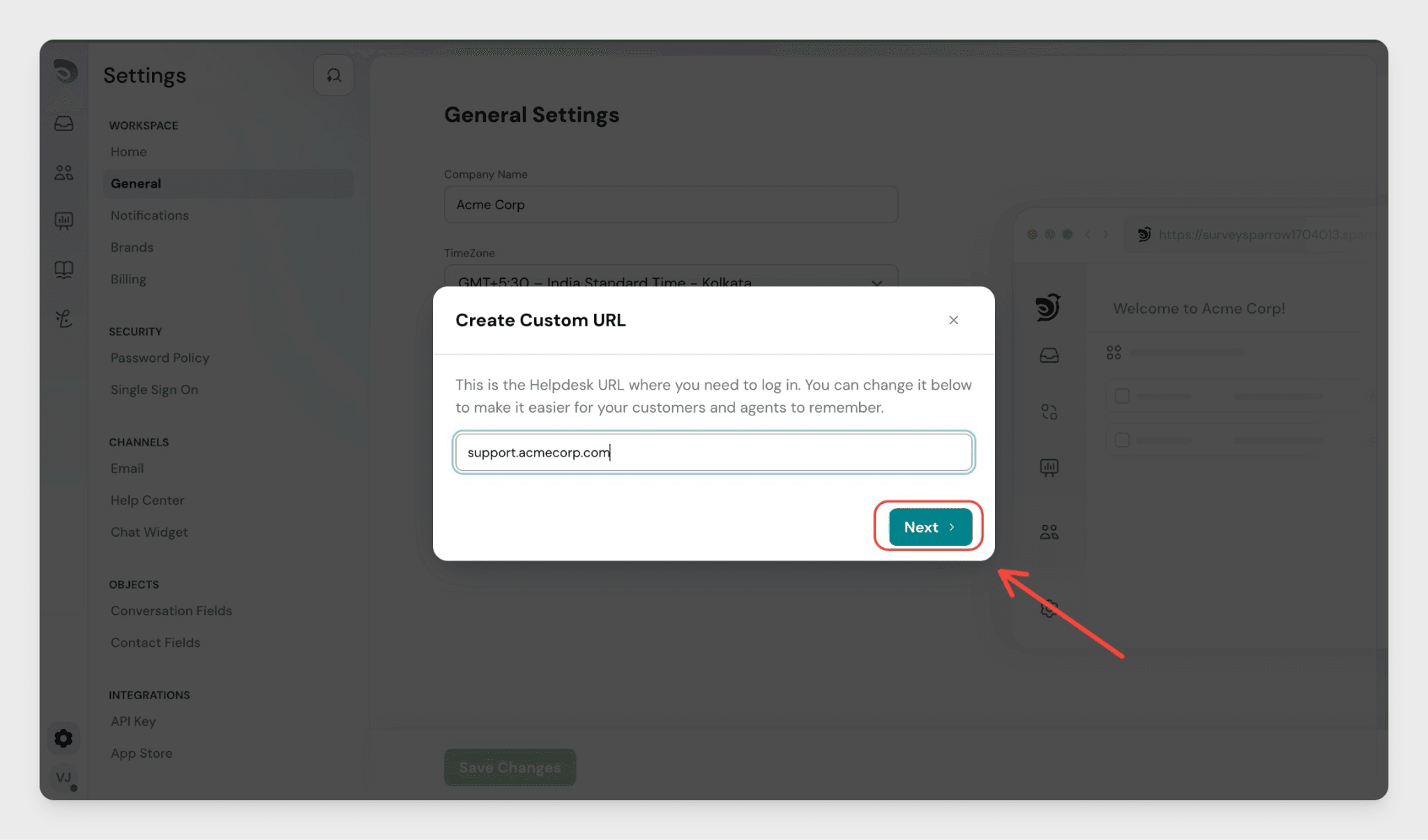
Update DNS Records
You'll see the DNS instructions after adding your domain.
- Copy the DNS records shown on screen.
- Log in to your domain provider (such as GoDaddy, Namecheap, or Cloudflare).
- Update the CNAME record with the values provided.
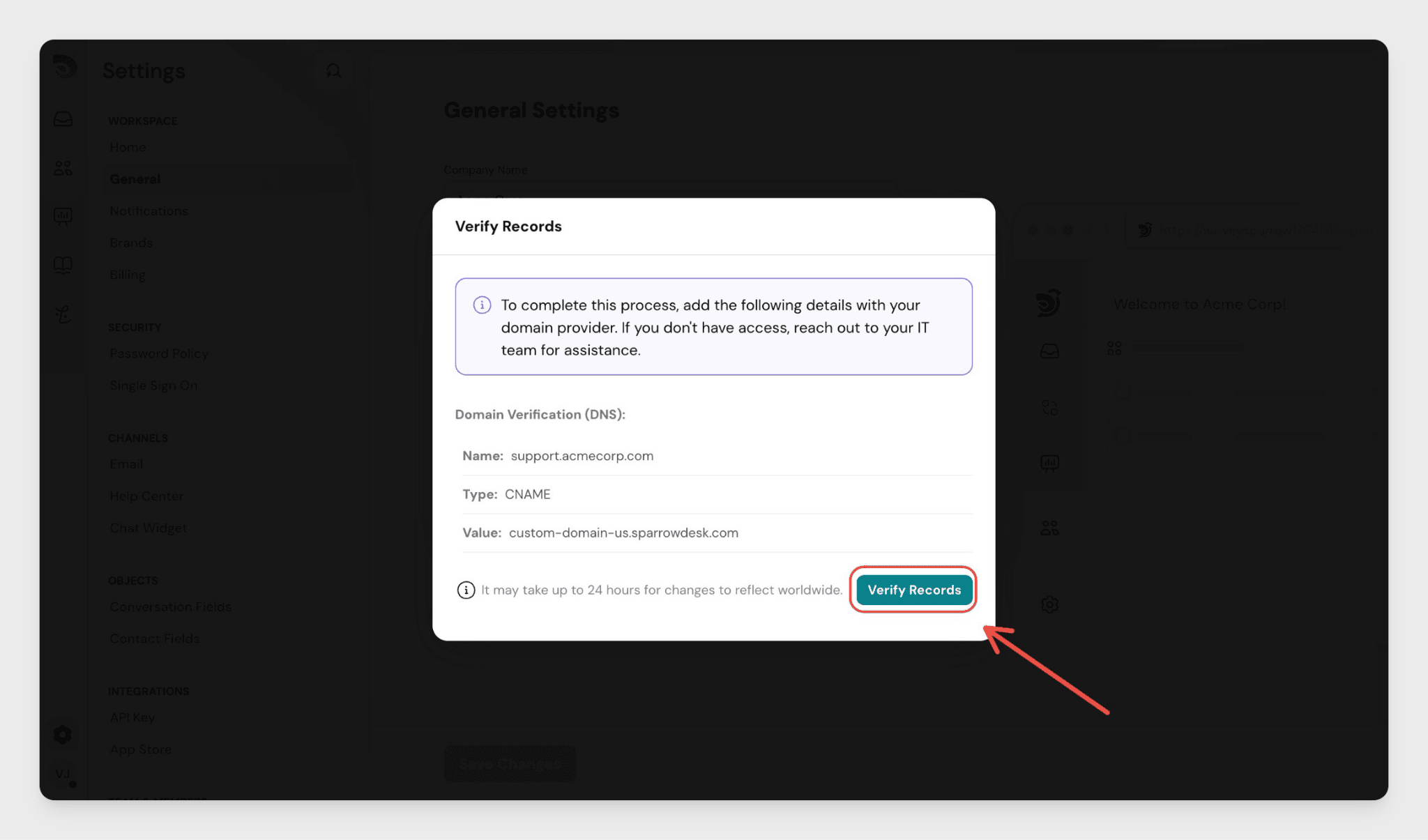
DNS changes can take up to 24 hours to propagate, though they often resolve sooner.
Verify and Go Live
- Return to the Verify Records step in SparrowDesk.
- Click Verify Records.
Once verified, your support portal is live at your custom domain.
SSL Certificate (Automatic)
SparrowDesk automatically issues an SSL certificate for your domain after verification. The first visitor to your support portal may see a brief delay of a few seconds while the certificate initialises.
FAQ
- How is this different from the Help Center custom domain?
The Help Center and support portal each have their own custom domain settings. You can set a different domain for each, or use subdomains of the same root domain. For the Help Center, see [Use a Custom Domain for Your Help Center]. - Can I use a subdomain like support.mycompany.com?
Yes. A subdomain such as support.mycompany.com is the most common setup. Enter the full subdomain when adding your custom domain. - What if verification fails?
Check that the CNAME record was saved correctly in your domain provider and that there are no conflicting records. DNS changes can take up to 24 hours-if it's been less than that, wait and try verifying again. - What happens to the default SparrowDesk URL after I switch?
The default URL shown under Default Helpdesk URL in General Settings stops serving your portal once your custom domain is verified and active. - Who can set up a custom domain?
Only account admins have access to Settings → General in SparrowDesk.