
sparrowdesk-logo-transparent-1.png
Go to sparrowdesk.com
Home
SparrowDesk Overview
  • Overview of SparrowDesk
  • Feature Overview in SparrowDesk
  • SparrowDesk Glossary
Getting Started
  • Setting Up Account Details
  • Default Business Hours
  • Understanding and Creating Teams
  • Inviting Team Members to the Platform
  • Roles and Permissions
  • Single Sign-On
  • Brands in SparrowDesk
  • Getting Started FAQs
  • Use a custom domain for your support portal
  • Customize Customer Email Notifications
Inbox
  • Understanding the Inbox in SparrowDesk
  • Managing Custom Views in Inbox
  • Live Chats in Inbox
  • Staying on Top of New Messages from Customers
  • Conversation Fields in SparrowDesk
  • Merging Conversations in SparrowDesk
  • Round Robin assignment explained
  • Export Conversations as CSV
  • Bulk update fields
  • Forward a Conversation to an External Contact
  • Common Email Delivery Errors
  • Add Watchers to a Conversation
Channels
  • Slack as a Channel
  • WhatsApp as a Channel
  • Facebook Messenger as a Channel
  • Setting Up Email as a Support ChannelConnect your custom email address How do I send and receive emails via SMTP and IMAP ? How do I find my SMTP/IMAP server address and port number? Common Errors while Connecting through SMTP/IMAPHow to Prevent Emails From Going to Spam Email Signatures
  • Installing Chat Widget Chat Widget Installation on WordPressInstall the Chat Widget on ShopifyCustomising Chat WidgetEmbedding and Configuring the SparrowDesk Chat WidgetChat Widget SettingsWhy End Users Don’t Always See Their Chat HistoryTrack page visits in SparrowDesk
Contacts
  • Contacts in SparrowDesk
  • How to manage contact segments
  • Deleting and Blocking Contacts in SparrowDesk
  • Contact Fields in SparrowDesk
Reports
  • Conversation Report
  • Team Performance Report
  • Understanding the AI Agent Report in SparrowDesk
  • Viewing CSAT reports in SparrowDesk
  • Reports FAQ
  • Exporting Reports as PDF
  • Help Center Reports
Automation
  • Macros
  • Business Hours
  • Service-Level Agreements (SLAs)
  • Setting up CSAT (Customer Satisfaction) in SparrowDesk
Zoona AI
  • AI Suggested replies in your Inbox
  • AI-Generated Chat Subjects
  • Zoona AI Knowledge Improvements
  • Introduction to AI AgentAI Agent - Configure PersonaTraining your AI AgentZoona AI Agent CommandsAI Agent - Deploying on chatAI Agent - Deploying on EmailHow to Create a Command Zoona AI Agent - FAQUnderstanding AI resolutions in SparrowDesk
Workflows
  • Automate repetitive tasks through Workflows
  • How to Create a Workflow
  • Workflow Blocks Library
  • Notify a Slack Channel from a Workflow
Help Centre
  • Write Knowledge Articles for your Help Centre and AI Agents
  • Setting Up and Customizing Your Help Center
  • Use a Custom Domain for Your Help Center
  • Make Your Help Centre Discoverable in Search results
  • Adding Google Tag Manager to your Help Center
  • Creating a Ticket Form Setting up Customer Portal
Billing
  • How does SparrowDesk pricing work?
  • What is Seat ?
  • Manage your Billing and Invoices
  • About Sales Tax
  • How to cancel your subscription
  • Frequently Asked Questions
  • AI Co-pilot and AI Resolution billing
  • SparrowDesk Startup Program
Apps and Integrations
  • Okta Integration
  • HubSpot Integration
  • SurveySparrow Integration
  • Zapier Integration
  • Attio Integration
  • Linear Integration
  • Jira Integration
  • Gmail Integration
  • Notion Integration
  • Shopify Integration
  • Migrating from Freshdesk
  • Zoho CRM integration

Help Center Reports

Timer2 min read
VaishaliVaishali

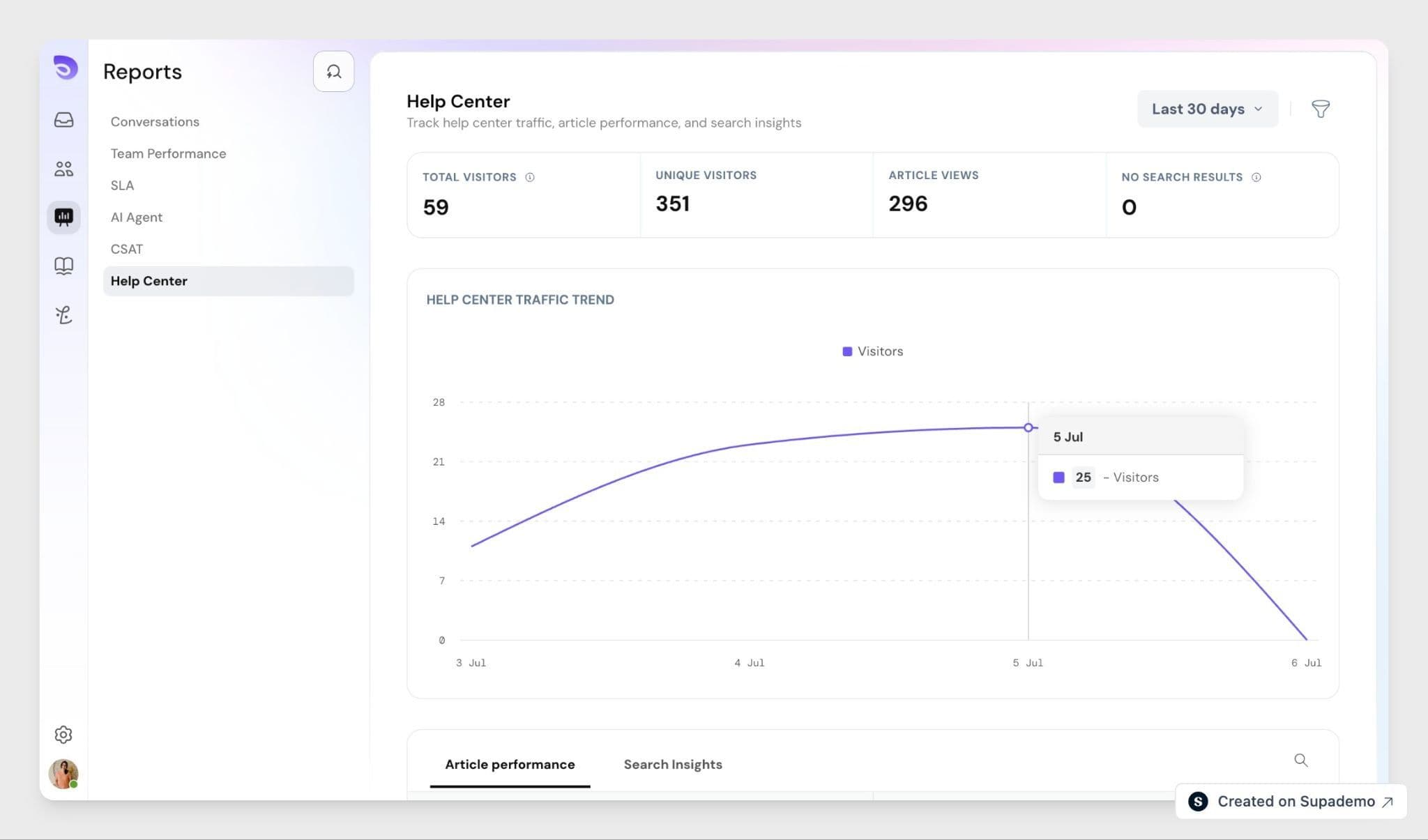
See how customers search, browse, and find answers in your Help Center, so you can spot content gaps and improve what you publish.
Image

What This Feature Tracks

Help Center Reports give you visibility into what customers search for, which articles get used the most, and where they struggle to find answers. Instead of guessing which articles need work, you can base decisions on actual usage data.

Metrics You Can Track

Help Center metrics

  • Total visitors
  • Total article views
  • Unique visitors
  • Total searches
  • Failed searches

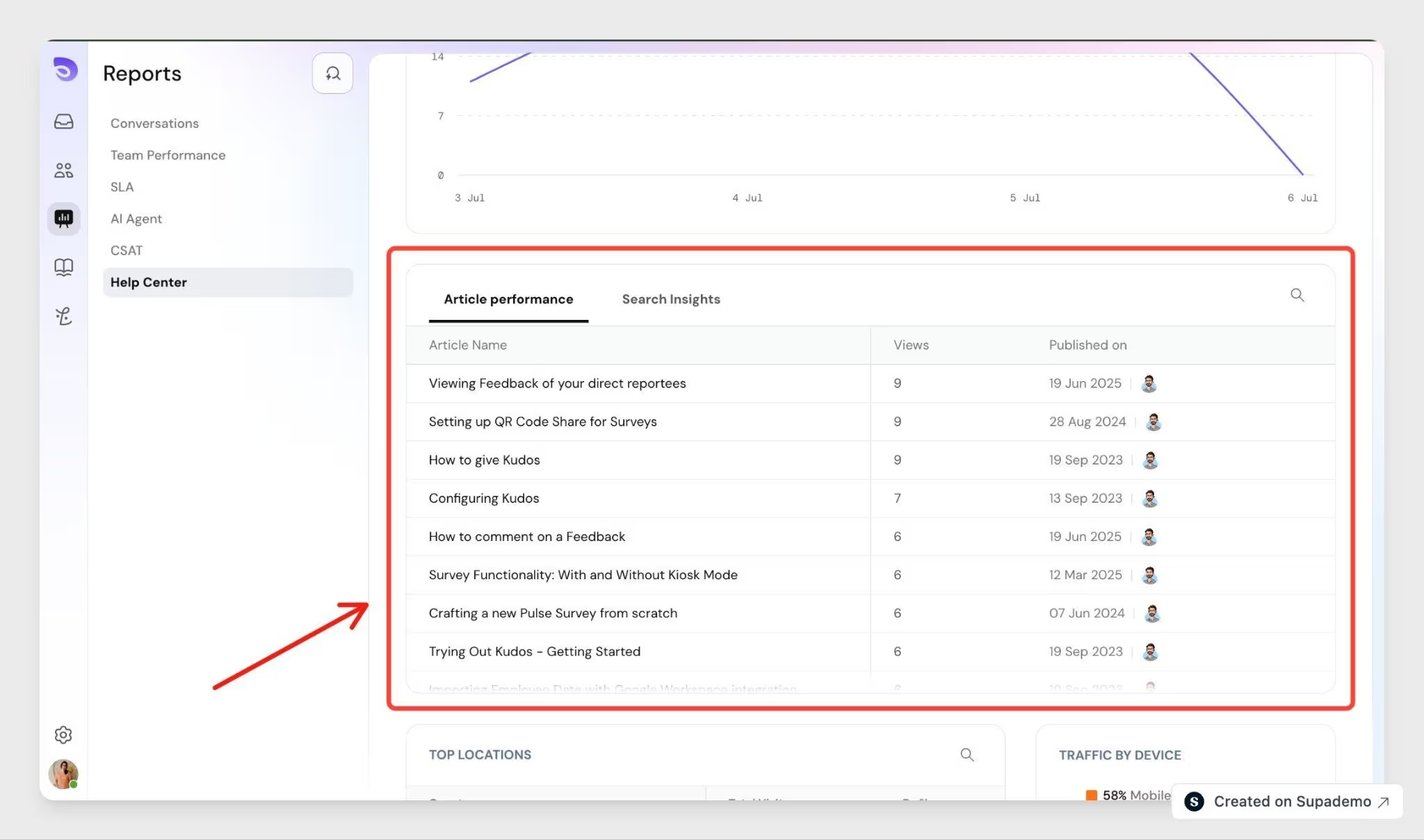
Article metrics

  • Views per article
  • Unique users per article

Search metrics

  • Most searched queries
  • Failed searches (queries with no matching results)

Article metrics show you your best-performing content. Search metrics show you what customers are looking for, including questions your Help Center doesn't answer yet.
Image

How Visitors and Sessions Are Tracked

SparrowDesk assigns each visitor a unique user_id the first time they open your Help Center. This ID is stored in the visitor's browser, so returning visitors are recognized without needing to log in. If the visitor is a known contact, SparrowDesk links their contact_id to the same data. SparrowDesk filters known bot traffic from visitor and session counts, so your metrics reflect real customer activity.

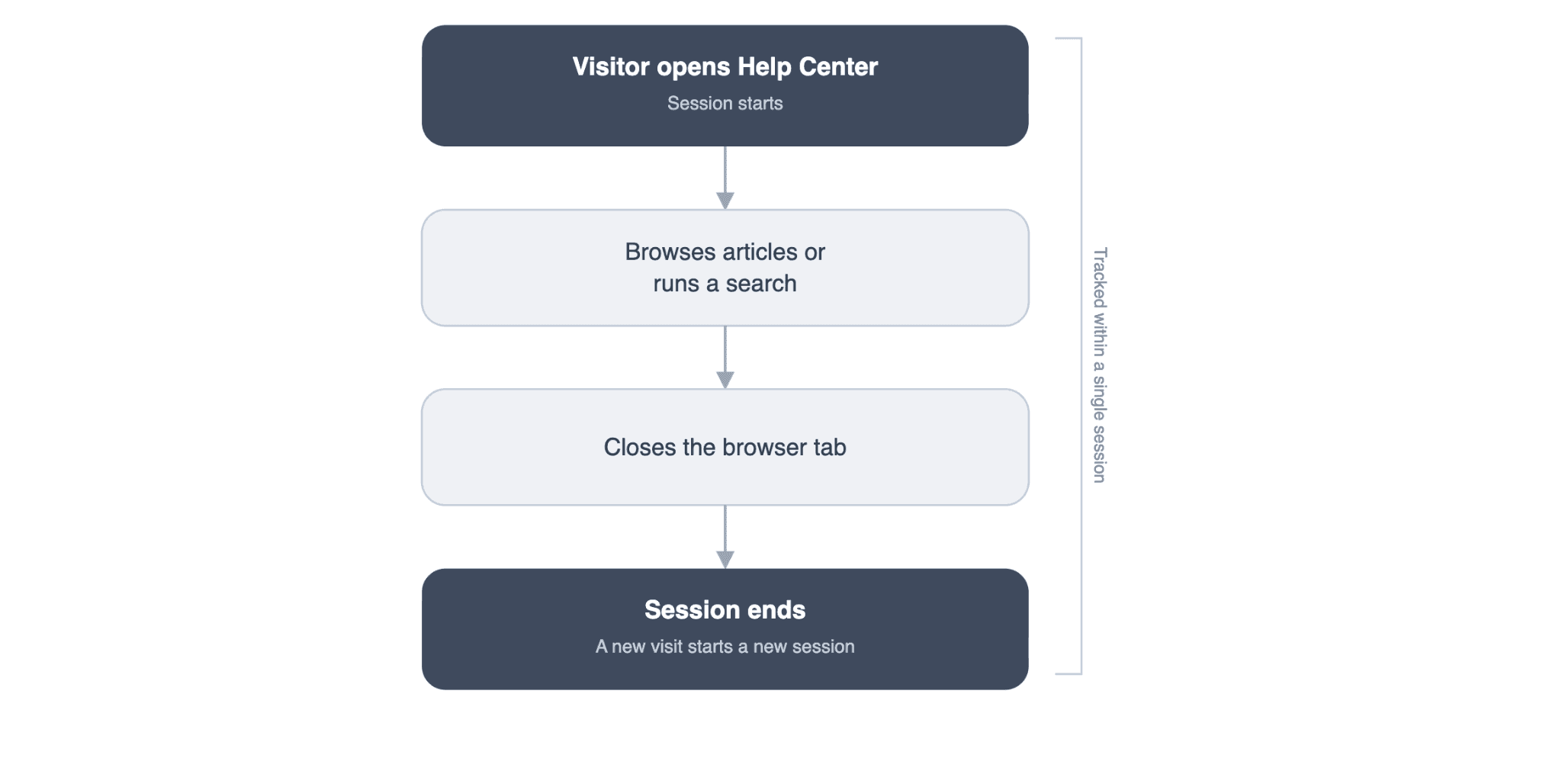
A new session starts each time a visitor opens your Help Center and ends when they close the browser tab. Within a session, SparrowDesk records page visits, UTM parameters, device type, browser information, and approximate location.
Image

For more on setting up collections and pages, see Setting Up and Customizing Your Help Center.

FAQ

  1. Does a customer need to log in for their visit to be tracked?
    No. SparrowDesk assigns a unique user_id on the customer's first visit and stores it in their browser to recognize them on return visits.
  2. What counts as a failed search?
    A failed search is any query that returns no matching articles. Tracking these helps you find content gaps in your Help Center.
  3. Will a returning visitor be counted as a new visitor?
    No. SparrowDesk reuses the same user_id for returning visitors, so repeat visits don't inflate your visitor count.
  4. What happens when a customer closes their browser tab?
    Their current session ends. Opening the Help Center again starts a new session.
  5. Can I see the exact location of a visitor?
    No. SparrowDesk captures approximate location based on session data, not a customer's precise address.

Powered By SparrowDesk

Table of ContentsOn this page