
Zoona AI Agent - FAQ

What context is passed to an agent during a handoff?
When Zoona escalates a conversation to a human agent, it passes the full conversation transcript — every message exchanged between Zoona and the customer, in order. The receiving agent can see exactly what was asked, what Zoona responded, and where the conversation broke down or why it was escalated.
Handoffs are triggered either by your configured escalation rules (for example, when Zoona can't resolve a query after a set number of turns) or when a customer explicitly asks to speak with a human.
Can I prevent Zoona from answering sensitive or billing-related questions?
Yes. In the Commands settings of your AI agent, you can configure topic-based escalation rules. If a customer's query matches a topic you've defined — such as billing, refunds, or account security — Zoona will automatically escalate it instead of attempting to resolve it.
When an escalation is triggered, Zoona checks your escalation rules and assigns the conversation to the right agent or team based on how you've set it up. The customer is acknowledged and the conversation is handed off with full context, so your team can pick up.
Does Zoona show the customer that it is an AI agent?
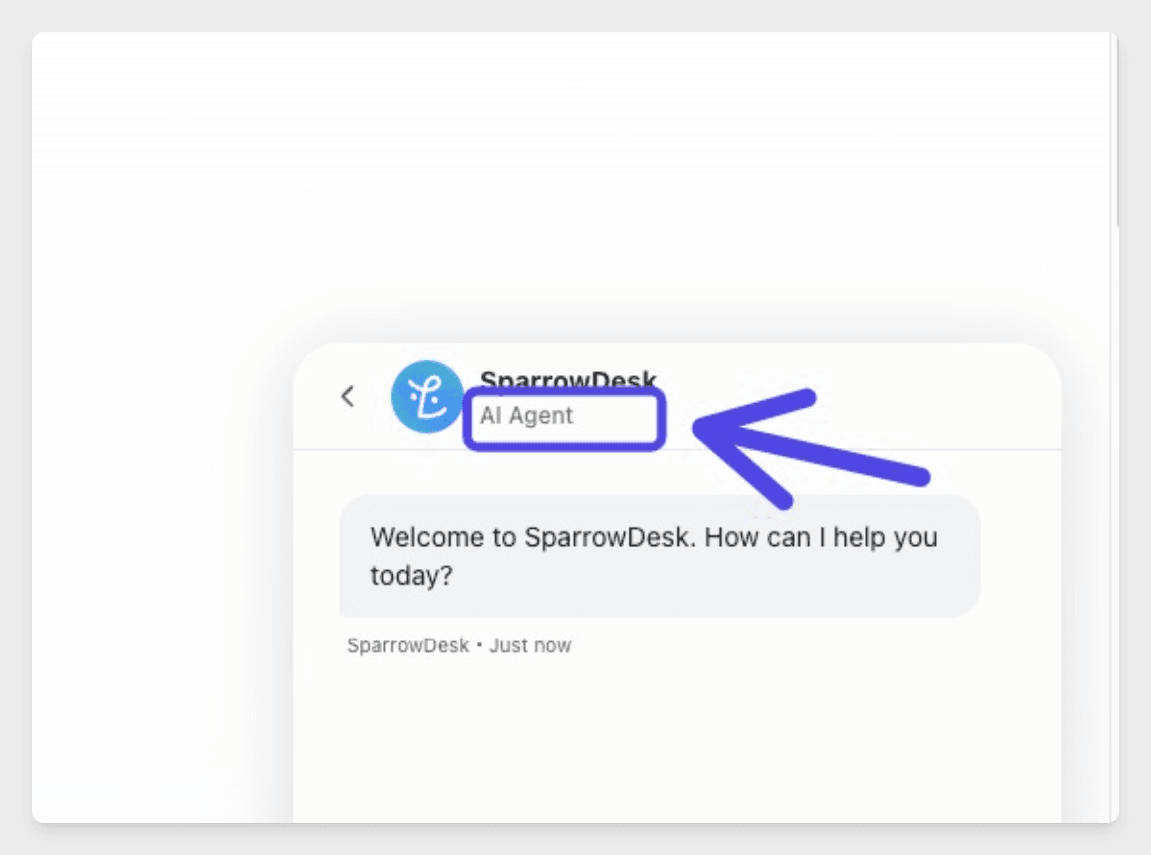
Yes. By default, Zoona displays an "AI Agent" label in the chat widget header, right below its name — so customers always know they're interacting with an AI from the start of the conversation.
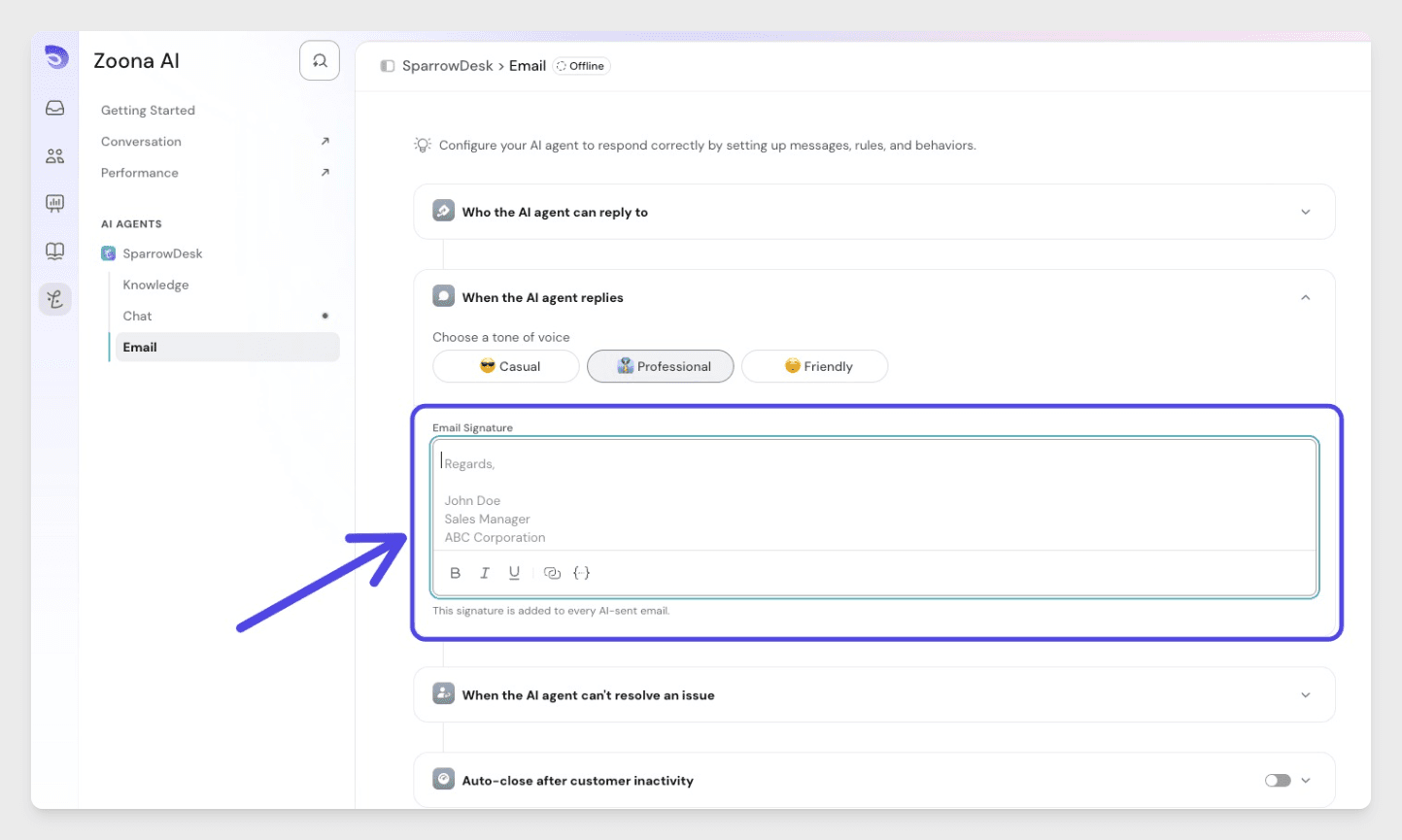
For email, you can set up an email signature in the AI agent settings to explicitly mention that responses are coming from an AI agent. This ensures transparency is consistent across both chat and email channels.
Does Zoona detect the customer's language automatically?
Yes. Zoona detects the customer's language automatically and responds in kind — no manual configuration required. With support for 50+ languages, customers writing in French, Spanish, Arabic, or any supported language will receive fluent, natural responses without your team needing to set up separate language-specific inboxes or bots.
This makes Zoona well-suited for teams with a global customer base. Language detection happens at the start of each conversation and Zoona adapts throughout.
What happens if a source page is deleted or changed?
If a page you've used to train Zoona is deleted or significantly changed, Zoona may continue responding based on the older version of that content until you refresh or remove the source.
To keep Zoona accurate, you should:
- Re-sync or re-import the updated URL or document whenever your source content changes significantly
- Remove deleted sources from Zoona's training data to prevent outdated answers
- Periodically review Zoona's knowledge base — especially after product updates, policy changes, or help center rewrites
Zoona learns from what you feed it. Keeping your training sources current is the most effective way to maintain response quality over time.
Can I see which article or source Zoona used to answer?
Yes. In the inbox, next to each of Zoona's replies, you can see a breakdown of exactly what happened behind the scenes — which knowledge base articles or sources were referenced, and which commands were executed to generate the response.
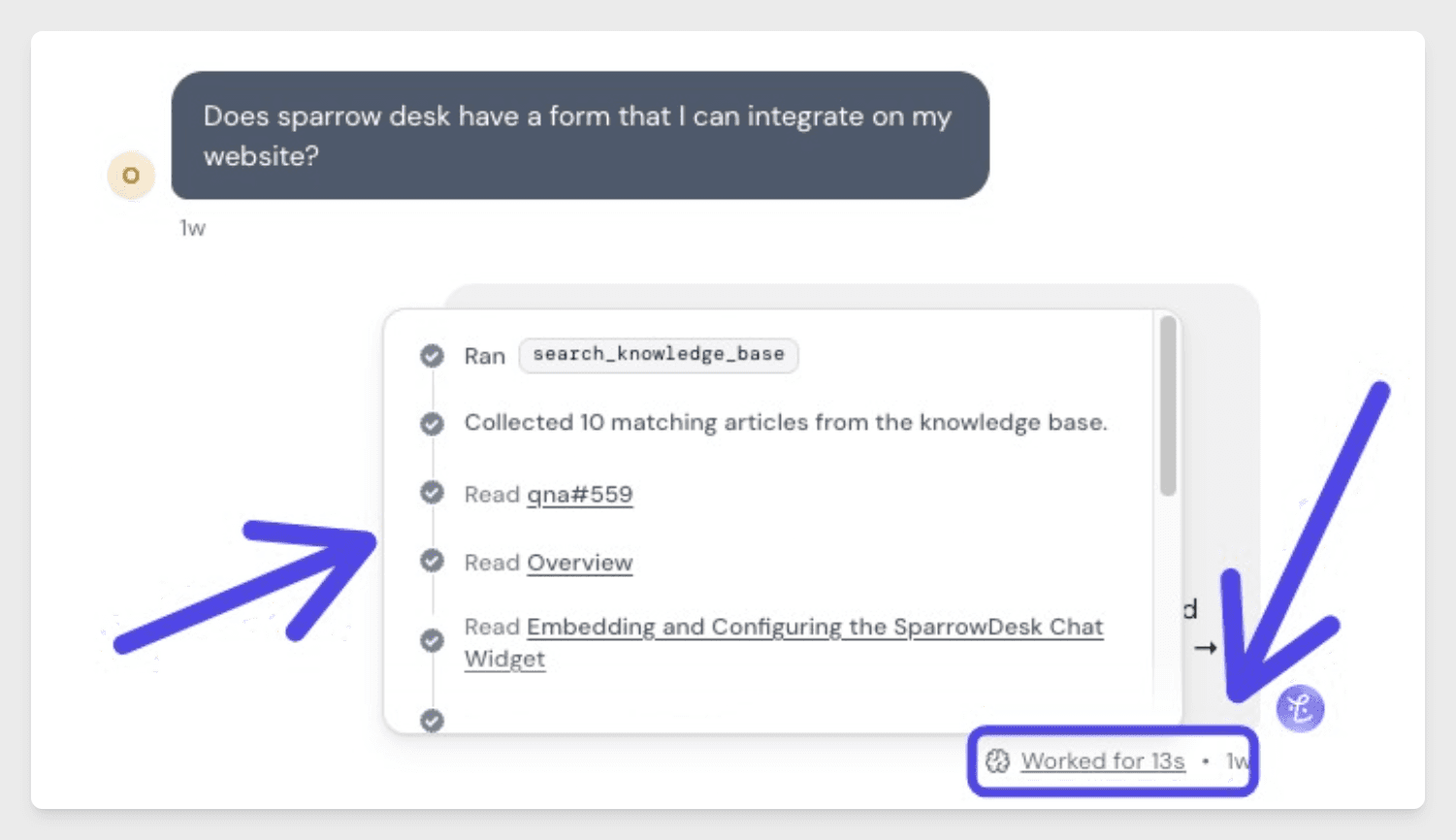
This gives your team full visibility into how Zoona arrived at an answer, making it easy to spot gaps in your knowledge base, verify accuracy, or understand why a particular escalation was triggered.
Will SparrowDesk use my data to train your AI models?
No. SparrowDesk will not use your customer data or support conversations to train its AI models. Your data is processed strictly to provide you the service — it is not shared, sold, or used to improve models for other customers.
Per SparrowDesk's privacy policy and Data Processing Addendum (DPA), SparrowDesk acts as a data processor on your behalf. You remain the data controller, and your content is accessed only as necessary to deliver the platform's functionality or comply with the law.
If you have specific data residency or compliance requirements, SparrowDesk's DPA covers obligations under GDPR, CCPA, and other applicable data protection laws.