
Export Conversations as CSV

You can export conversations from your SparrowDesk inbox as a CSV file for reporting, analysis, or record keeping.
How to export
Inside Inbox, navigate to the view you want to export from - this can be any default view or a custom view you have created.
Click More Options from the top of the inbox
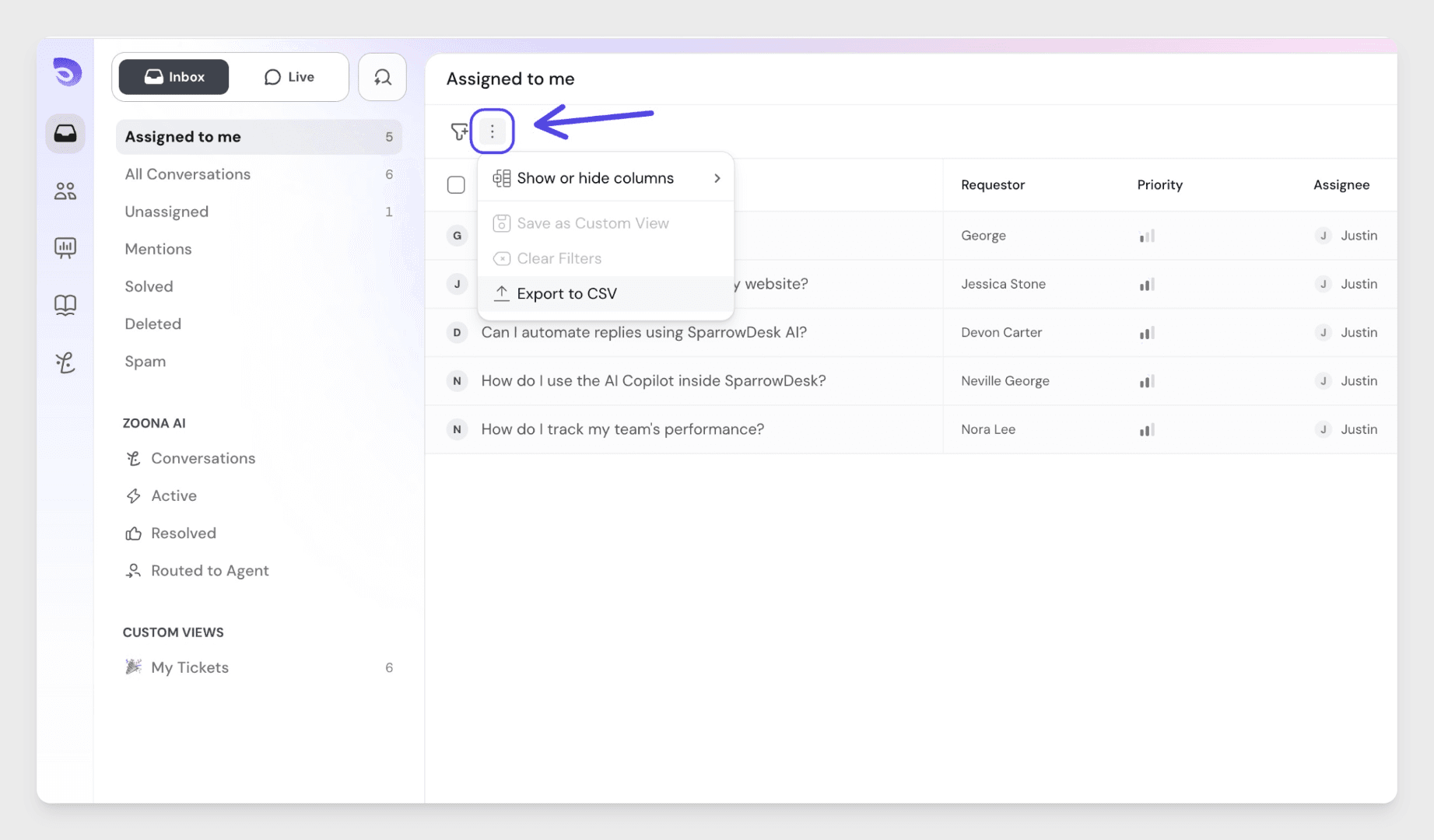

The export will begin immediately. Within a few seconds, you will receive an email with a link to download the CSV file.
Exporting a filtered set of conversations
You can apply filters before exporting to narrow down which conversations are included. Only conversations that match the active filters will be exported to the CSV.
Choosing which columns to export
The CSV will include the same columns that are visible in your inbox table view. If you need additional columns in the export, you can add them to your inbox first:
Hover over any existing column header and click the Chevron icon and select Insert Column Left or Insert Column Right
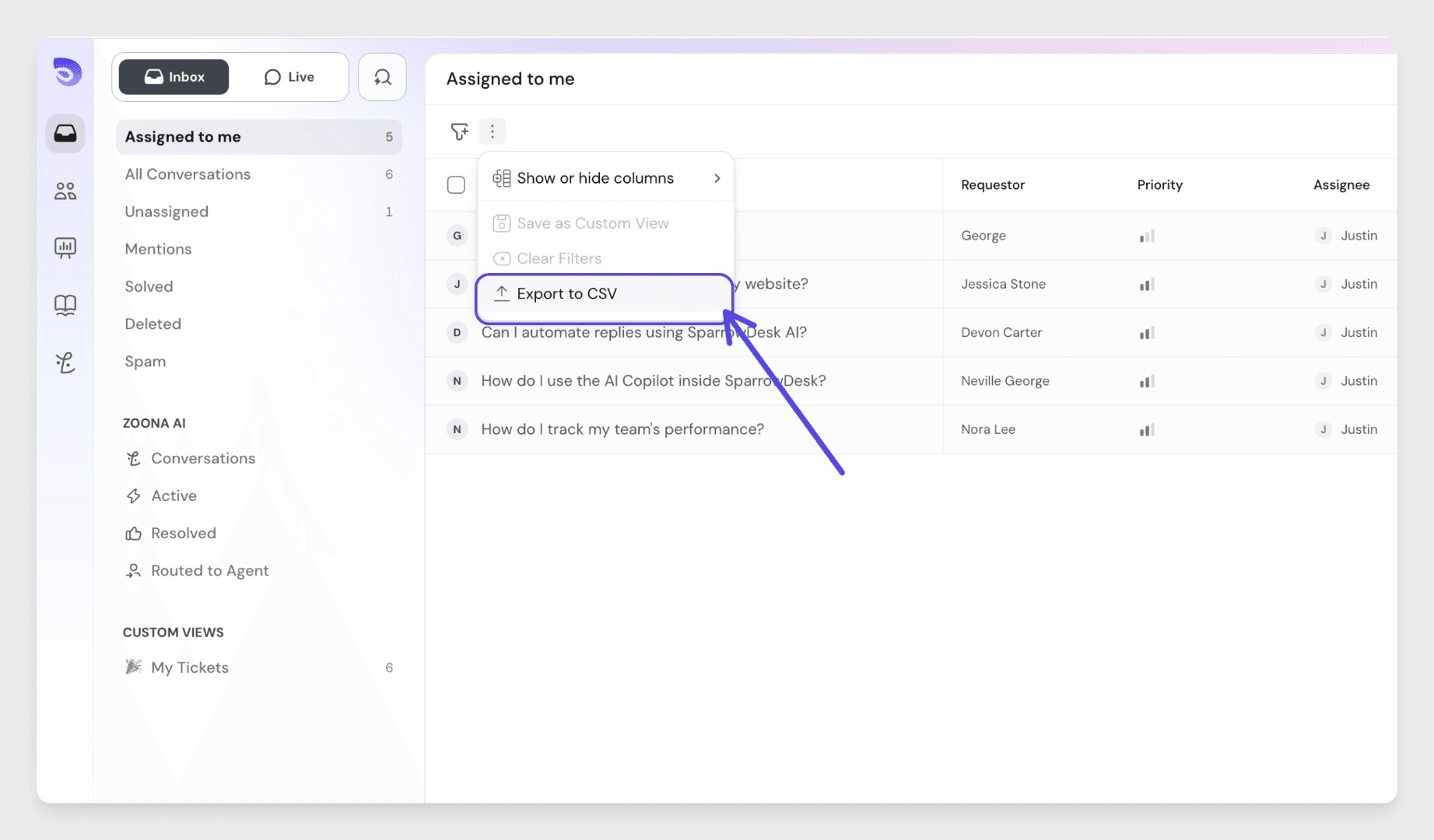
The new column will now be included in the CSV.