
Email Settings

Email settings control how your outbound replies appear and how SparrowDesk handles unusual inbound email, such as auto-responders and reused threads. They apply across your account.
For connecting an email address in the first place, see Setting Up Email as a Support Channel.
If SparrowDesk detects an email delivery or connection problem, it shows an alert banner in-product. See Common Email Delivery Errors.
Open Email Settings
- Go to Settings → Email to open Email Configurations.
- Select Settings in the top-right, next to Add Email.
- In the Email Settings window, switch on the setting you want.
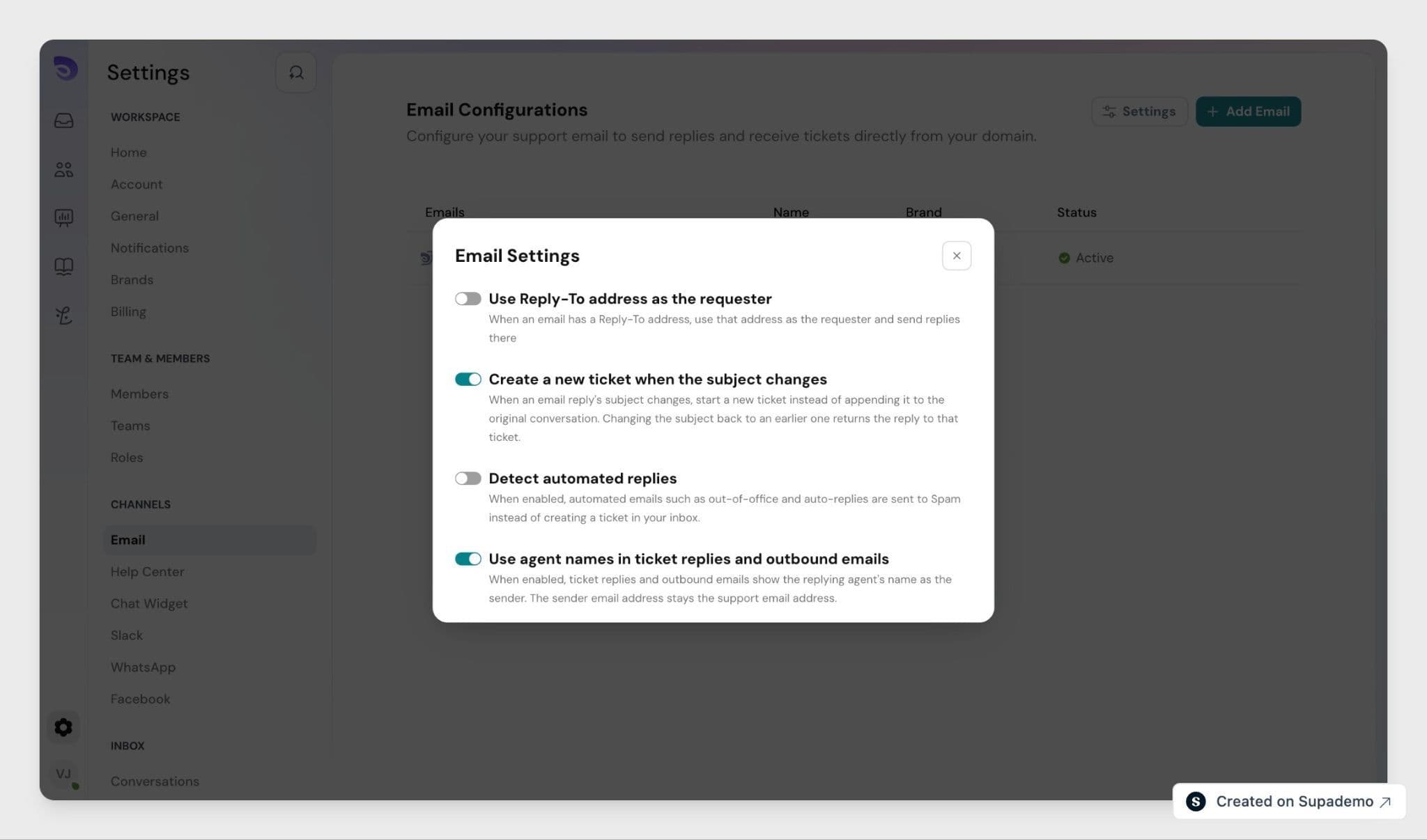
Use Agent Names in Replies
Turn on Use agent names in ticket replies and outbound emails and outbound email shows the replying agent's name as the sender, while the sender address stays your support address. A reply from Sarah Chen arrives as:
Sarah Chen <[email protected]>
This covers ticket replies as well as agent-initiated outbound and forwarded emails, so customers see a person rather than a shared inbox. With the setting off, replies use your support or brand name instead.
Detect Automated Replies
Turn on Detect Automated Replies and SparrowDesk recognizes automated emails, such as out-of-office and auto-responder messages, and does not treat them as customer replies. Those emails no longer reopen a resolved ticket or add activity to an open one.
- On: automated emails are detected, kept out of the conversation as customer replies, and moved to Spam.
- Off: every inbound email, including automated ones, is treated as a normal customer reply.
Leaving it off can cause loops, where an auto-reply reopens a ticket, SparrowDesk responds, and the auto-reply fires again. Turning it on keeps ticket activity clean.
Create a New Ticket When the Subject Changes
Customers sometimes reuse an old email thread to raise something unrelated: they clear the message, change the subject line, and send. That reply would normally land back on the old ticket.
Turn on Create a new ticket when the subject changes and SparrowDesk routes inbound email by its subject line:
- A reply with a new subject starts a new ticket instead of adding to the original conversation.
- Changing the subject back to one used earlier returns the reply to that ticket.
- Prefixes like Re: and Fwd: are ignored, so an ordinary reply stays on its ticket.
FAQ
- Does turning on agent names change where customer replies go?
No. Only the visible name changes. The reply address stays your support address, so replies still return to SparrowDesk on the same ticket. - What counts as an automated reply?
Out-of-office messages and auto-responder emails. - Does Detect Automated Replies delete those emails?
No. The automated email is still received. It simply does not reopen or update the ticket. - Can I turn these on separately?
Yes. Each setting is its own toggle, so you can enable only the ones you need.