
Testing your AI Agent

Testing lets you check how your Zoona AI Agent answers real customer questions before you set it live, so you find gaps in a test run instead of in front of a customer.
Testing is available on the Professional and Enterprise plans, and needs the Zoona AI Agent add-on. Anyone with the Train Zoona AI permission can use it.
How Testing Works
You add test questions for your AI Agent and run them. Each answer is sorted into one of four outcomes, so you can see where your AI Agent is well covered and where it falls short, before any customer is affected.
Add Questions
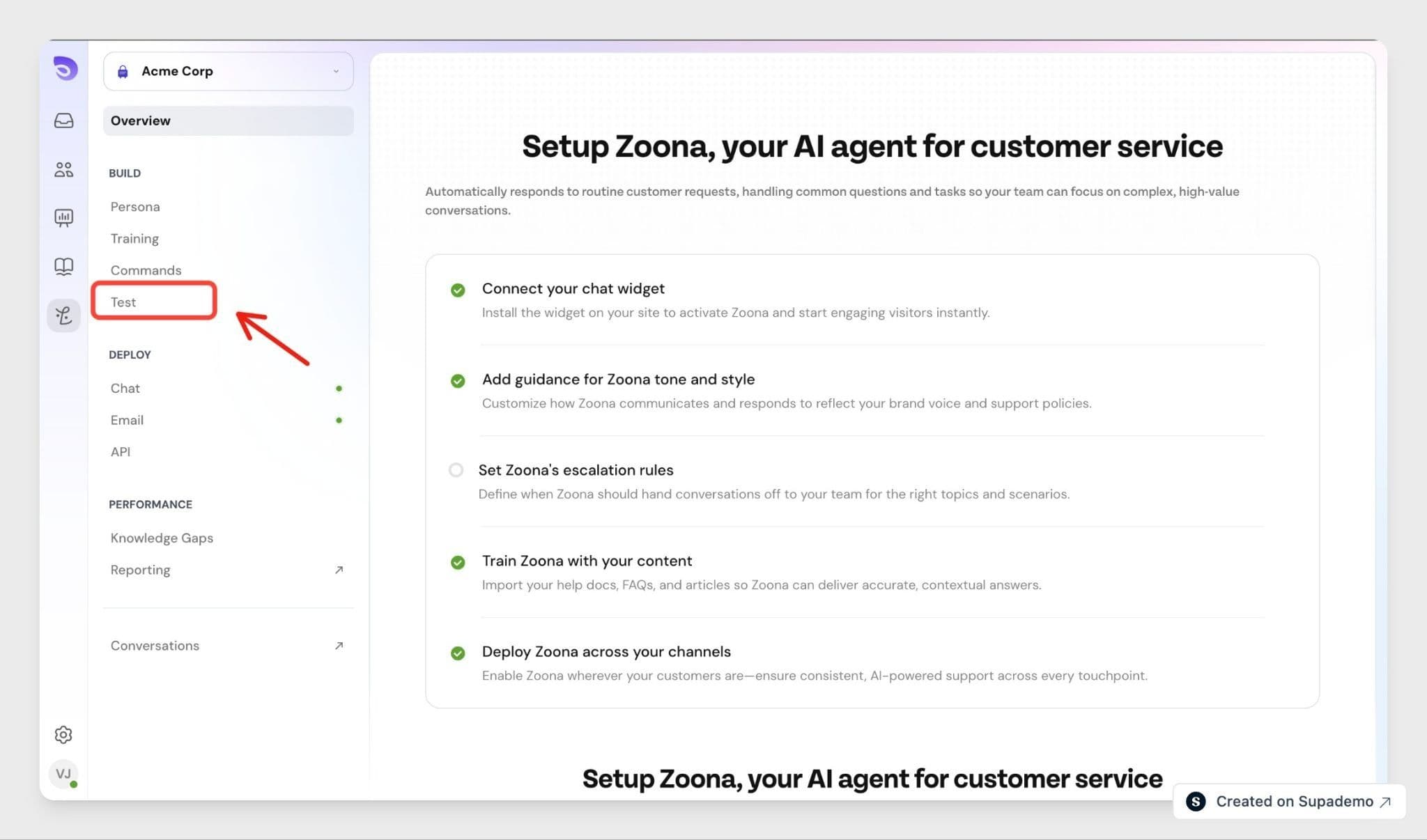
- Go to Zoona AI and select Test.
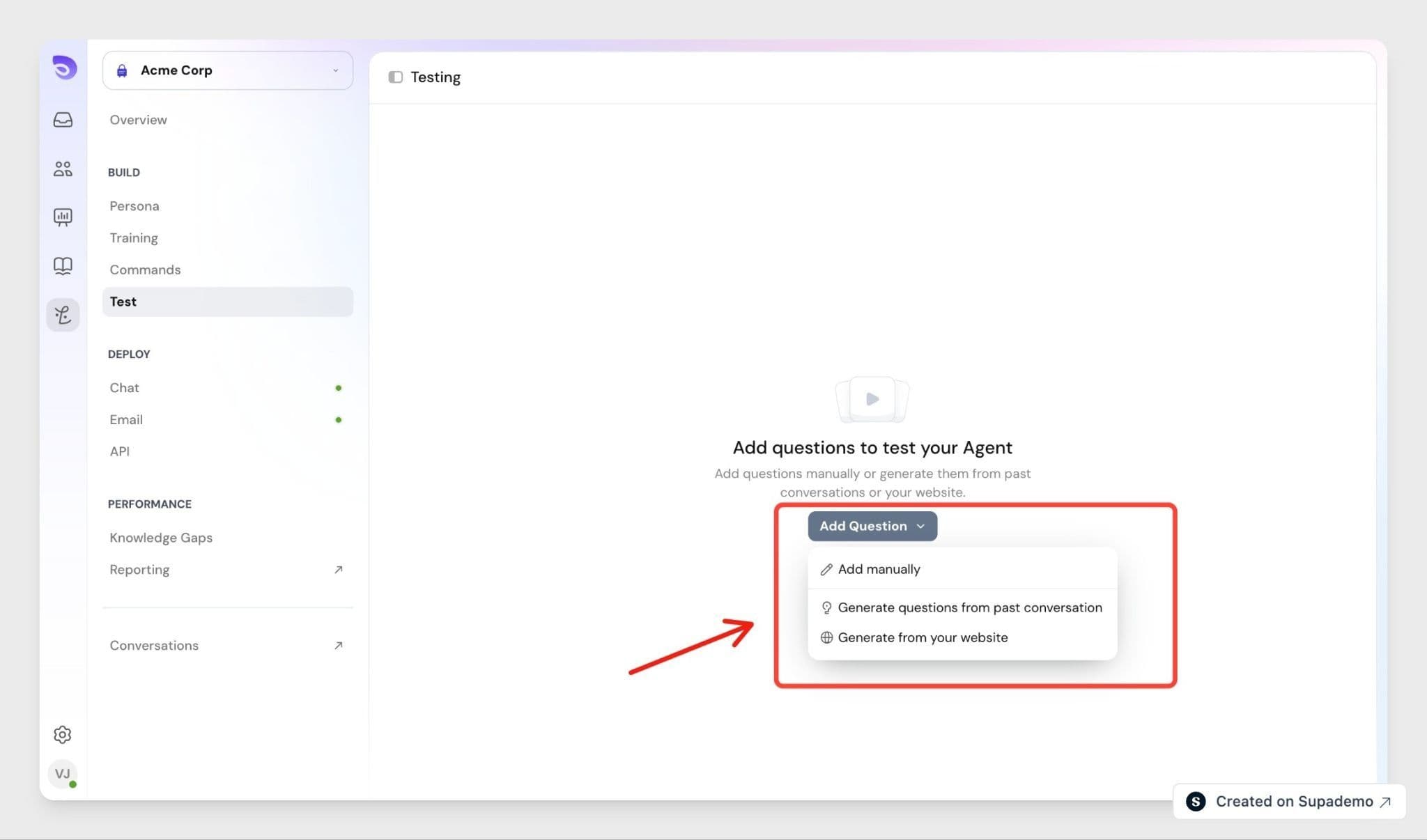
- Select Add Question.
- Choose Add manually, Generate questions from past conversation, or Generate from your website.
Add manually- Type questions one at a time. Duplicates are allowed, so you can test slight variations of the same question on purpose.
Generate questions from past conversation- SparrowDesk scans your conversations from the last 30 days and pulls out what customers actually asked, up to 50 questions per scan. Near-identical questions are merged, and long messages are shortened into a single clear question. If you have no conversations yet, add questions manually instead.
Generate from your website- Give SparrowDesk a URL and it reads up to 20 pages on that domain, writing questions from what's on them, so a returns policy page might produce "How do I return an item?" The crawl stays on the domain you supply.
Every generated question behaves like one you typed, so you can edit or delete any of them afterwards.
Run a Test
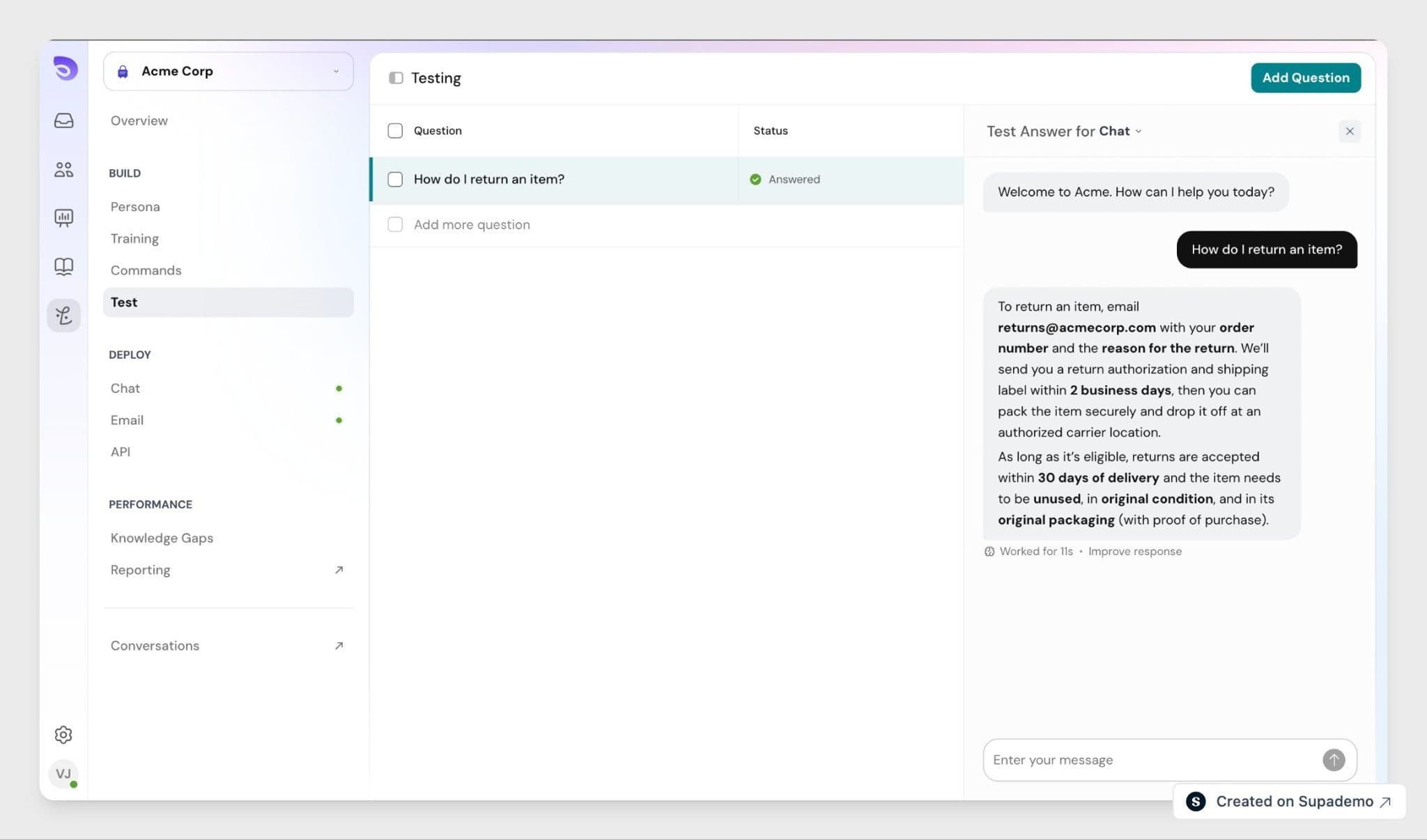
Start the run once your questions are in place. The run uses your AI Agent exactly as it is configured when the run starts, so editing the agent midway does not change those results.
While a run is in progress, your questions are locked and cannot be edited, or deleted until it finishes. You cannot stop a run early while it's in progress.
Read Your Results
Results are shown as a spread across four outcomes, with counts and percentages, plus a table showing each question and how your AI Agent replied.
Outcome | What it means |
Answered | Your AI Agent gave an answer based on its knowledge |
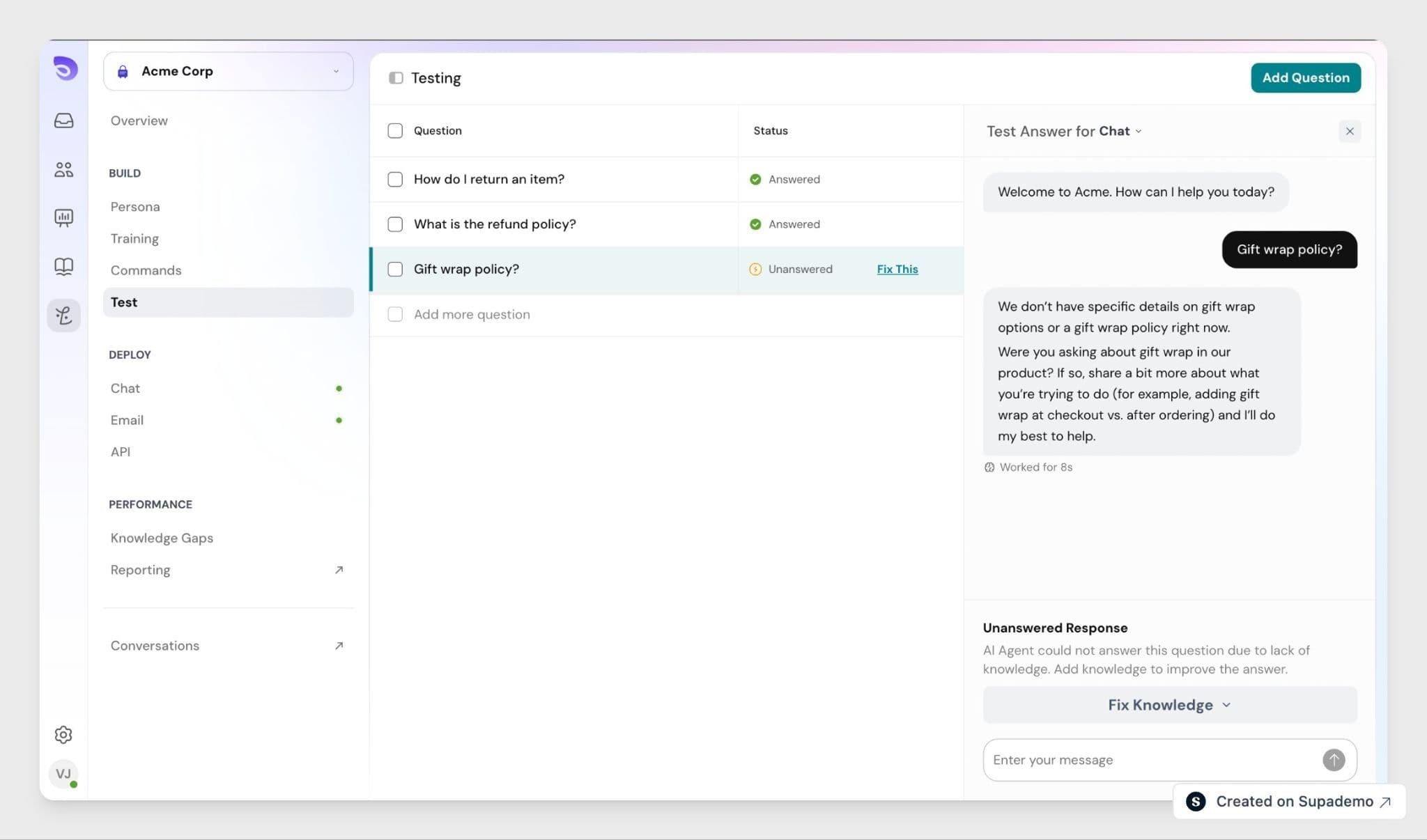
Unanswered | Your AI Agent had no answer and fell back |
Escalated | Your AI Agent handed the conversation to a human |
Guardrail | Your AI Agent declined, as the question was off-topic or out of scope |
Only Unanswered is flagged as a gap. Escalated and Guardrail are often exactly what should happen, so they are not treated as failures.
Close the Gaps
For any Unanswered question, select Add Q&A to jump into the training flow with that question already filled in. Once you have added the missing answers, run the collection again to see whether the result improved. Adding a Q&A does not re-run the test for you.
FAQ
- Does a test tell me whether the answer was correct?
No. The outcomes describe what your AI Agent did, not whether what it said was right. Read the replies in the results table to judge quality. - Do Escalated and Guardrail results mean something went wrong?
Usually not. Handing off to a human or declining an off-topic question is often the correct behaviour. Focus on Unanswered results first. - Can I edit a collection while a test is running?
No. Everything is locked until the run finishes or you stop it. - What happens if I stop a run partway?
Results for the questions already completed are kept, and the run is marked as stopped. - How many past runs can I see?
The last 5 for each collection, along with the change since the previous run.