
Change the Requester on a Conversation

The requester is the contact a conversation belongs to. Change it when a conversation is pointing at the wrong person, or when someone wrote in on another customer's behalf.
When to change the requester
- A conversation came in from a shared or forwarded mailbox and needs to point to the real customer.
- An agent created the conversation against the wrong contact.
- The person who should own the conversation is different from whoever first replied.
Change the requester
- Open the conversation.
- In the sidebar, find the requester at the top of the contact panel.
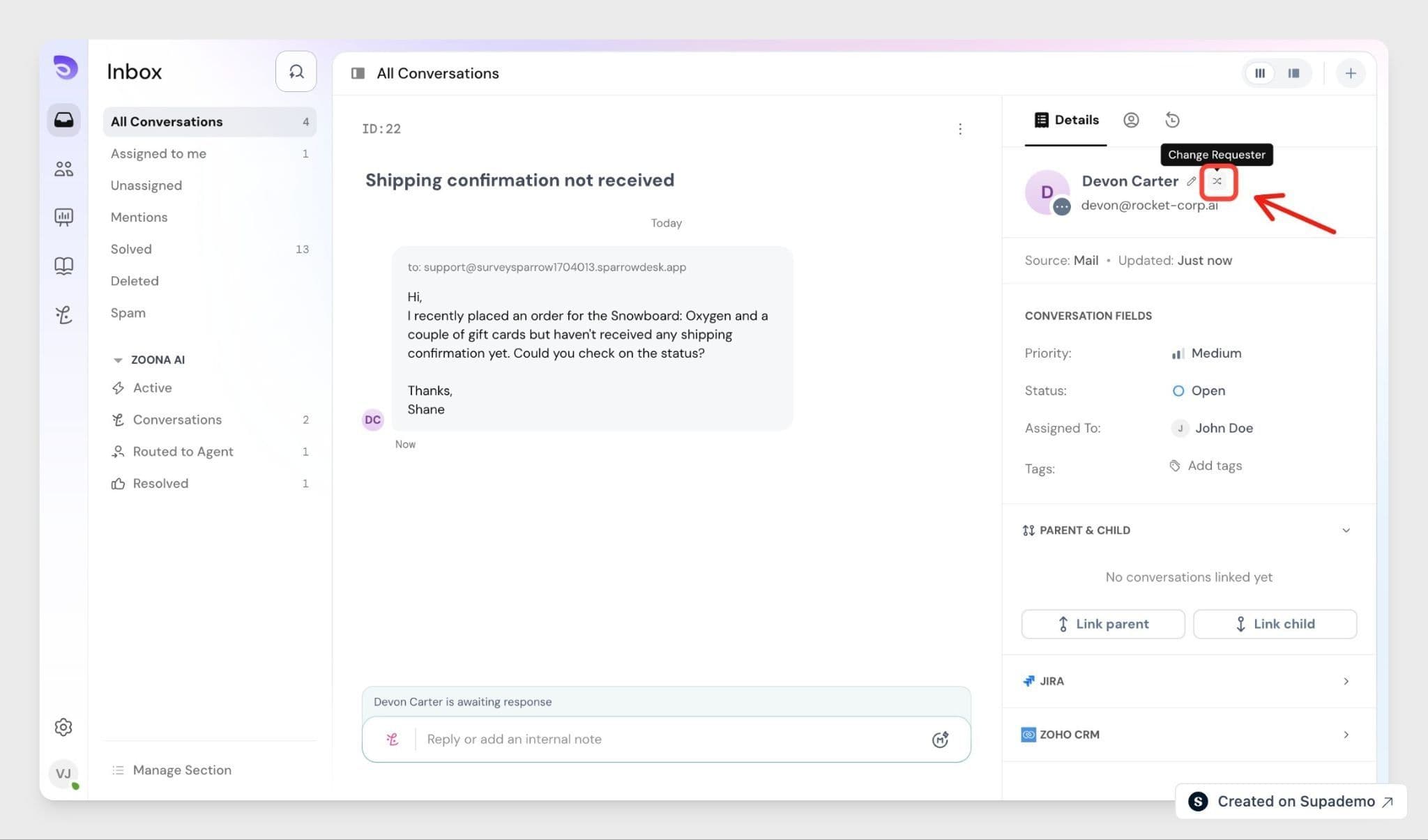
- Open the requester's actions and click Change requester.
- In the Requester dropdown, search for the contact and select them. The list shows your existing contacts and leaves out the current requester. If the person isn't a contact yet, create them in the same window by adding their email address, then set them as the requester.
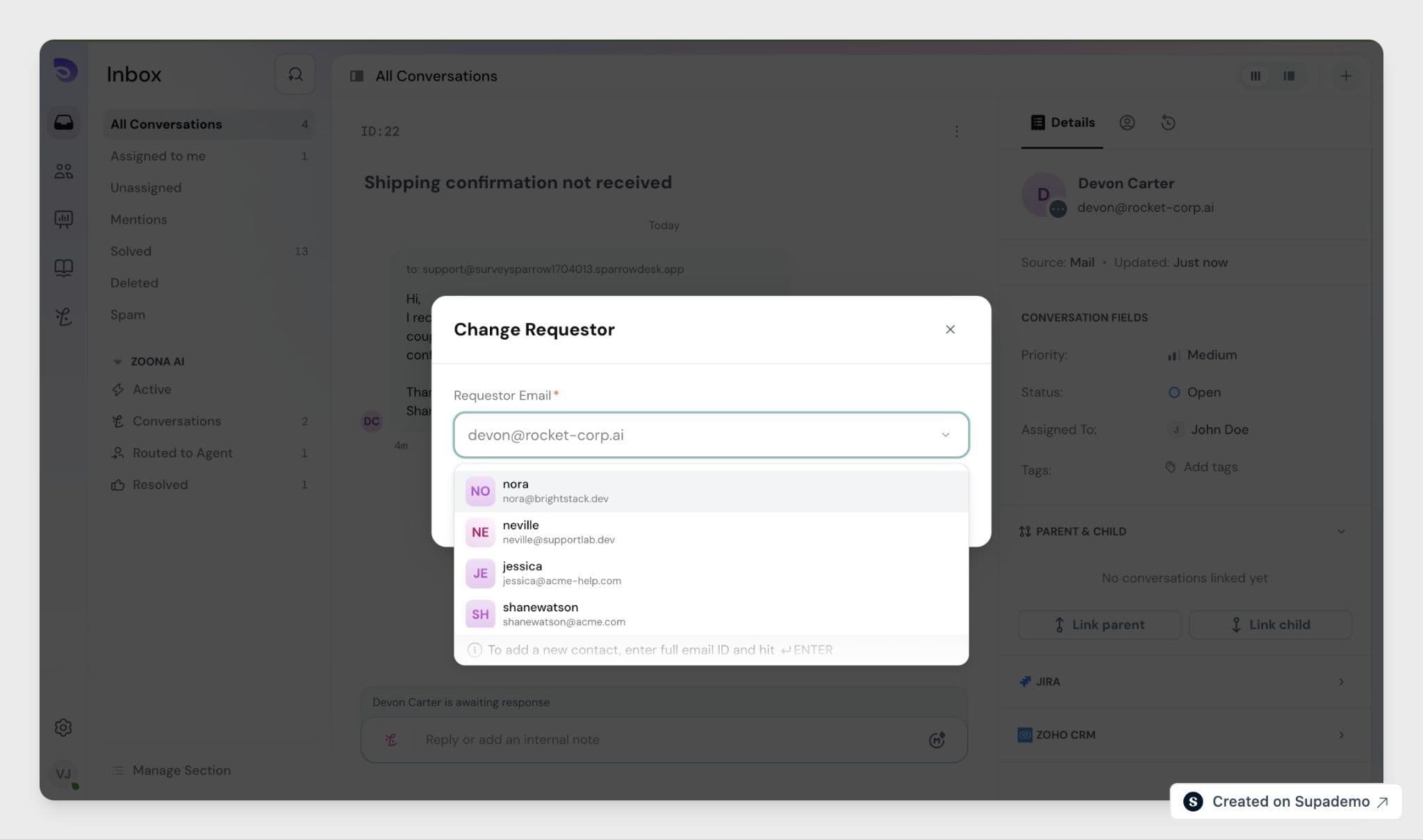
The conversation moves to the new requester right away.
What happens to the conversation
- History stays put. All past replies, notes, and activity remain in the conversation. Earlier messages keep their original sender- they aren't reassigned to the new requester.
- The change is logged. SparrowDesk records Requester changed from [old] → [new] in the activity, with both contact names.
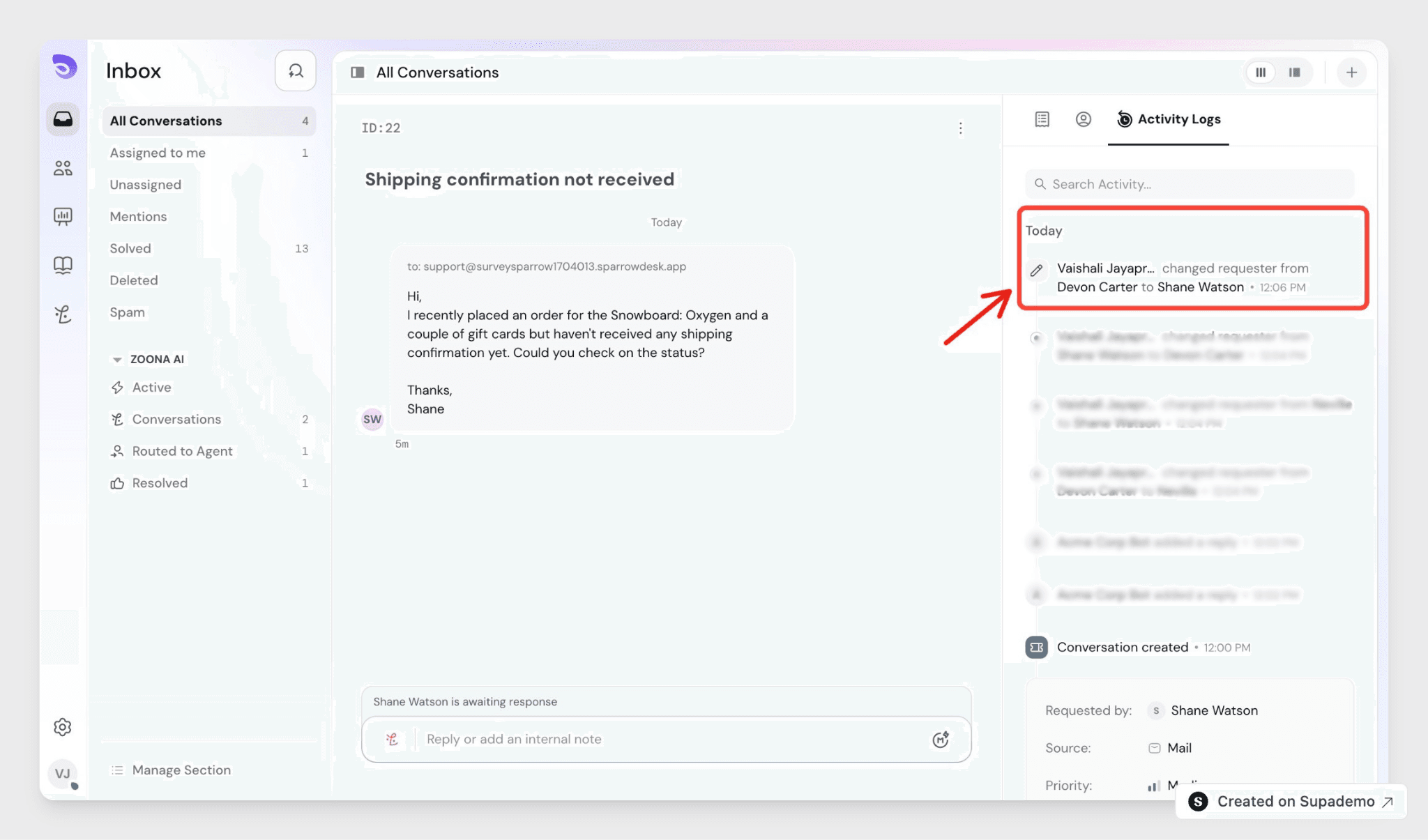
- The panel updates to the new requester. The contact panel now shows the new requester's details. The original contact's own record isn't changed.
- Future replies go to the new requester. The old requester is removed cleanly- they're not added as a CC and stop getting updates. No email is sent at the moment of the swap; replies continue as normal from there.
- CCs carry over. Anyone already CC'd on the conversation stays CC'd. Only the requester changes.
FAQ
- Can I set a brand-new contact as the requester?
Yes. Search the requester dropdown, and if the contact doesn't exist yet, create them in the same window with their email address, then set them as the requester. - What happens to the original requester?
They're removed from the conversation cleanly, stop receiving updates, and aren't added as a CC. A conversation belongs to one requester at a time. - Does the new requester see the earlier messages?
The conversation keeps its full history, and future replies go to the new requester. Earlier messages aren't re-sent to them- the swap doesn't email the back catalogue. - Can I change the requester on a closed or merged conversation?
No. Swapping is blocked on closed conversations and on conversations that have been merged into another. Reopen a closed conversation first if you need to change it. - Who can change the requester?
Any agent whose role can edit conversations. It's available on every plan, with no admin setting to switch on first.