
Companies in SparrowDesk

A company groups the contacts from one organisation, so you can see their shared conversations and details in one place.
How Companies Work
A company represents an organisation you support. Contacts are linked to a company in two ways:
- Automatically, when a contact's email domain matches a domain on the company.
- Manually, by mapping a contact to the company yourself.
A contact can belong to more than one company.
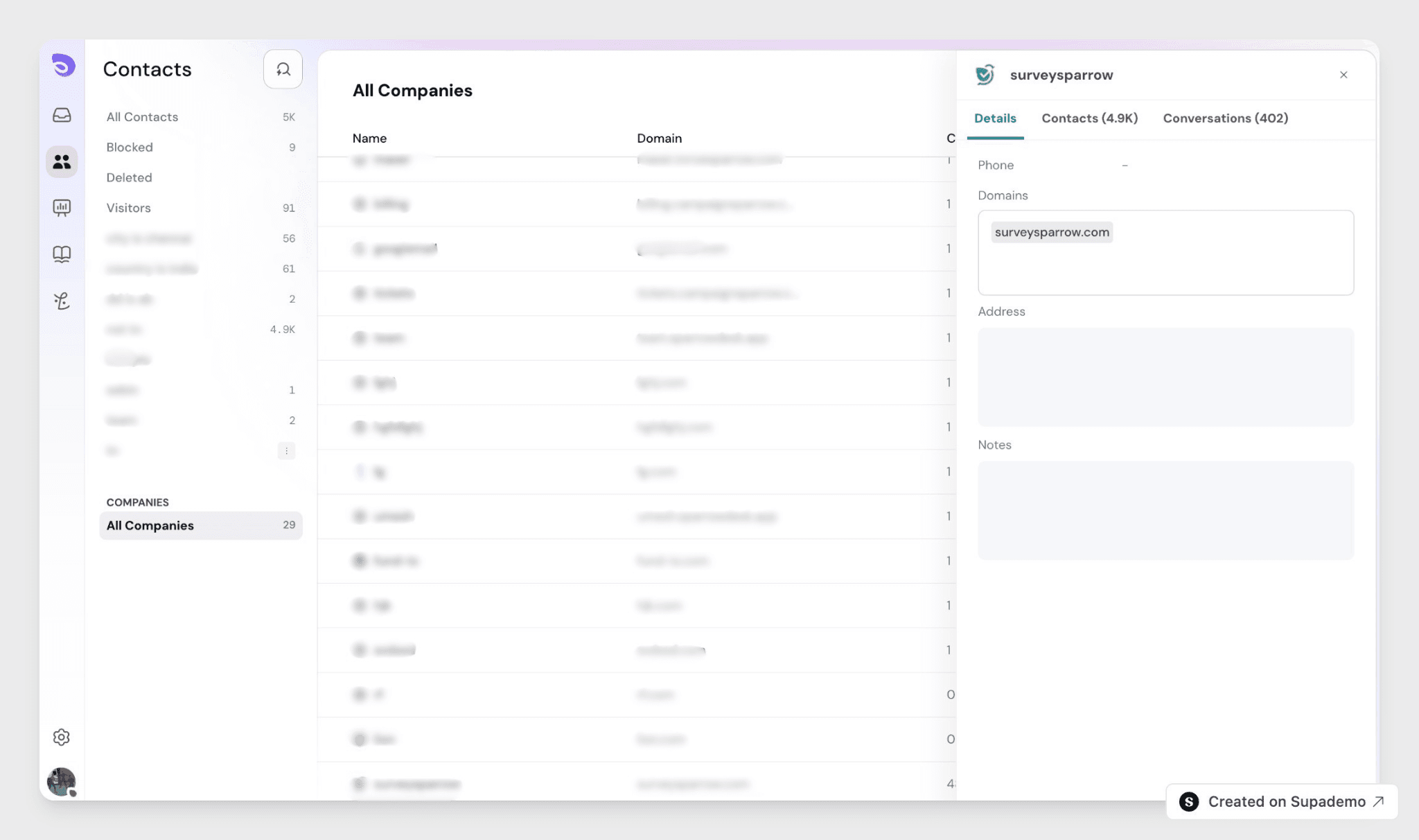
Add Domains to a Company
Domains are added by hand from the Companies page.
- Open the Companies page, where your companies are listed in a table.
- Click a company to open its drawer.
- Add one or more email domains to the company.
Once a domain is on a company, any contact whose email uses that domain is mapped to the company automatically. A domain can belong to only one company, so the same domain can't be added to two companies.
Tag a Company
- Go to Companies and click a company, for example Northbridge Capital, to open its drawer.
- In Tags, add or remove tags the same way you do for contacts.
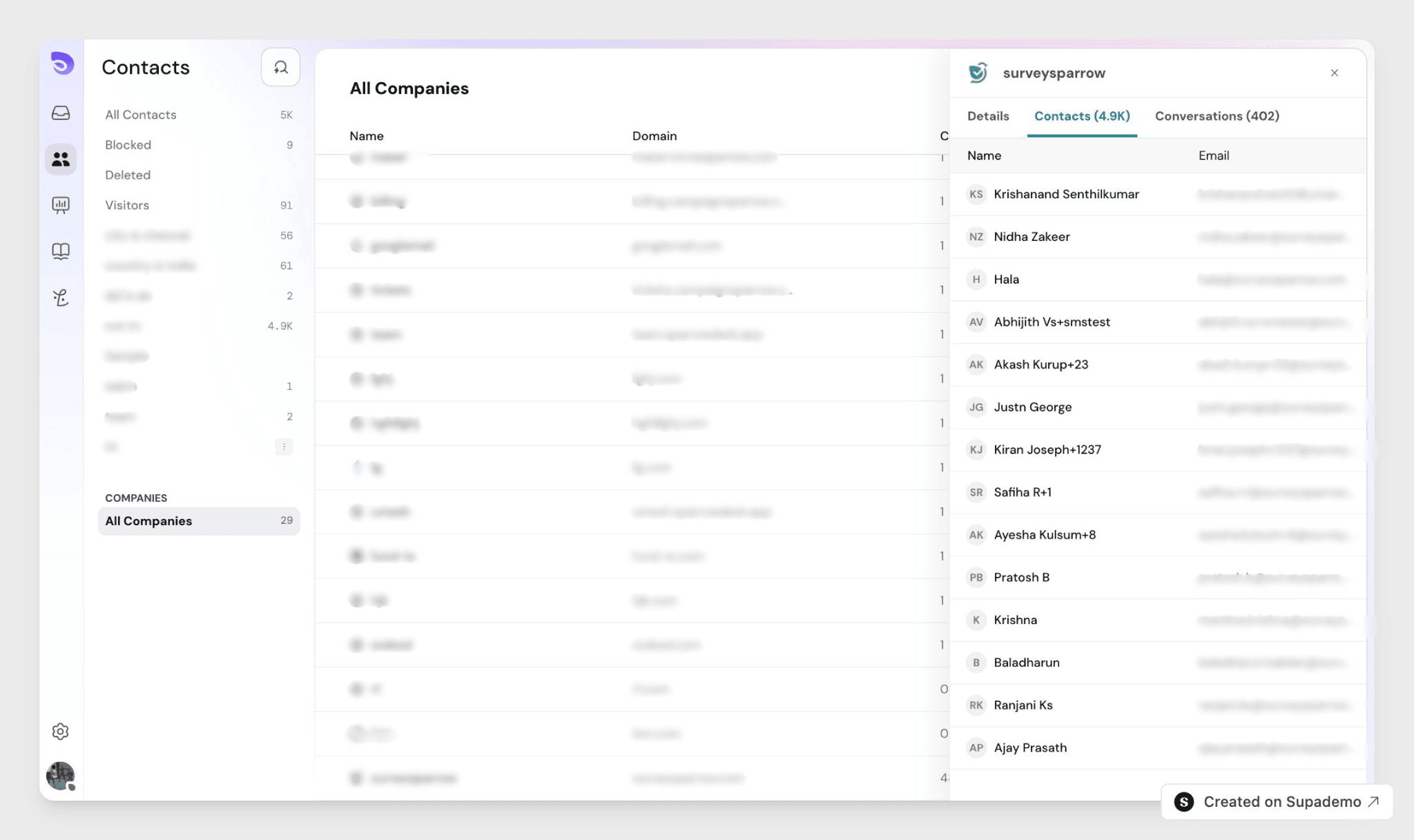
See a Company's Conversations
Each company has a Conversation section that lists every conversation from the contacts mapped to it, so you can see all of an organisation's activity in one place. Next to the Conversation tab, the company shows a count of the contacts mapped to it.
Tag a Company
Tags are labels you add to a company to group and filter organisations — for example, enterprise, reseller, or renewal-due.
- Open the Companies page.
- Click a company to open its drawer.
- In the Tags field, type a tag and press Enter, or select an existing one.
- Remove a tag with the × on it.
FAQ
- How does a contact get linked to a company?
Two ways: automatically, when their email domain matches a domain on the company, or manually, by mapping the contact yourself. - Can one company have several domains?
Yes. A company can hold multiple email domains, so contacts from any of an organisation's domains map to it. - Can the same domain belong to two companies?
No. A domain can be mapped to only one company, so there are no duplicate domains across companies. - What does the Conversation section show?
Every conversation from the contacts mapped to that company, gathered in one list. - Can a contact belong to more than one company?
Yes.