
Skills in AI Copilot

A skill is a set of instructions that tells AI Copilot how to handle a task your team does again and again. For example, a skill can say how to format a reply, which tools to call, or how to summarize a conversation. Use skills for requests your team handles often, such as refund policies, plan details, or escalation steps, so every agent gives the same approved response.
What You Need First
- The AI Copilot add-on. It’s billed per seat. See AI Copilot Billing
- Connectors, if the skill uses a tool. See Connect Your Tools to AI Copilot
How Skills Work
- Skills don’t run on their own. You choose the skill you want when you ask AI Copilot.
- A skill can be a single instruction, such as how to format a reply, or several steps run in one go.
- A skill can use connectors as one of its steps, so an AI Copilot can read from or send information to tools like Notion, Linear, and Jira.
Create a Skill
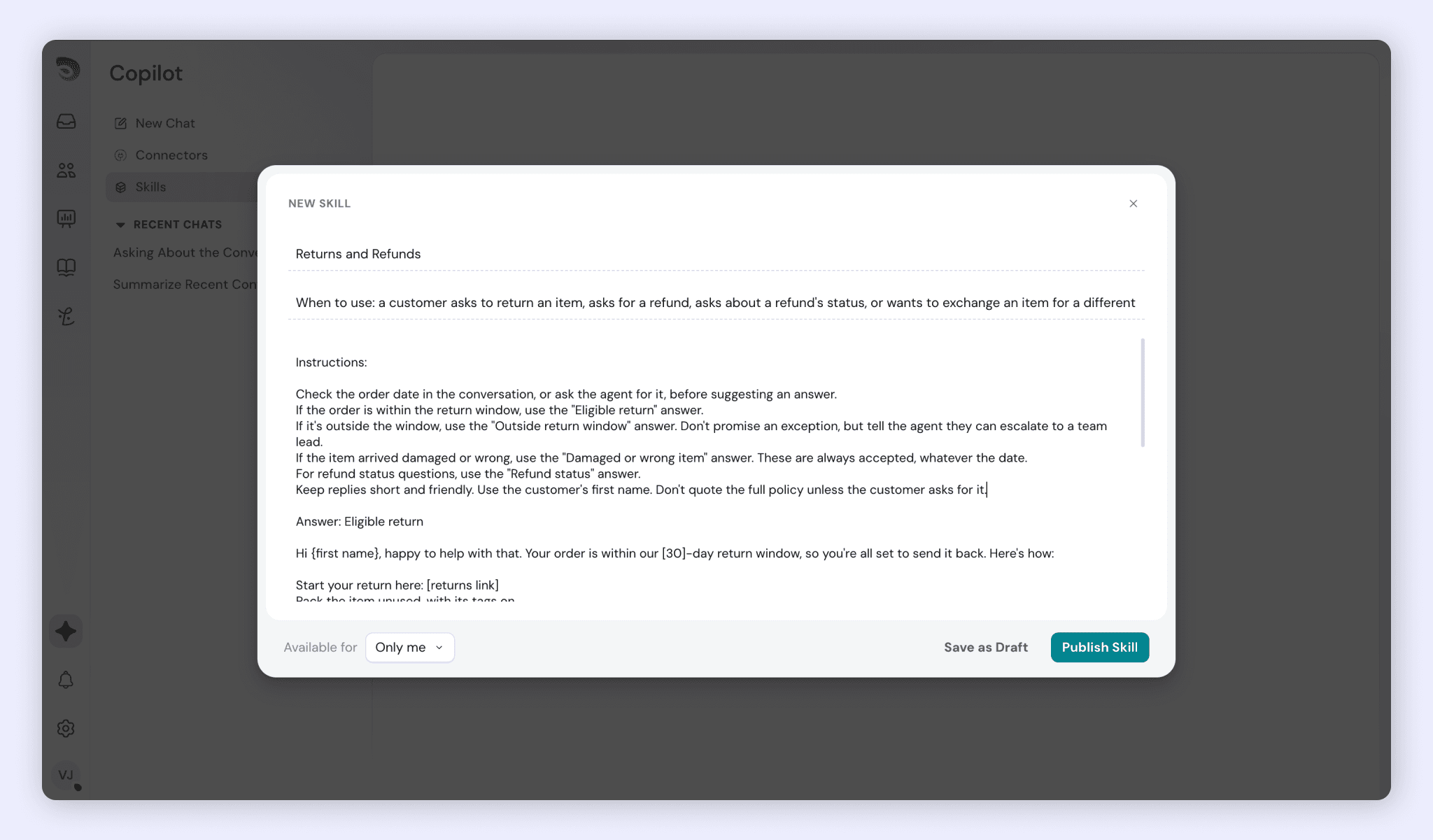
Create a skill for any request your team handles again and again, such as a refund policy, plan details, or escalation steps. In the skill, write the instructions you want the AI Copilot to follow: how to format the reply, which tools to call, or how to summarize the conversation. Once the skill is saved, any agent can choose it when they ask AI Copilot, so everyone gives the same approved response.
- Go to Copilot → Skills
- Click Create new skill
- Give the skill a name your agents will recognize when they choose it.
- Write the instructions: what the task is, how the reply should be formatted, and which tools AI Copilot should call.
- Click Publish skill.
Use a Skill
- Open AI Copilot from the Copilot panel, or from the Copilot icon in a conversation’s reply composer.
- Choose the skill you want when you ask AI Copilot.
FAQ
- Do skills run automatically?
No. Skills don’t run on their own. Choose the skill you want when you ask AI Copilot. - What’s the difference between a skill and a connector?
A skill is a set of instructions AI Copilot follows when you invoke it, from formatting a reply to running several steps in one go. Connectors link AI Copilot to tools like Notion, Linear, and Jira, so it can read from them and send information to them. A skill can use connectors as one of its steps. - Why use a skill instead of asking an AI Copilot directly?
A skill gives every agent the same approved response to the same request, so answers stay consistent across your team. - What kinds of tasks suit a skill?
Requests your team handles again and again, such as refund policies, plan details, or escalation steps.
Was this helpful?