
Connect Your Tools to AI Copilot

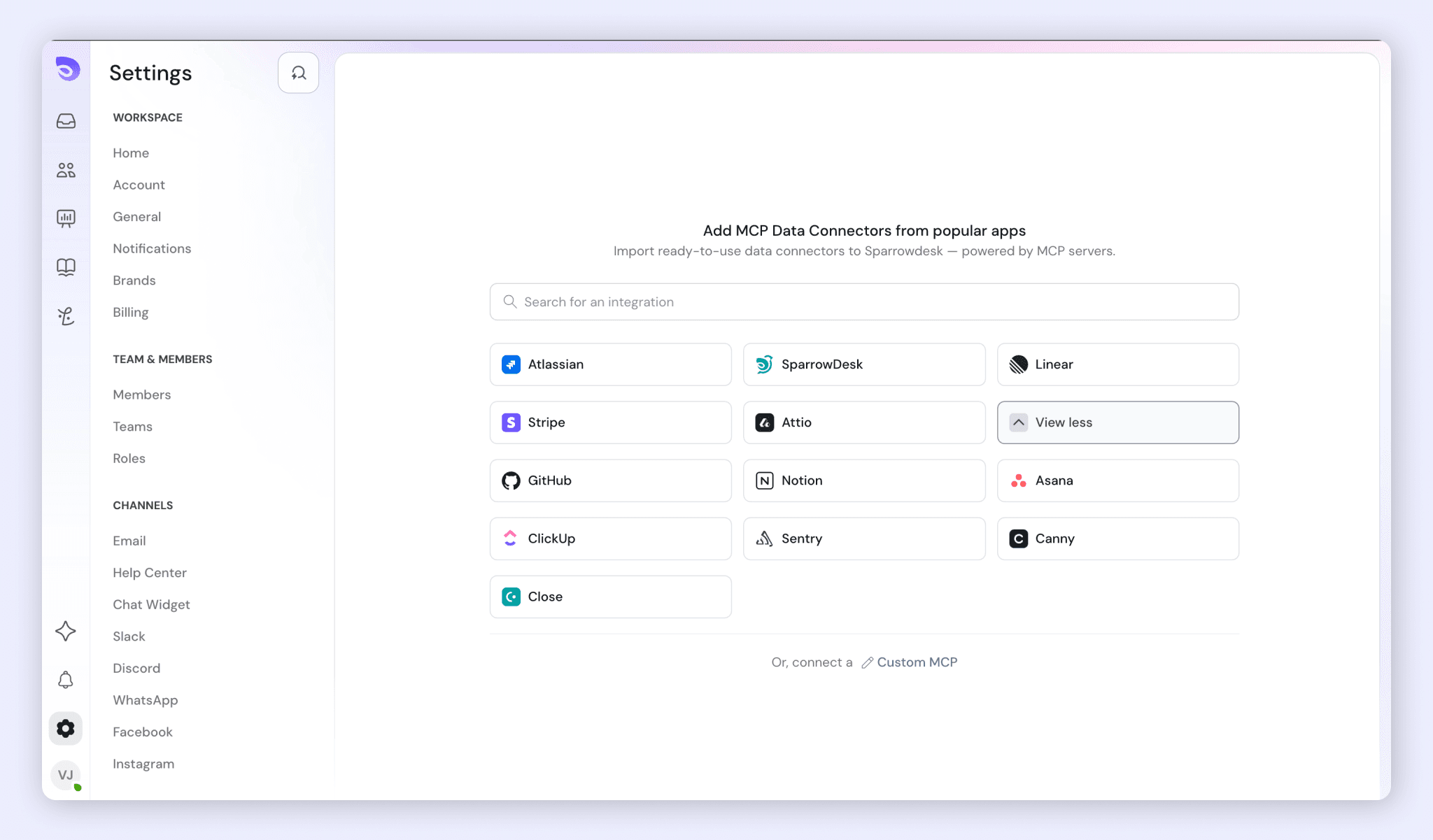
Connectors link AI Copilot to the tools your team uses, such as Notion, Linear, Jira, and ClickUp. With a connector set up, AI Copilot can pull information from that tool into its answers and send information back to it. You can also add your own custom connectors for tools that aren’t listed.
How Connectors Work
- Each connector lists its tools: the actions AI Copilot can take in that app, such as Save issue or Delete comment.
- Tools are grouped, for example Write/delete tools.
- For each tool, you choose whether AI Copilot uses it without asking, asks for your approval first, or never uses it.
- You see only the tools your organization has given you access to.
- A skill can use connectors as one of its steps. See Skills in AI Copilot
Open a Connector
- Go to Copilot → Connectors.
- Click the connector, such as ClickUp.
Choose When AI Copilot Can Use Each Tool
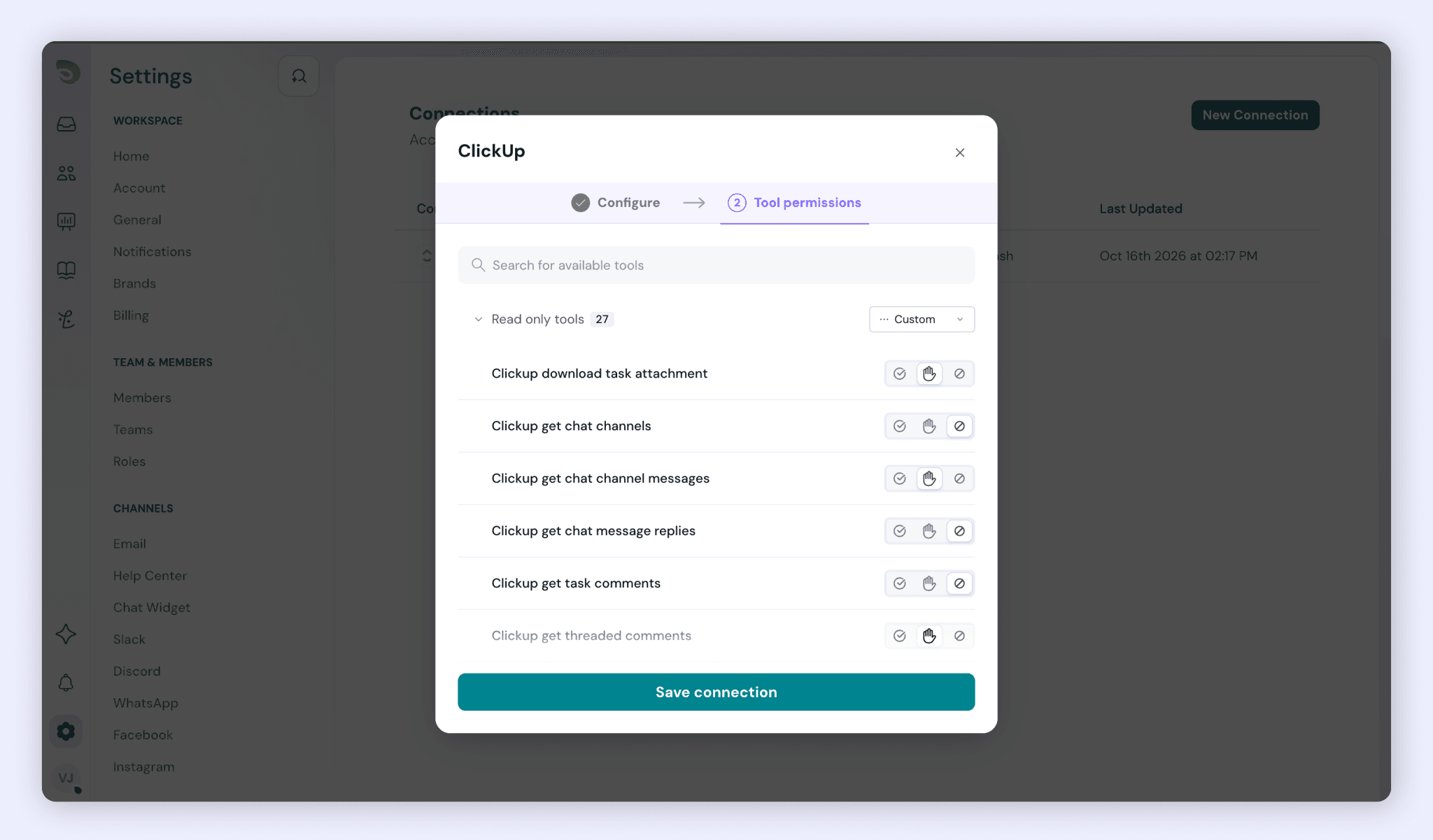
Under Tool permissions, choose one of three settings for each tool:
- Allow (check mark): AI Copilot uses the tool without asking.
- Ask (hand): AI Copilot asks for your approval before it uses the tool.
- Deny (crossed circle): AI Copilot never uses the tool.
To set one tool:
- Go to Copilot → Connectors and click the connector, such as ClickUp.
- Under Tool permissions, find the tool and click Allow, Ask, or Deny next to it.
To set every tool in a group at once:
- Under Tool permissions, open the dropdown next to the group name, such as Write/delete tools.
- Choose Allow all, Ask for all, or Deny all.
When the tools in a group have different settings, the group’s dropdown shows Custom.
FAQ
- Which tools can I connect?
Tools such as Notion, Linear, Jira, and ClickUp. You can also add custom connectors for tools that aren’t listed. - Will AI Copilot change data in my tools without asking?
Only for tools set to Allow. Set a tool to Ask to approve each use, or Deny so AI Copilot never uses it. - What does Custom mean next to a tool group?
The tools in that group have different settings. - Why can’t I see some tools in a connector?
You see only the tools your organization has given you access to. - Can a skill use a connector?
Yes. A skill can use connectors as one of its steps.
Was this helpful?