
Undo Send in SparrowDesk

Undo send holds your replies for a few seconds before they go to the customer, so you can take one back if you spot a typo, picked the wrong conversation, or sent too soon. While a reply is held, it shows Sending with an Undo link. Click Undo and the reply comes back to your editor without reaching the customer.
What You Need First
- Any plan: undo send isn't limited to a plan.
- No admin setup: each agent turns it on for themselves. It's off by default.
How Undo Send Works
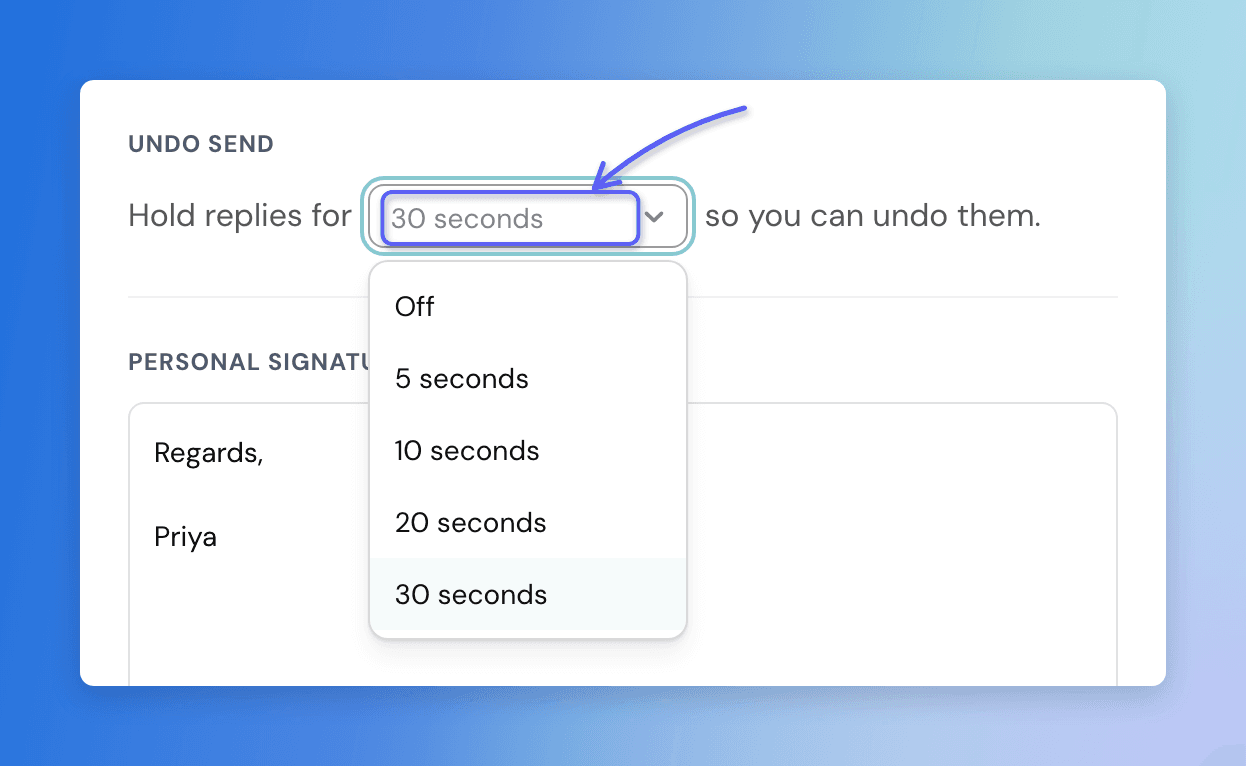
- When you click Send, the reply waits for the time you picked: 5, 10, 20 or 30 seconds.
- During that time the reply shows in the conversation with Sending and an Undo link under it.
- When the time runs out, the reply goes to the customer.
- It works on replies to email, live chat, WhatsApp, Instagram and Facebook Messenger conversations.
- Only replies you send from the reply box in the Inbox are held. Internal notes, new conversations you create, and replies sent by workflows, the AI Agent or the API go out straight away.
- The setting is yours alone. It doesn't change how replies work for anyone else on your team.
Turn On Undo Send
- Go to Settings → Account.
- Open the Inbox preferences tab.
- Under Undo Send, choose how long to hold replies from the Hold replies for menu.
The change saves as soon as you pick an option. To turn undo send off, choose Off.
Undo a Reply
- Send your reply as usual.
- While the reply shows Sending, click Undo under it.
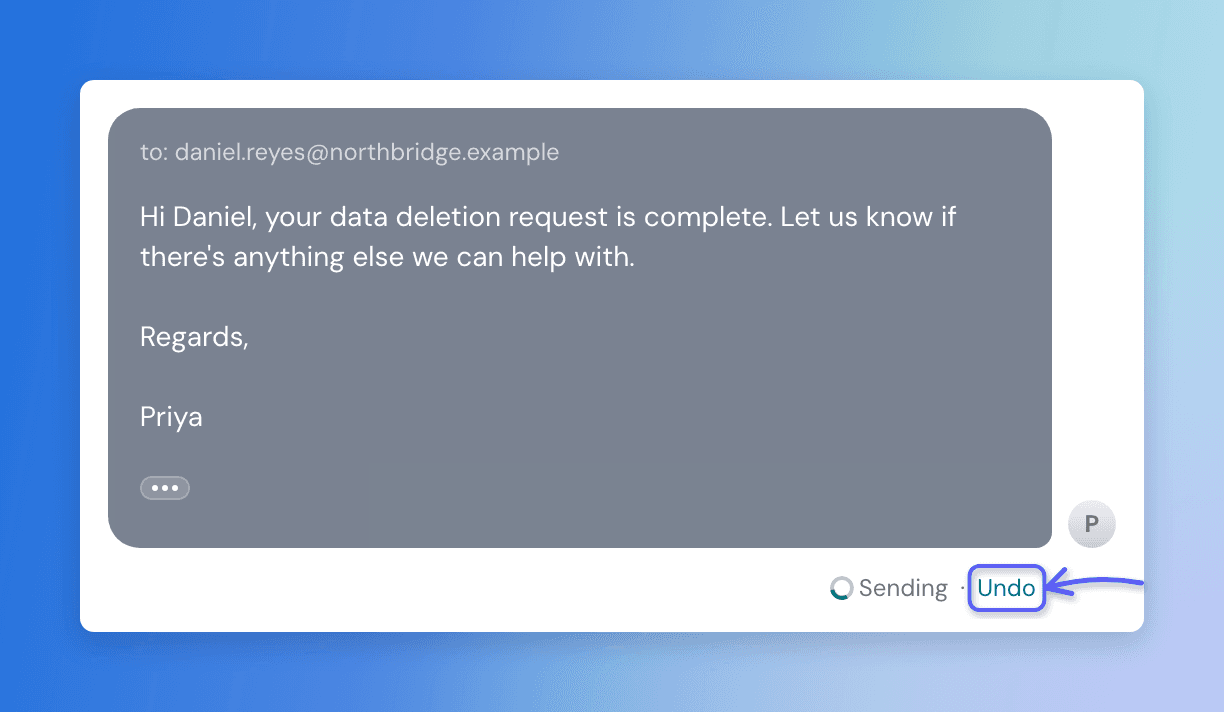
The reply is removed from the conversation and its text goes back into your editor, ready to edit and send again. Nothing reaches the customer.
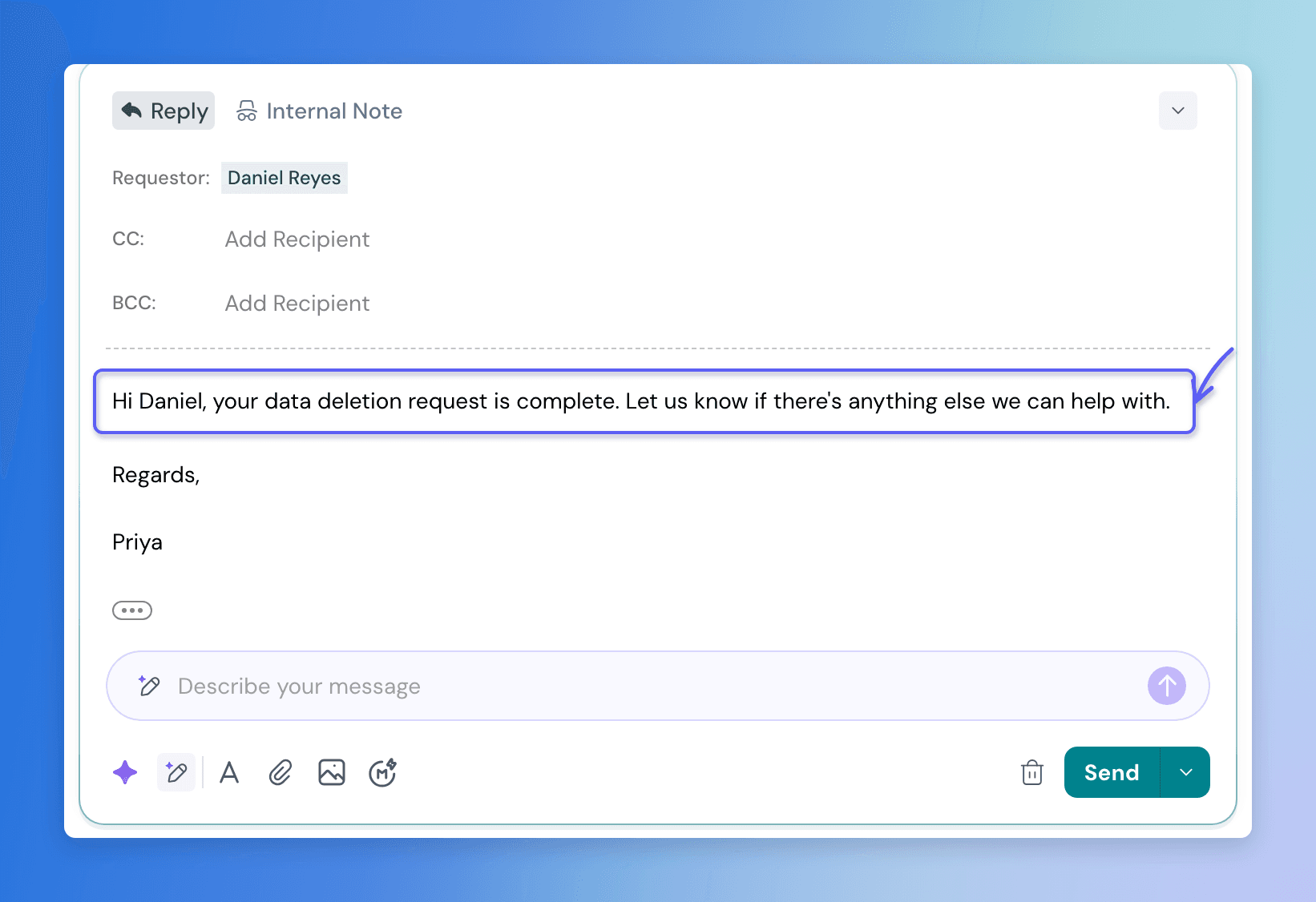
If you click Undo just as the time runs out, the reply may already be on its way. You'll see a message saying it's too late to undo.
Send and Update Status
When you use Send and Close or pick a status from the Send menu, the status changes only after the reply goes out. If you undo the reply, the status stays as it was.
If You Leave the Conversation
- You can move to another conversation while a reply is held. The reply still goes out when the time runs out.
- The Undo link only shows in the browser tab you sent from. If you reload the page or open the conversation in another tab or device, you won't see Undo, and the reply still goes out at the end of the hold.
If a Reply Can't Be Sent
- If a reply fails when the hold ends, for example because the channel rejected it, you'll see Your reply couldn't be sent. It's back in the editor. Your text is waiting in the reply box.
- On WhatsApp, a reply outside the 24-hour messaging window is stopped as soon as you click Send, before any hold, and your text stays in the editor.
FAQ
- How long can I hold replies?
Choose 5, 10, 20 or 30 seconds in Settings → Account → Inbox preferences. It's off by default. - Can an admin turn on undo send for the whole team?
No. Each agent turns it on for themselves, and it only affects that agent's replies. - Which replies are held?
Replies you send from the Inbox reply box on email, live chat, WhatsApp, Instagram and Facebook Messenger. Internal notes, new conversations, and replies from workflows, the AI Agent or the API are never held. - Can someone else undo my reply?
No. Only the agent who sent a reply can undo it. - What happens if I reload the page while a reply is held?
The Undo link disappears and the reply still goes out when the hold ends. Undo is only available in the tab you sent from. - Does undoing a reply also undo the status change?
Yes. With Send and Close or a status from the Send menu, the status only changes once the reply is sent, so undoing keeps the original status.
Was this helpful?